Official development blog
[ Latest Cogmind Release Notes: Feb 2026, "Unchained More" ]

Level Design and Shaping a Cogmind Experience

For years I’ve been taking a pretty standardized approach to designing each new map in Cogmind, and although we have dozens of them now, it’s one of the few topics I’ve never covered on the blog. This is essentially because a serious in-depth look at the entire process would require spoiling a lot of content, considering that all the most interesting maps have been located beyond the early game.

But with the recent release of Beta 8, which adds a very interesting map right to the early game, we now have a good opportunity to discuss map design without worrying too much about spoilers, since for the most part it’s easily accessible content anyway.

This article will walk through every stage of the design and implementation process, from start to finish. I took a lot of notes about the process itself as I was building Beta 8, specifically so I could share them here and to ensure that what I write is an accurate representation of what actually went down.

Note that unlike the majority of maps in Cogmind, due to its nature this particular map has a mostly static layout and content rather than drawing heavily on procedural methods. As such the process is missing a few steps, but I’ll cover those separately in an addendum. A mostly static map, on the other hand, provides some unique discussion opportunities of its own.

Conception

Before even starting, each map idea needs one or more concepts to build around, and in this case we have several goals:

  • add more potential variety, especially to the early game
  • provide more early plot hooks
  • help new players

For a very long time my notes for potential Cogmind features contained the concept of “derelict labs,” a way to access strange and fun technology, so when I started feeling we’d need a new area of the game to achieve all those goals, this concept seemed particularly fitting.

Once I’d decided this was likely to happen (several months before actually doing it), I began intermittently revisiting that section of my notes to expand it with new ideas and considerations. On each new visit to add more ideas, I’d intentionally avoid rereading previous notes on that topic, instead just appending any new thoughts at the bottom. This keeps me in the unique frame of mind I’m in at the time, allowing me to come up with potentially very different ideas, or even perhaps the exact same ideas again without realizing it :P (this because usually days or even weeks have passed and I’ve forgotten the details of my earlier ideas). Note that coincidentally repeating notes on the same ideas can actually be valuable, because it validates them, perhaps with different reasoning, or even fleshes them out in different directions I hadn’t thought of in previous note-taking sessions!

This process resulted in a total of about 2,600 words of rough notes on the topic, which like all of my notes are organized as nested lists in a TXT file.
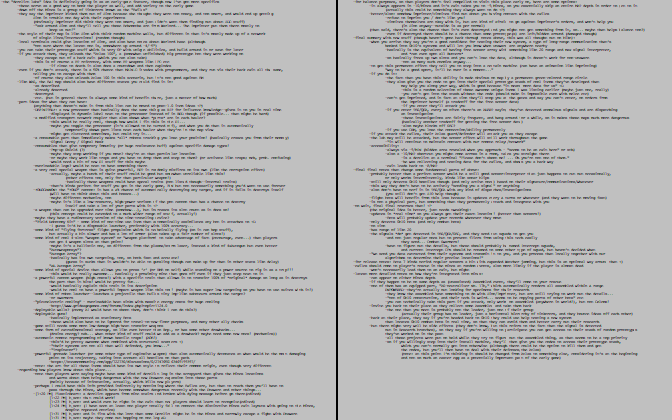
cogmind_level_design_exiles_rough_notes

The entirety of rough notes on the new map, as seen in my editor.

Normally I just delete rough notes once their contents have been implemented or converted to more permanent notes elsewhere, but this time I saved them to share with you. Download/read the original notes here (you’ll need line wrapping off to view them properly!). Since the notes are a top-to-bottom process, you can see how they kept getting longer and longer with each extension as I apparently went back and forth on various points. There’s even “final summary” followed by the typical “final final notes” followed by “no wait, final final reverses that” xD

In short, a new mini-faction of “Exiles” from another community has their own lab, offering the player both a new sensor ability (dubbed “FarCom”) and access to prototype gear from among a pool of possible items. Story-wise, they become the player’s earliest significant exposure to the world’s lore. As such, it’s good that I’ve circled back around to add this map after the rest of the world is already completed, so they can hook into it properly based on my knowledge of how everything can play out both in terms of story and gameplay. The alternative, trying to build this map from the start, would’ve likely meant repeatedly updating or changing its contents as the rest of the world was built. (Cogmind’s world was almost entirely built from beginning to end, rather than skipping around.) I’m not a fan of ripping out or making significant changes to old content, preferring to get it right the first time.

So back in late October when it came time to add the Exiles, the first task was to reorganize those rough notes. This normally means reading back over them to remove the stupid ideas, refine rough ideas, and generally consolidate the notes while expanding on any unclear points, making sure it all fits together in support of my vision for the map.

I didn’t spend very long in this phase, though, because there were simply too many notes this time around, and more importantly they were just going to be converted to a new form shortly afterward anyway. After just deleting some unnecessary chunks and making a few modifications, I quickly started on the proper map design doc.

Map Design Doc

The last planning stage before actually working on a map is to finalize all its relevant notes into a basic format I’ve been using since the beginning of Cogmind Alpha.

Each map generally has its own text file describing its design. I call these text files “supplements,” since the idea originated when I started using these external files to supplement Cogmind’s original design doc, a massive file which started to get a little unwieldy by the time the first public Alpha was released after two years (plus I didn’t like the format/program that was used to create the original doc and wanted to start moving away from that, and by then the entire primary design doc had been implemented anyway).
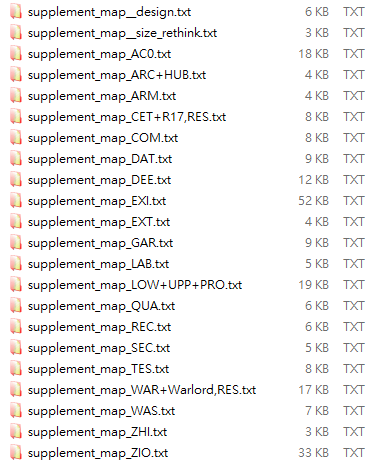
cogmind_level_design_map_supplement_files

Supplements for various maps added over the years. “EXI” is the code for Exiles--note its size relative to the others. It happens to be one of the more complex maps, with a lot of possible content and various scenarios.

Map design docs break down their contents into a number of common sections, including at the very least the following:

  • goal: Main purpose(s) behind adding the map to begin with
  • layout: An overview of environmental factors including the terrain and any props the player will see
  • inhabitants: Descriptions of all the entities (in Cogmind’s case, essentially robots) found on that map
  • gameplay: Primary interactive elements of the map, including any cause and effect related to dynamic content

These are the main four, but some maps have one or two additional note categories applicable to that map in particular. For example the Exiles design doc adds a “location” section, because unlike most maps there are a number of important comments to make regarding how to access this map in the first place, and its general position in the world. There’s also a large “part concepts” section for collecting ideas for their stash of prototypes.

You can read the entirety of the Exiles map design doc here (again, turn off line wrapping). If you checked out the rough notes earlier, you can see how they evolved into the proper design doc, which weighs in at three times the size (about 7,500 words). Some of the minor details in this doc may not be the same in the final implementation since I sometimes make last-minute changes that aren’t necessarily reflected back in the notes, but it’s mostly accurate.

High-level Design

It’s extremely important to expand the initial map design process to include considerations beyond the map itself. How that map fits into the bigger picture with regard to overall player strategy should be determined in advance, since it can have a broad impact on a map’s content, and if not careful a poorly planned map could end up needing more significant changes later on if players find that it’s either not very interesting or useful to them in the long run.*

(*There is currently one optional map in Cogmind which unfortunately fits this description: Recycling. It’s a relatively simple, small map with some unique mechanics of its own, but its advantages aren’t really as enticing for players as I had first envisioned them when it was created early in Cogmind Alpha. Back then I was just getting started adding optional maps, and have learned a lot since then, including by way of the player community as it’s matured. I have plans to improve it one day, but it’s not a pre-1.0 priority since it’s rather out of the way anyway.)

I wouldn’t want to waste player time, or my own, so the Exiles map in particular has a number of long-term strategic implications, and properly building them into the experience as a whole involved addressing different kinds of player needs, goals, and… um, craftiness ;)

Like pretty much all of the many optional branch maps in Cogmind’s world, the Exiles offer tradeoffs, making certain areas easier while increasing the challenge level in others.
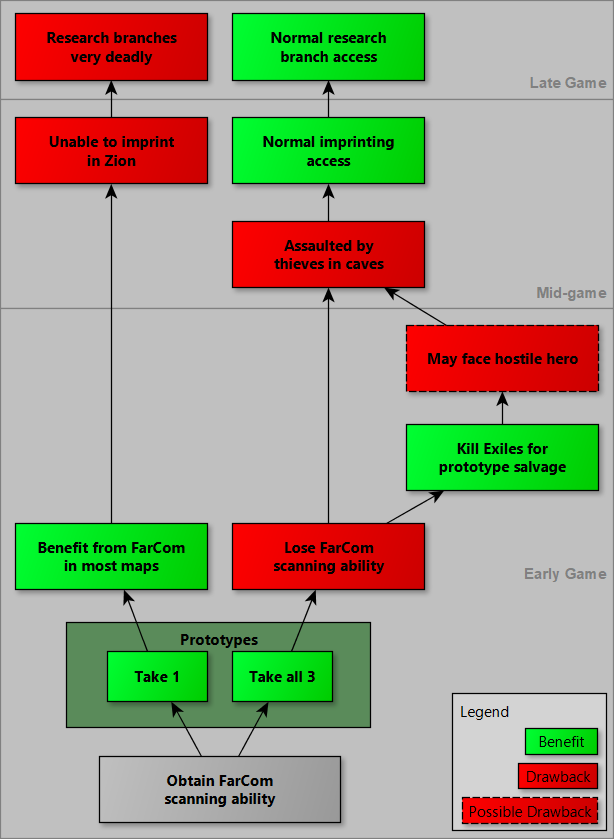
cogmind_level_design_exiles_strategy_flow_considerations

Primary long-term strategic decisions related to the Exiles. Note that some “drawbacks” may even be seen as good (or at least neutral) by certain players, so there are alternative interpretations to this graph as far as coloring goes. (I’ve chosen the most common view.)

There are other random Exiles scenarios which can affect the available options, but I’m covering just the most common one here. Also, graphed above are only the major strategic considerations--individual prototypes can change a player’s potential route or even suggest builds depending on what they are, because they’re selected randomly from a pool of possibilities. Overall this one map has really opened up a lot of new options! I’ll talk about these options in more detail later.

As designed, the standard Exiles benefits (one free prototype + FarCom) are especially noticeable in the short-term, at the expense of long-term drawbacks, making them a great choice for new or inexperienced players. That’s not to say they can’t be useful for experienced players as well--already one player won an extended run despite using FarCom, which essentially makes late-game Research branches off limits, even though that’s where one normally accesses a lot of the most effective tools for tackling extended game challenges.

Having tradeoffs makes visiting the Exiles much more interesting, and they’re essential, too, because without tradeoffs it would be easy for a player to become overpowered, and a no-brainer to route a run through this map. Naturally not every map needs such explicit drawbacks, since in a lot of cases the drawback is the inherent cost of reaching and/or fighting whatever is in the given map, but here I should emphasized that the inhabitants of this particular map are all friendly, and reaching it is quite easy, so stronger measures were required.

Okay, planning is over, time to start doing.

Building Blocks

As we already have our high-level analysis and relatively complete plans to guide construction of the new map, the first stage is to put together its entities and items, basically any individual objects that can be created in isolation. This would be the “pieces before the puzzle” approach, breaking down a large project into its smallest parts and working on each of the latter first.

But I’m not even adding them to the new map at this point--it doesn’t even exist yet.

Since there’s a lot of work to do for such a giant chunk of content, trying to add each new element to the map as it’s finished would often involve thinking at multiple levels (local area, map-wide, game-wide…), which is a lot less efficient than focusing on as few aspects as possible without constantly bouncing around. Working efficiently is not only faster, but also gives better results.

So the plan here is to get all the pieces in order, then put them together all at once.

Personally I like to start with the pieces that require the most time to implement, which for me includes most importantly anything that I think would be fun and interesting but is ultimately “optional” when it comes down to it, such as certain rare special events, items, etc.

Stuff like Beta 8’s time travel-enabling “Chronowheel” item took forever, one of those things where I’d say “okay I’m going to tackle this one today,” then at the end of the day it’s “okay, I’ll just have to finish this tomorrow…,” and then a couple days later I’m like “uh, really gotta finish this thing up today!” (and maybe still don’t xD)

But this is the type of content that really makes the project feel more like what it really is, a world built out of passion rather than just a “good enough game to sell and keep the lights on.” If I leave this tough optional stuff until later in the release cycle, it’s more and more likely to get dropped as I see the deadline approaching and there’s still so many other necessary tasks left to do, not to mention the fatigue of what it took to get near the end of the release cycle in the first place.

In the end I’m always glad I’ve done these parts of the content, but I have to essentially force it through proper planning to make sure it actually happens :P

Items

Items are the smallest building blocks of a map, so we start there.

The notes and design doc originally listed them in completely random order, but again in the interest of efficiency I somewhat reorganized the list to keep certain categories together. For example all projectile weapons should be worked on in succession, since they would all involve similar parts of the data and code. This makes working down the list flow more naturally, without having to jump between too many different areas throughout the source/data, mentally loading extra scopes.

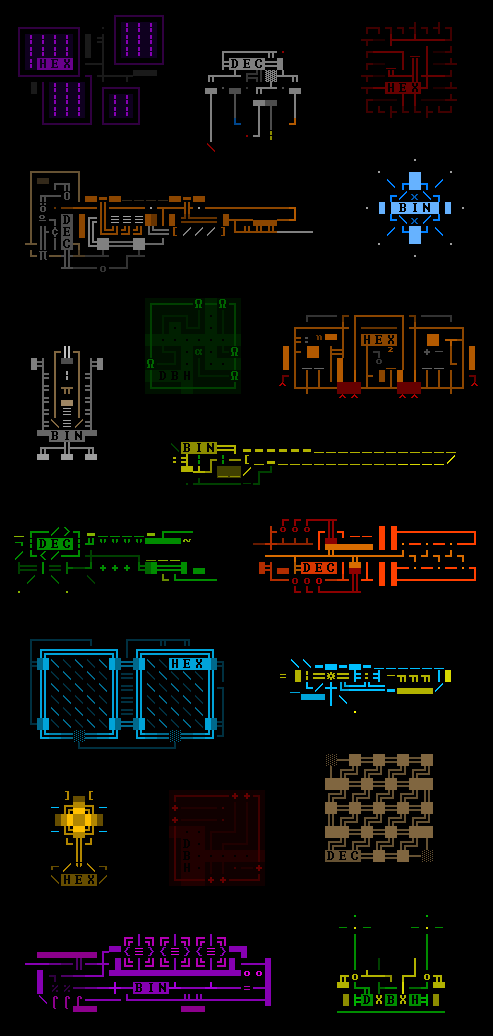
Before starting on any code or data at all, however, I worked with a completely different scope: art. All the art for the new items (more than 30 of them) was done together over a several day period, since again it makes sense to tackle like tasks in bulk. It can be harder to bear when a process like this stretches on for weeks or more, but as a solo dev who can only do one thing at a time, despite game development being a huge long-term undertaking, the efficiency gains are pretty vital.
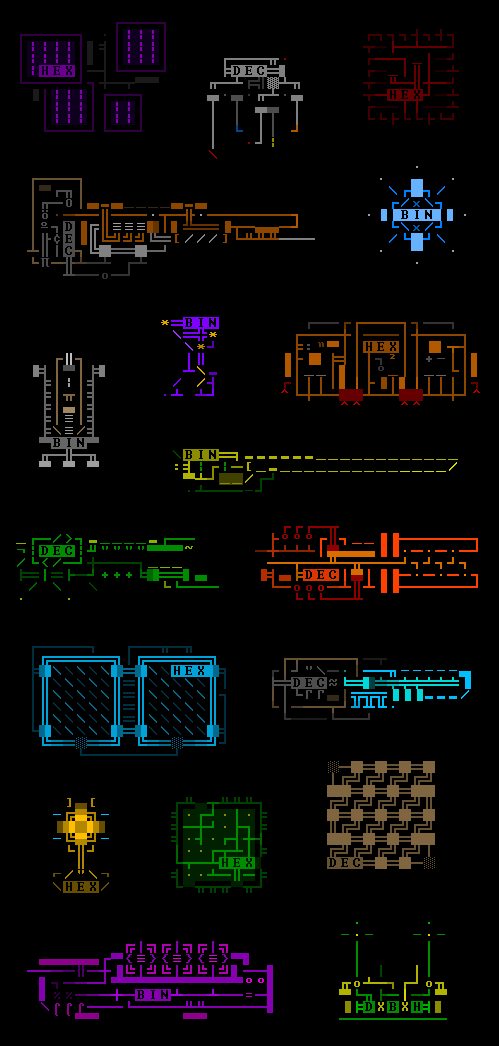
cogmind_beta8_exiles_prototype_sample_art

Art for some EX-tech prototypes found in Beta 8. Each of the new primary NPCs I’d planned for the new map have “signed” their prototypes with their name.

Immediately after the art came the lore. Each of the new items has some lore text associated with it, and seeing how that would in some cases help define or refine the item capabilities themselves, I wanted to make sure they were all accurate and consistent. So all of those entries were written at once, also important here since because they’re generally meant for the player to discover/read them in a particular order.

And finally it was time to create the dozens of items themselves--adding the data, balancing their stats, etc., which altogether took a couple weeks. Some items can be added in as little as 30 minutes or so, while others like the Chronowheel mentioned earlier could take several days.

The “Latent Energy Streamer” weapon adds a whole new resource in the form of “latent energy” which could potentially be more widely used later, but for now the entire thing was added specifically for just that one weapon, despite taking several days to complete xD

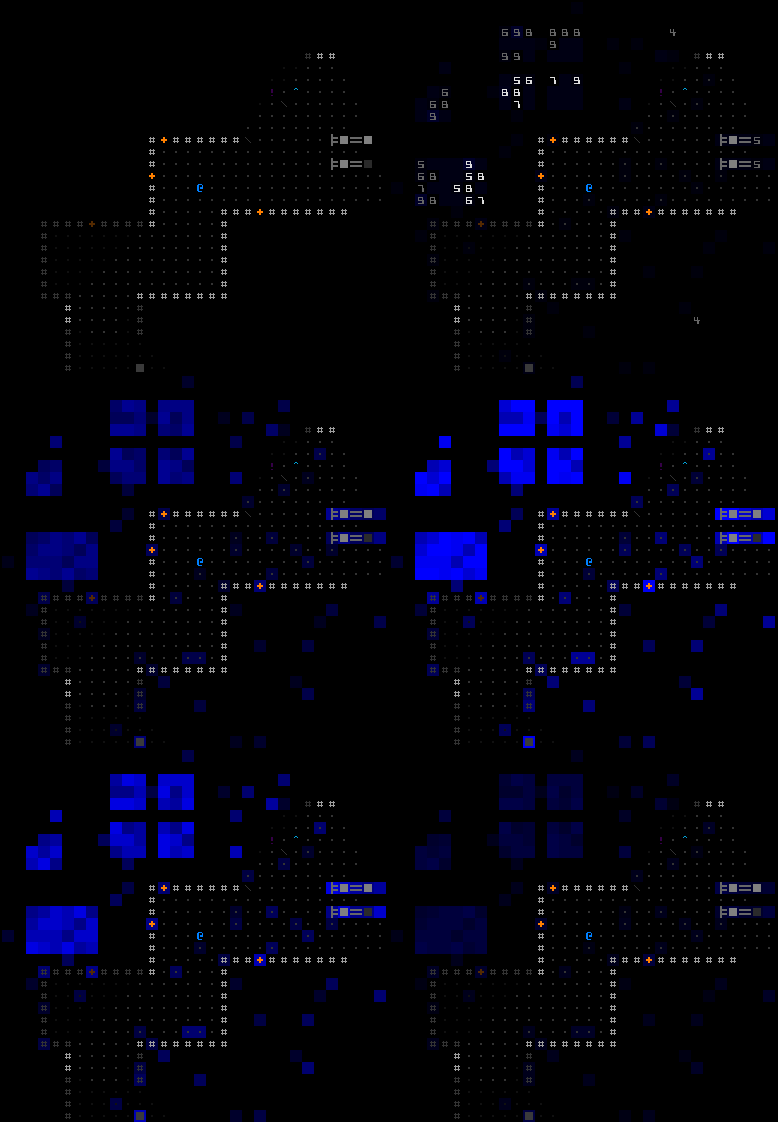
Latent energy is found throughout the environment, more often concentrated around stationary props like machines and doors.
cogmind_latent_energy_activation

Activating the LES, which also reveals latent energy nearby.

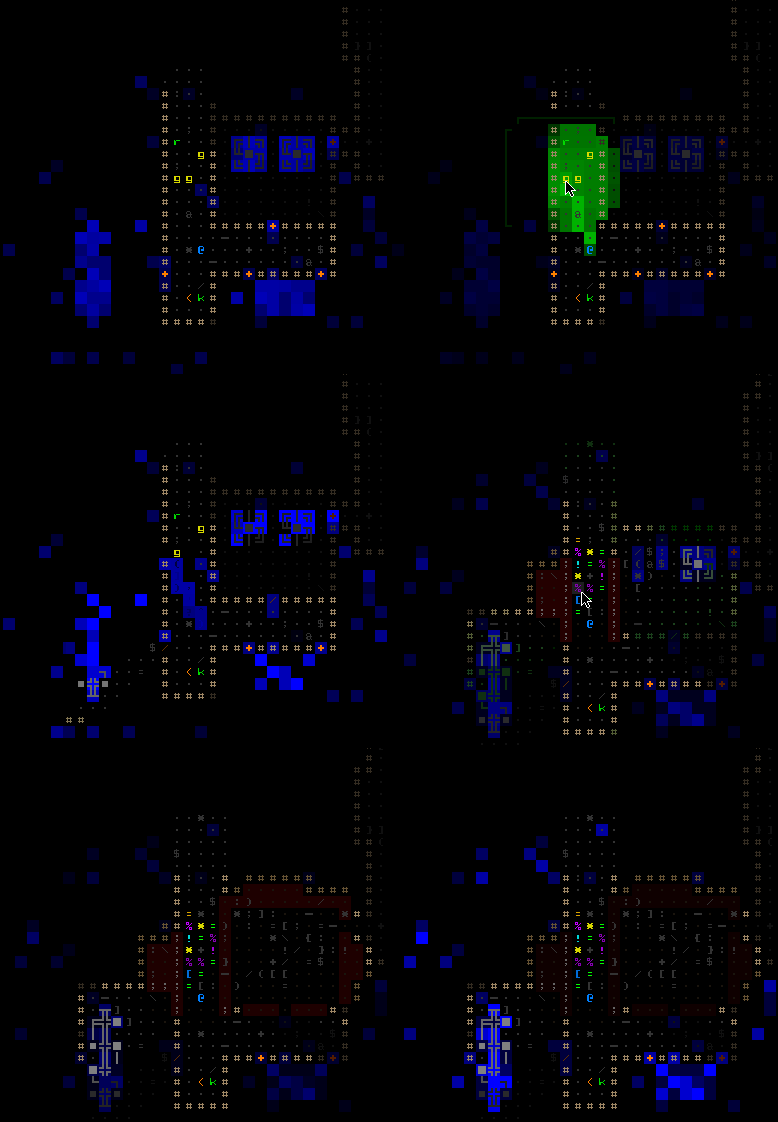
The LES draws on that energy and focuses it for devastating amounts of electromagnetic damage over an area, but also has side effects such as destabilizing nearby explosive machines, breaking automatic doors, and even corrupting the user. In fact, a number of the Exiles prototypes have negative side effects, which is what makes it possible to give the player such powerful parts early on in the game.
cogmind_latent_energy_streamer

Firing the LES. The firing animation took a while to perfect, too, being different from normal weapons in that it more closely ties into the surrounding environment, tracing lines through the latent energy that it’s actually using to fire.

The LES itself also has a unique tag which displays the amount of nearby accessible energy in number terms, as well as shows the actual range of damage it can convert that energy to, values which change as the local energy naturally ebbs and flows, or is used up and slowly rebuilds.

I’m really glad the LES is in game (and can’t wait to get a chance to use it myself during a regular run :D), though if I’d waited until late in the dev cycle to add it I’m not sure it would be a thing.

NPCs

After items comes another basic building block: NPCs. Some of these bots make use of the new items so they couldn’t come first, but once the items are ready we’ve got everything we need to put bots together, and an entity (robot) is a pretty self-contained little unit of development that doesn’t rely on the map itself (but will become a part of it), so they’re a good candidate for getting out of the way early. They take a while to build and balance, but focusing on them individually now means it will be easy to drop them all in on short notice when and where we need them later.

The Exiles map includes four new core NPCs, each of which has a line of data defining their properties. It’s a fairly long line!

cogmind_entity_data_8R-AWN

As a demonstration, here’s the data for one of the new NPCs, 8R-AWN. (I’ve wrapped the line a couple times here so as not to force quite that much horizontal scrolling :P)

When their data is complete, I run them through a separate program that can analyze robot designs and tell whether they’ll be overweight, have resource problems, overheat in combat, or any number of other issues. Their stats can be adjusted as necessary before moving on to the actual map :P

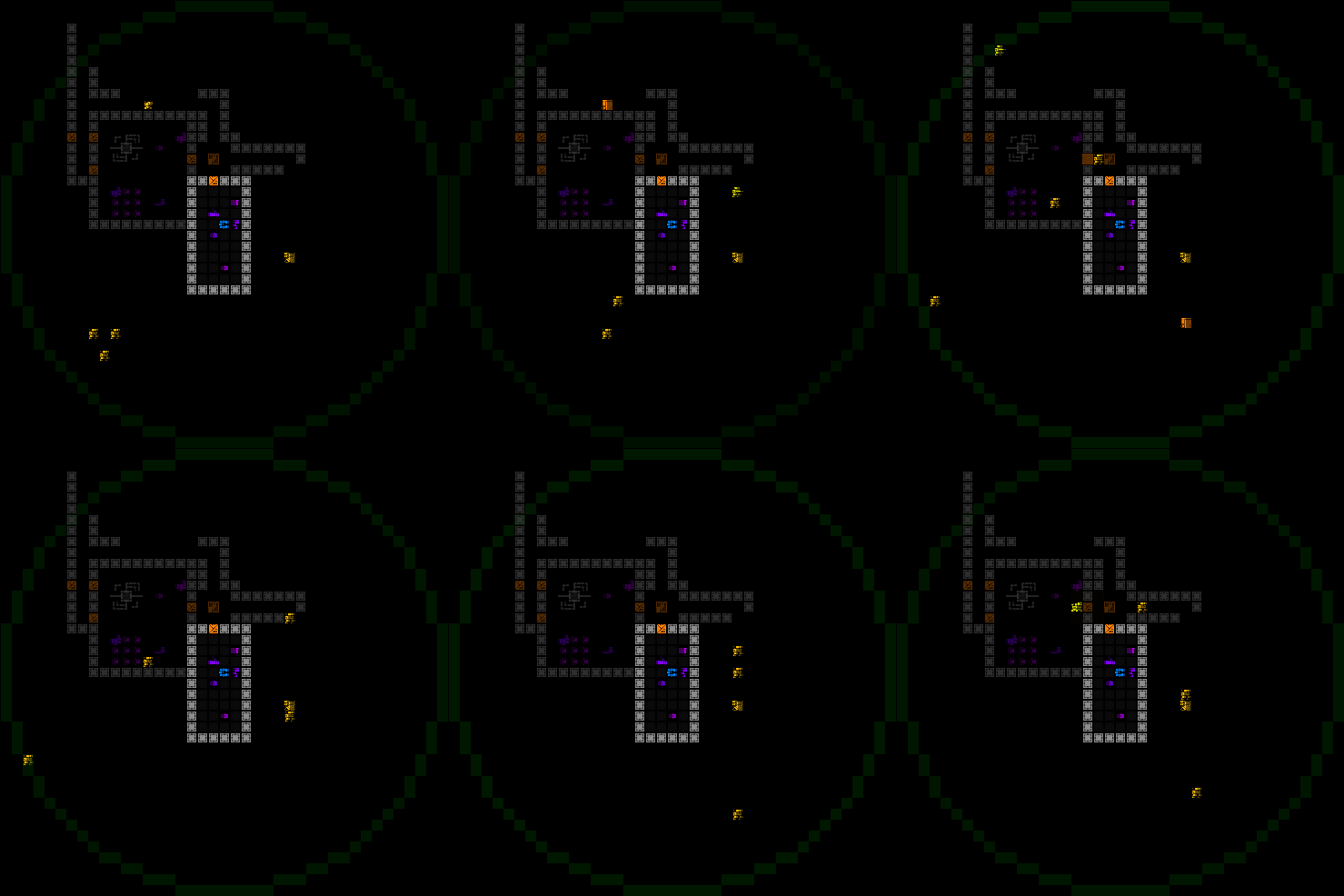
Actually no… At this point I also decided that before the map itself I’d implement the FarCom sensor ability they can give you. This, too, could be worked on as an isolated system since I could test it explicitly rather than immediately developing the proper method of obtaining it in game. It could be hooked in as a piece of the puzzle later.
cogmind_farcom_demo

FarCom in action, showing a faint circle within which hostile 0b10 combat bots are detected. (The circle has a slow pulse to it, but the gif doesn’t capture that well.)

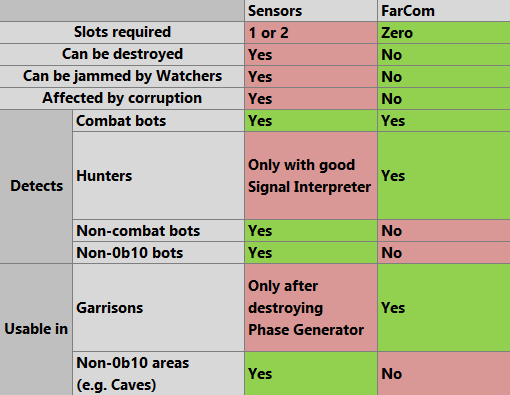
From an overall design perspective, there are enough types of differences between FarCom and normal attachable Sensors that there is no clearly superior form of detection in all scenarios. Each has their own benefits and drawbacks.
cogmind_sensors_vs_farcom

A comparison of standard Sensors vs. FarCom. Green cells are a positive, red are negative.

That said, FarCom is definitely a clear boon for new players, who get a free way to locate threats from afar without relying on any items for that knowledge. New players don’t have an easy time finding (and knowing to use!) Sensors, and parts can be destroyed, while FarCom cannot.

The unquestionably most significant benefit from FarCom, one that’s quite attractive even to non-beginners, is that it doesn’t occupy any part slots at all. This is especially true in the early game where two slots is a larger relative portion of Cogmind’s available slots. Sensor users can try to get away with one slot (just the array without an interpreter), but getting the same level of detail that FarCom offers requires two slots devoted to sensor data.

Freeing up a slot or two means extra armor, more storage, better targeting, and/or any number of other utility options, and this is a benefit that extends throughout much of the run, wherever FarCom is active. Of course, using FarCom is still not something everyone will always want to do, as per the earlier chart showing the serious late-game drawbacks.

Overall I’m pretty happy with how it’s turned out.

Layout and Integration

Time to build a map! Sort of :)

I always start on blank sheets of loose paper since I find it the most natural, fast, and free-form.
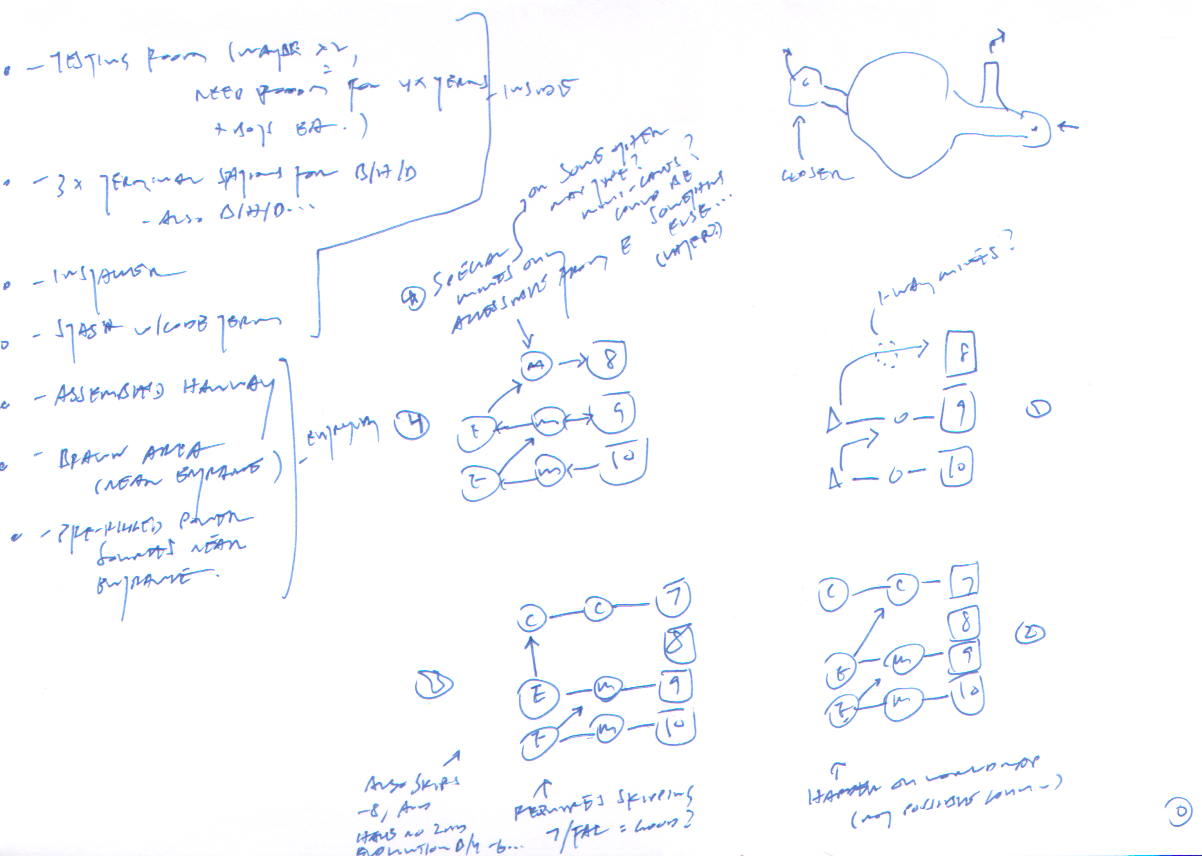
cogmind_level_design_exiles_map_layout_0_connections

Exiles map general layout, content, and world connection planning.

Most of that page is actually occupied by graphs considering how to connect this new map to the rest of the world. The route the player has to take to reach a map, and return to other areas, are important factors in setting the related rewards and challenge level.

The Exiles are accessible from either -10 (essentially the lowest/earliest depth!) or -9, by the way of the Mines at that depth. They will only appear at one depth, though, and as the entrance is somewhat tucked away inside the Mines, I added a special indicator that lets observant players know when they’re at the same depth as the Exiles. I didn’t want players potentially wasting their time scouring an entire Mines depth for an entrance that might not even be there, so I drew on so-called “level feelings,” a mechanic found in a number of classic roguelikes such as NetHack, ADOM, and Angband whereby on entering a new map you get a log message reflecting a special aspect of that map.

cogmind_level_feeling_exiles

Cogmind’s first application of “level feeling,” added to save players time when searching for the Exiles.

Players can also read lore in the Exiles Terminals which explains the scanning.

As for the return trip after visiting the Exiles, I had thought to maybe send the player back to the main path through the Lower Caves, but that was when I was initially trying to restrict the design to existing options. Instead I ended up deciding to add a new Mines depth at -8, one that can only be reached while returning from the Exiles. This is both better gameplay (Mines are the smallest and easiest maps, suitable for weaker players) and more logical (the Exiles shouldn’t feel quite that close to the Complex, hence no immediate return to it from their map).
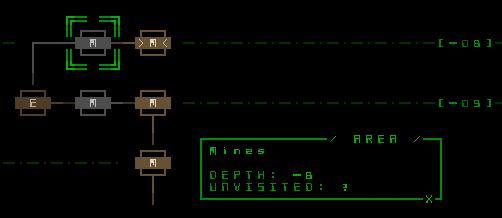
cogmind_world_map_mines8

In-game world map showing a player route having visited the Exiles and come back to -8/Materials through -8/Mines. That Mines depth is not normally directly accessible in the reverse direction, from -8/Materials, to avoid adding unnecessary exits in that map.

The little nondescript blob at the top right of the note paper is actually quite important, determining the general locations of entrances/exits for the map itself, which in turn can affect the whole map design (terrain layout, content positioning, event timings…). These most vital points determine the flow of the experience. The player enters from the lower-right, and almost immediately there’s a junction leading to an exit out (mainly necessary to provide an avenue for other robots to enter the map from this side--more on that later), then the main content area would be in the middle, and further to the left is a second “back exit” from the map.

Lastly, on the left* of the notes is a list of ideas for things I’d need to add to the actual map layout, which I’d sketch out next…

*I’m left-handed and tend to orient my paper horizontally and fill pages of notes from right to left :P

Confident in the connections, it was time to sketch the map layout in more detail!
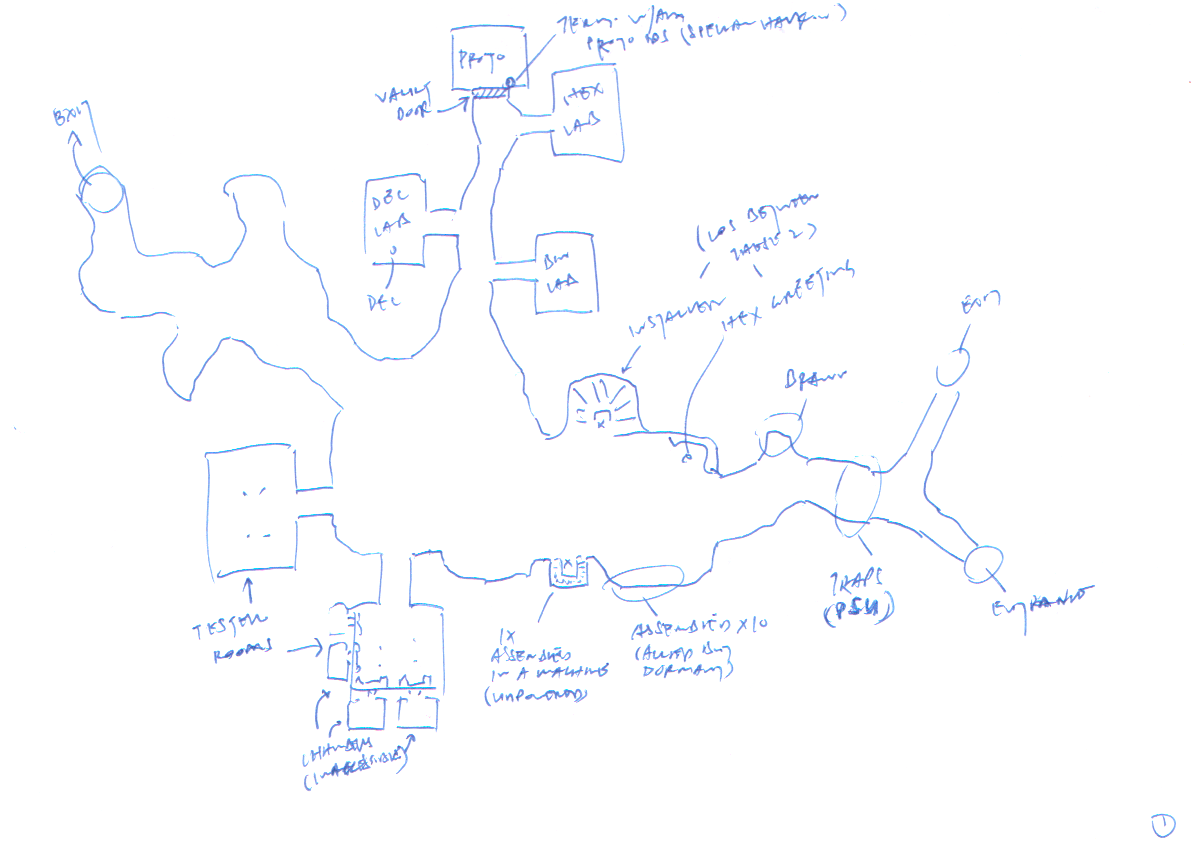
cogmind_level_design_exiles_map_layout_1

First pass on a reference sketch for Exiles map layout.

As a static map with important NPC interactions, the layout really had to take into consideration the flow of a new player coming in and experiencing it for the first time--who will they see first and what will they say so that the order of everything makes sense?

So after doing the quick tentative sketch above (based on the earlier general list), I had to take a break from this and jump ahead a bit to work on content for a day, specifically dialogue. True, the NPCs haven’t been placed yet, nor is there even a map to place them in, but by writing out the dialogue in advance I could make sure no single NPC was saying too much or otherwise needed to offload some lines onto another, which might affect the layout. (It did.)

After the dialogue detour, I did another pass on the map sketch, creating this second more specific iteration to match it:
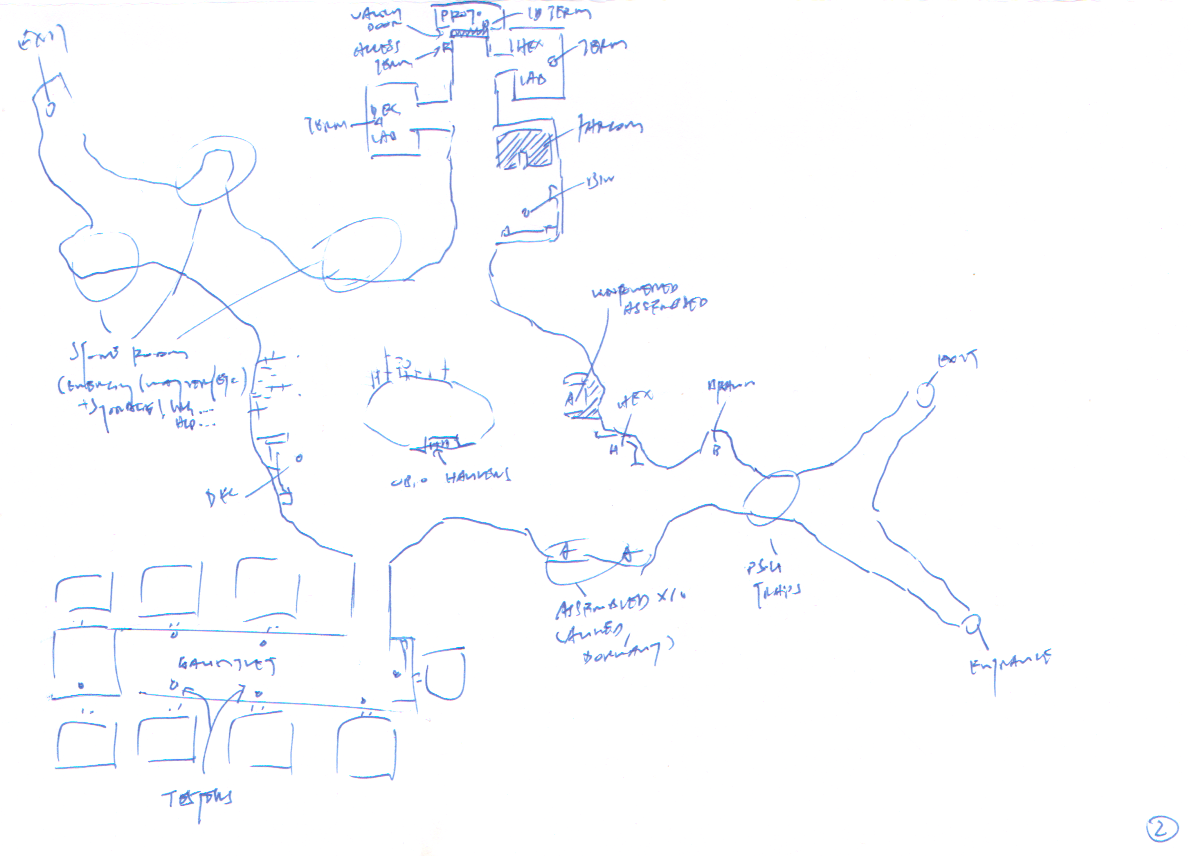
cogmind_level_design_exiles_map_layout_2

Second pass on a reference sketch for Exiles map layout.

The player enters from the bottom right, sees another corridor leading to an exit but no hostiles in view so it’s safe to continue exploring. Also there are some “rigged” power sources in the tunnel forward, a mechanic only made available via Exiles tech and therefore will be new to the player--anyone curious will want to check them and out and continue exploring, first meeting 8R-AWN in the corridor there for a friendly welcome/intro chat. Then they’ll move into the central area and spot the second main NPC, EX-HEX, who introduces a bit more of the lore and invites the player to seek out EX-BIN to help with a project. From there they can go anywhere, either learning more about the place from prototype tester NPCs in the south area, or head north to get the main benefits of the map, FarCom and the prototype(s). Either direction is fine for a first experience. Then they can leave by heading back to the east side, but are more likely to take the rear exit.

At this point I went ahead and put together all the extra terminal lore and minor NPC dialogue as well, since there might be something in there which could affect the map layout as well (there wasn’t, but anyway having just finished the dialogue it was good to keep up the pace while still in “writing mode”--efficiency!).

Then comes time to break out my next tool: REXPaint. I turn the reference sketch into a general layout in REXPaint, measuring out cell distances to make sure everything will fit just right--not too squished and not too open, and that the average player FOV from a given position will reveal the right amount of content.
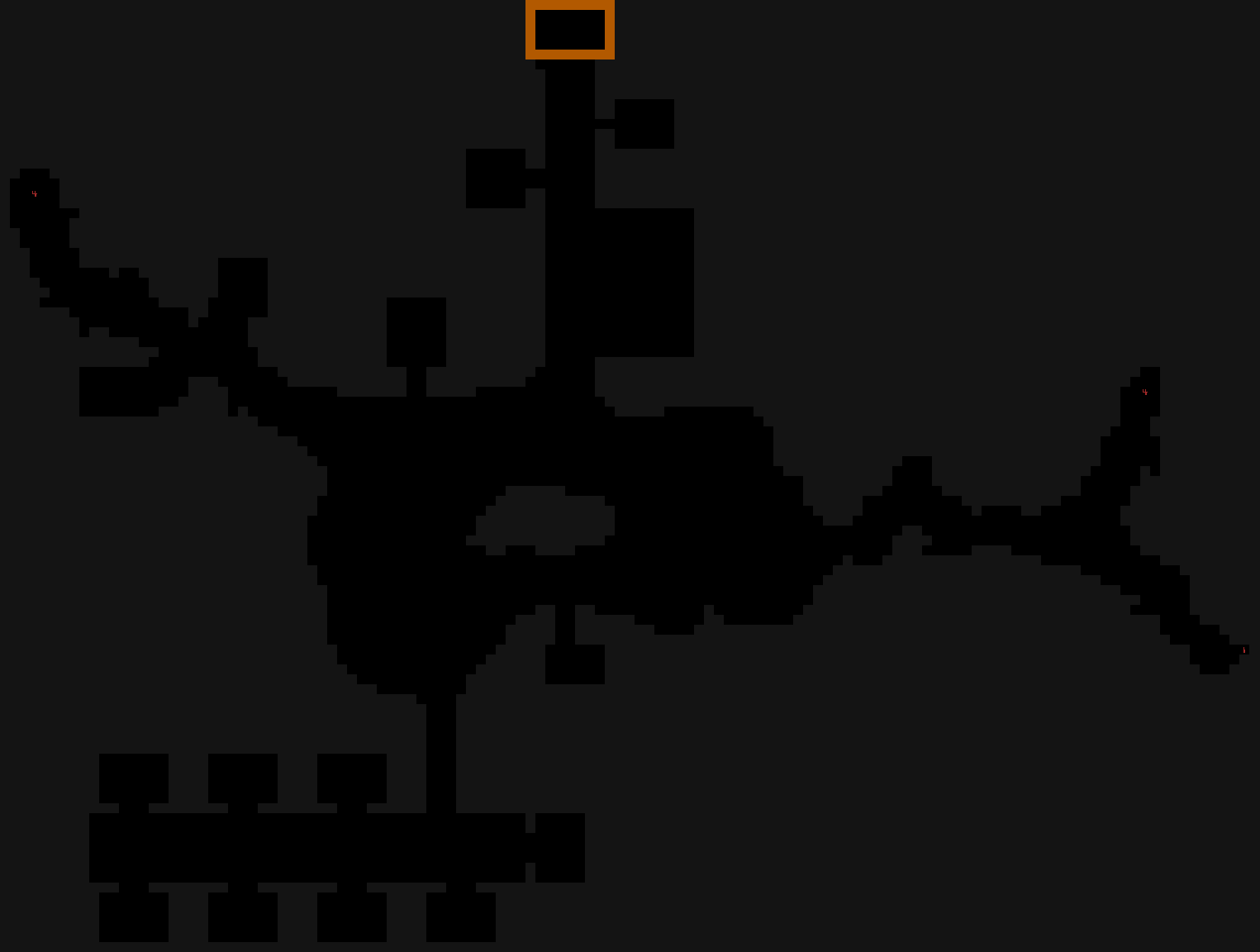
cogmind_level_design_exiles_map_layout_basic_rexpaint

Exiles map taking shape in REXPaint. For now it’s just a single layer containing the general layout, entrance, and exits, still no objects or other details yet. It’s also lacking some layout details that might emerge/become necessary as objects are added.

And with that file saved it’s ready to drop into the game!

(This map happens to have a fully static layout, so it skips some steps here that many other maps might require. I’ll cover those in an addendum.)

Content

It’s now time to build the actual experience, starting… outside the map :P

As a beginner-friendly map which is still kind of out of the way, I wanted there to be some ways to help funnel new players in that direction. So before working on the map itself, I again wanted to develop along the flow of the experience by beginning with how players are most likely to find it the first time. 8R-AWN, the brawn to the Exiles’ brains and the first NPC players meet on entering their lab/cave, is sometimes out running errands for them, and the player might meet him while on one of these errands.

In one of the first Materials floors, whichever matches the Exiles depth, 8R-AWN can be found making his way across the floor towards an exit the Mines. The chance he’ll be around is higher for new players who’ve never met the Exiles before (unless they’re using a seed, since seeded content should be consistent, irrelevant of player history). On spotting the player, 8R-AWN invites them to follow, and proceeds to trash hostiles all along the route to the exit. (Or if the player is on the far side of the map, they may simply find a trail of destruction left in his wake from earlier, and 8R-AWN is long gone.) He’ll take the exit himself, and if he spoke with the player earlier will be waiting there when the player arrives before some more dialogue and continuing to lead on to the Exiles’ hidden entrance.

Another possible encounter with 8R-AWN occurs during the Mines infestation. Assembled suddenly swarming into the area is a pretty deadly encounter for the unprepared, so it’s nice that 8R-AWN might show up to save the day, using special tech to shut them all down remotely. In this case if he spots the player he’ll also lead them back to the hidden entrance.

This hidden entrance actually took a few attempts to design, since there needs to be a wall that opens up automatically for a friendly player, but I didn’t want the player to see a wall from a distance, conclude that it was a dead end, and never bother approaching, so the trigger was placed such that the walls would open immediately as they came into view.
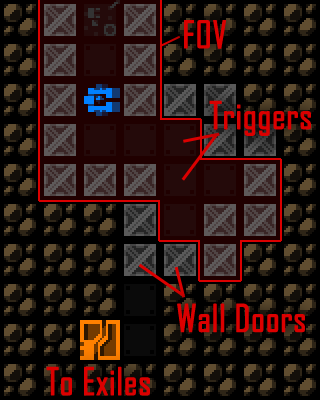
cogmind_level_design_min_exi_exit

Exiles entrance layout design in Mines. To the player it will appear as if the corridor continues forward until they round the corner, at which point the hidden doors open automatically to reveal the exit as long as the player is friendly.

This entrance is placed as a guaranteed prefab using the pre-mapgen method described here.

Exiles

That same post describes the data/scripting methods used to define the contents of Exiles, which as a static map is simply one giant prefab :)

At this point we can start dropping in all the objects that were created earlier--items, NPCs, dialogue, lore, etc. So it’s a relatively quick process since the objects are all ready, which is better than having to repeatedly stop what I’m doing to implement them. Instead I can focus on how everything is fitting together at the macro level, rather than worrying about low-level details.

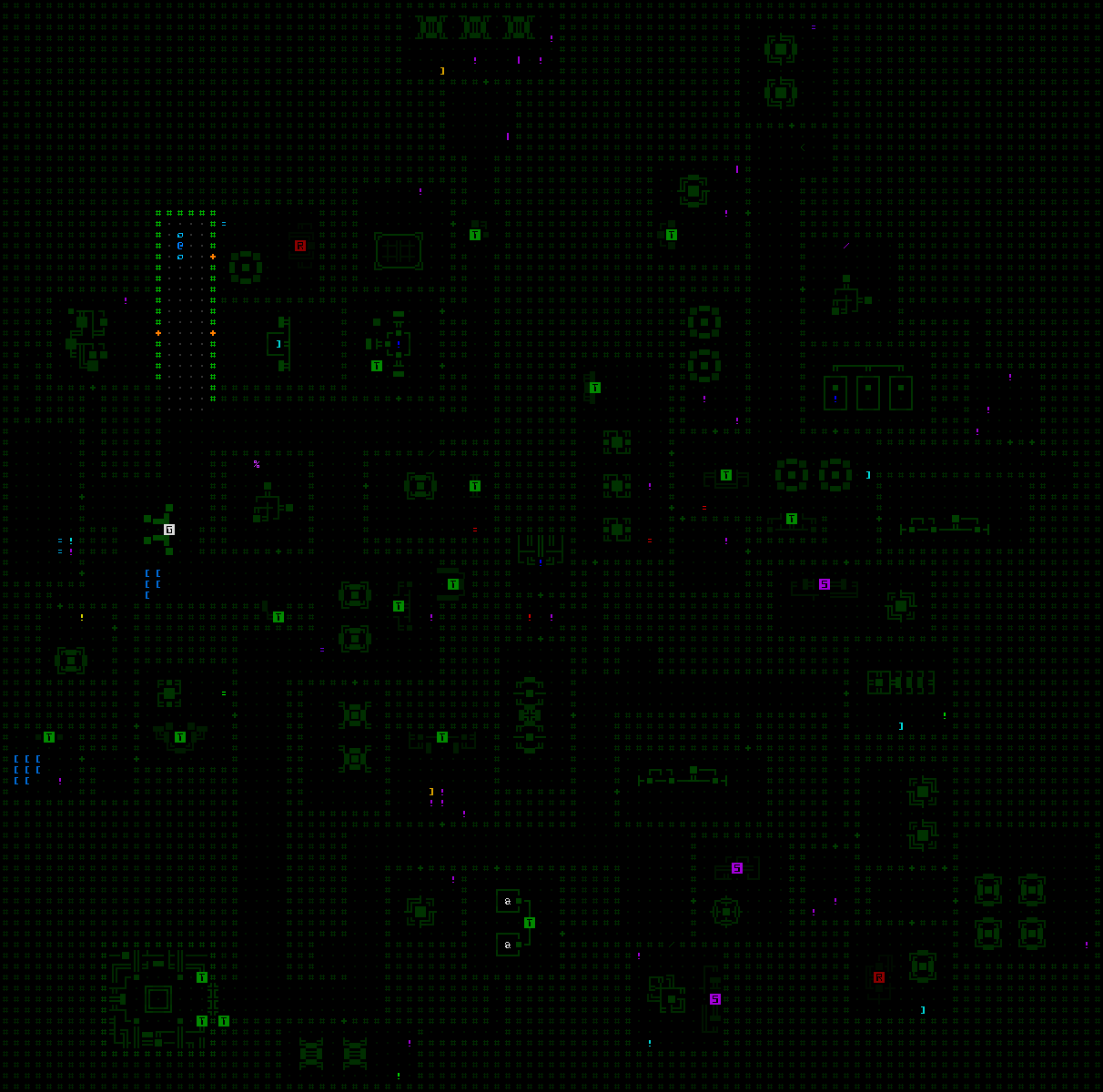
Once again we’re following the flow of the experience into the map from the right side, only this time using additional layers of the REXPaint to draw machines (gray lines) and mark entity and item positions (green letters and green numbers, respectively). Machines and other props, including invisible triggers, are identified using uppercase green letters.
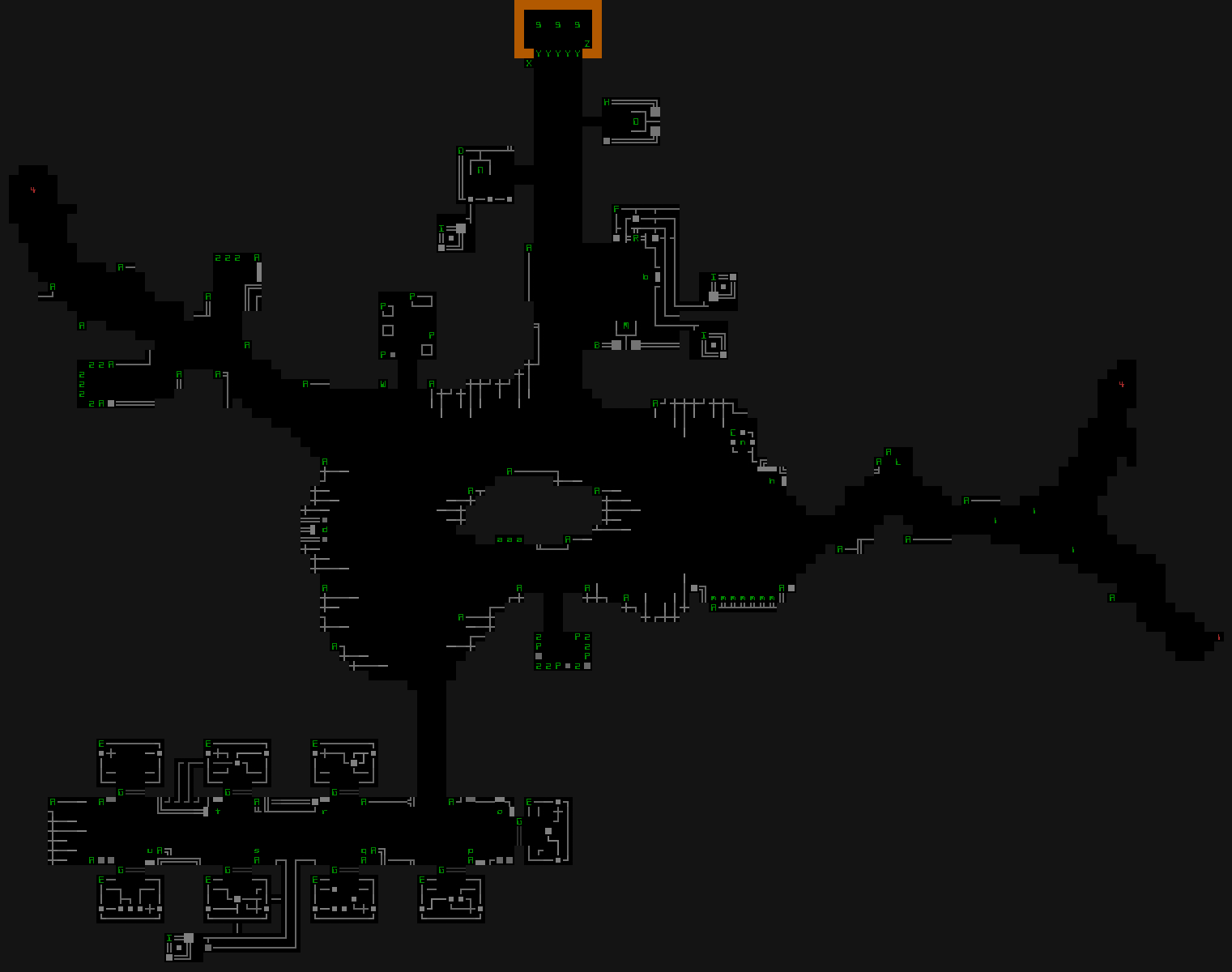
cogmind_level_design_exiles_map_prefab_rexpaint

Final Exiles prefab in REXPaint with all data layers visible.

The corresponding data goes into a text file, the features of which I’ve provided a breakdown before in “Map Prefabs, in Depth.”
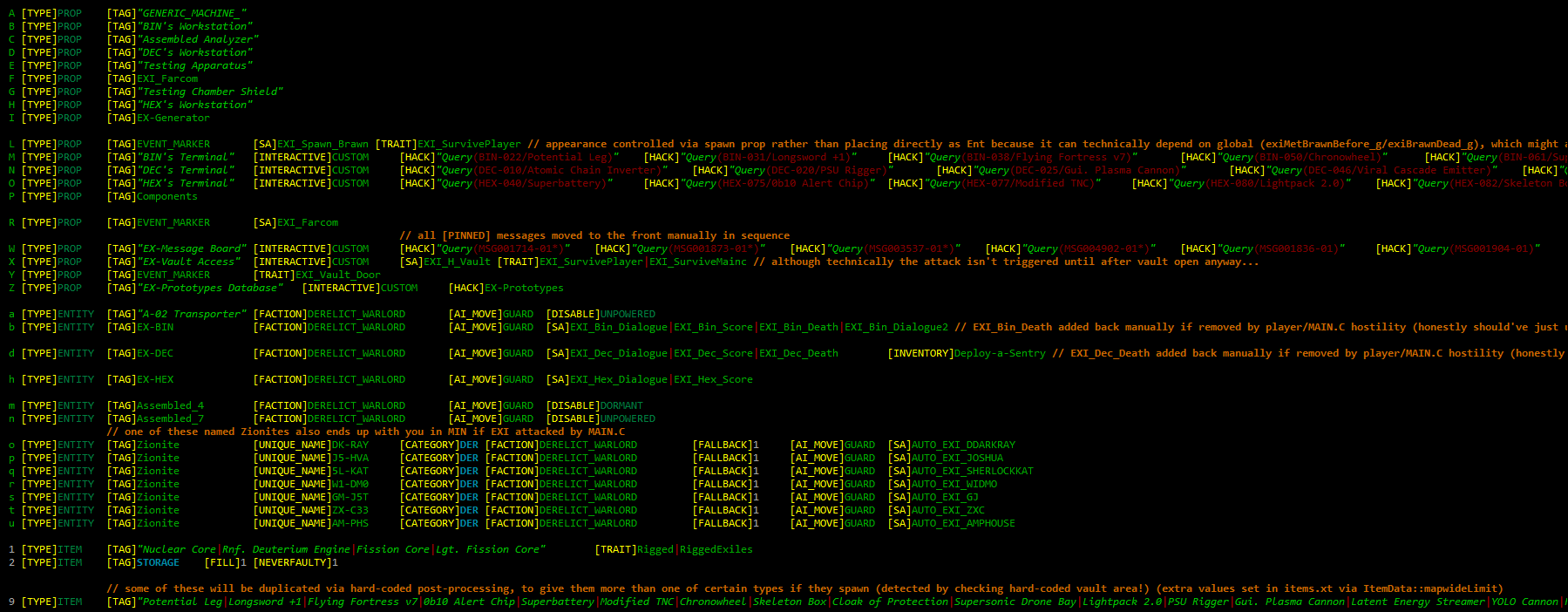
cogmind_level_design_exiles_map_prefab_data

Complete Exiles prefab data in image form, since it’s easier to read with syntax highlighting enabled. (Some of the lines are really long but not worth extending the image for, so they’re just cut off.) The file is also available in text form.

As I’m going through adding the objects, I make a list of all the related explicit tests that will be necessary to confirm the content is working as intended. I’m also constantly thinking of all the things that could go wrong and need to be looked into once everything is in motion. This list will be quite important later, and is better put together while each element is on my mind rather than trying to remember these points later, or coming up with tests from scratch. Despite my best efforts at the initial implementation, usually a number of things don’t work as intended, and it’s certainly better to work through it all systematically rather than wait for a stream of bug reports from players :P

This is a fairly large map so I didn’t wait until everything was placed before testing, instead stopping a few times to test in batches, generally clearing out the list in the process.

Bling

With most of the main content done, I moved on to more superficial elements of the kind that can be tacked on.

The FarCom mechanics were already implement much earlier, but it was still missing the animation played when you first receive the ability from the Exiles. There are a number of full-screen animations throughout Cogmind which occur when major abilities are conferred, so FarCom shouldn’t be an exception.
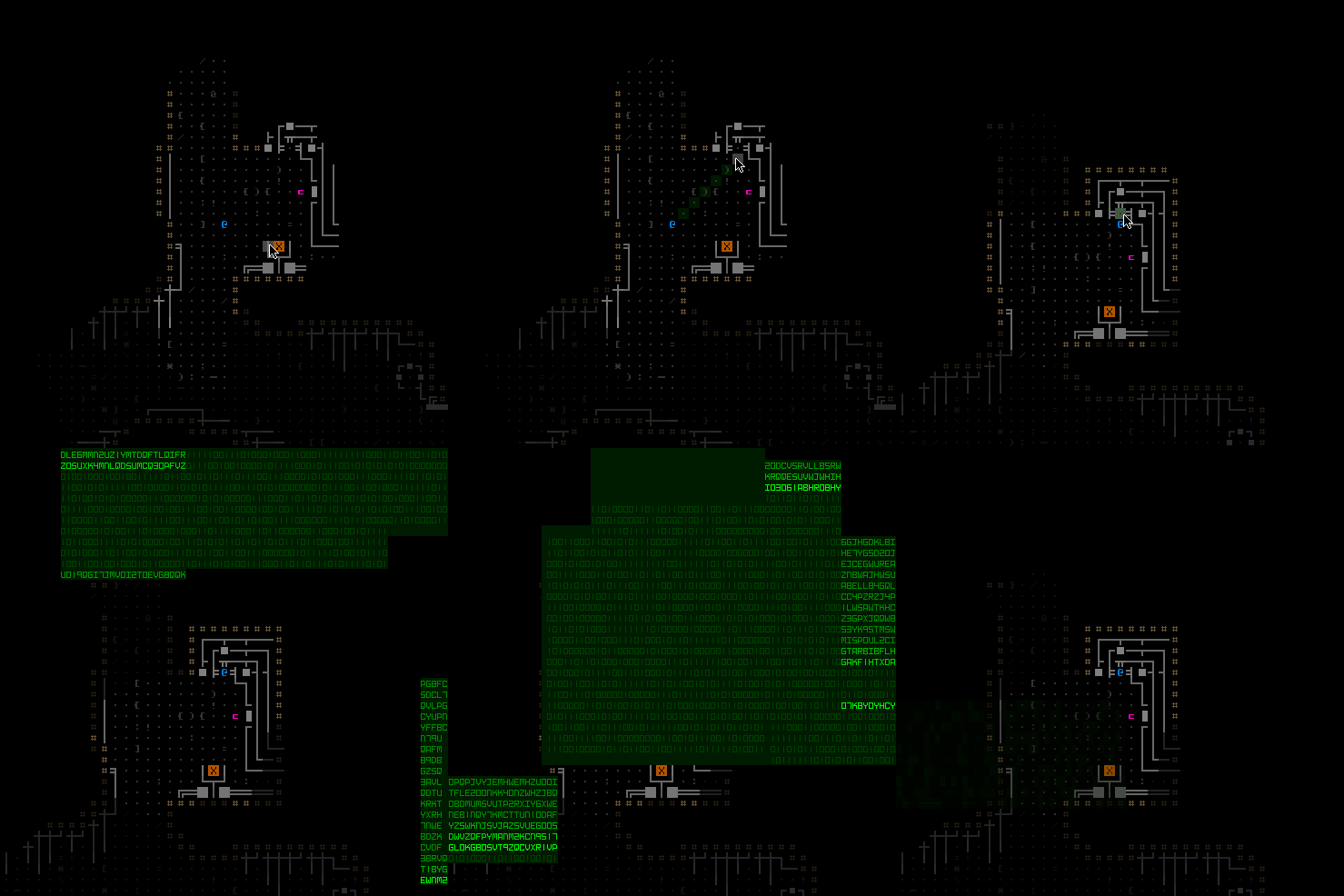
cogmind_farcom_animation

EX-BIN using the FarCom Aligner to add you to their system.

One element I also always leave for the end of the content phase is audio. Working with sound effects involves concentrating on tasks other than code, including managing a bunch of audio files and messing with them in Audacity. It’s more efficient to do all of them together, so whenever I come across something that needs audio I just leave a placeholder and add it to a list, one that gets taken care of after the rest of the content.
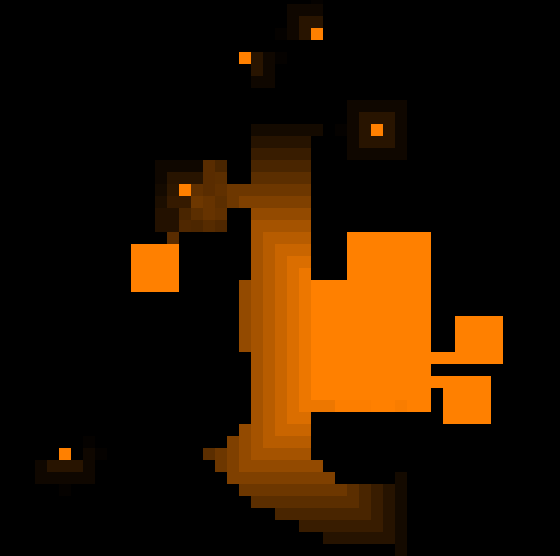
cogmind_exiles_map_ambient_sfx

Ambient audio visualization of the area around the FarCom Aligner, where brightness indicates volume. For those who want to read more on this, I’ve written about ambient sound before.

There were other non-ambient sounds to handle as well.

Variants

I keep saying the Exiles map is “static,” but that doesn’t mean it can’t have a little variety!

There’s the usual variety created via the prefab data shared above: Common items in store rooms are randomized, as are the prototypes (where there is quite a large amount of variety since the items can change up gameplay significantly, but appear in different combinations each run).

There’s also some variety created via the fact that you may or may not meet 8R-AWN before reaching the Exiles, in different situations, so that makes for unique dialogue options.

But the most significant variety comes from players not always finding the map in its default state at all. There are actually four different scenarios, the above text describing only the first. As part of the world generation, a random state for the map is chosen from among the following:

  • 51%: The default scenario, as described. This state is also always forced under a number of other world conditions outside the map, so the effective percentage is somewhat higher.
  • 12%: Deserted. The Exiles have already wiped their terminals and abandoned their lab.
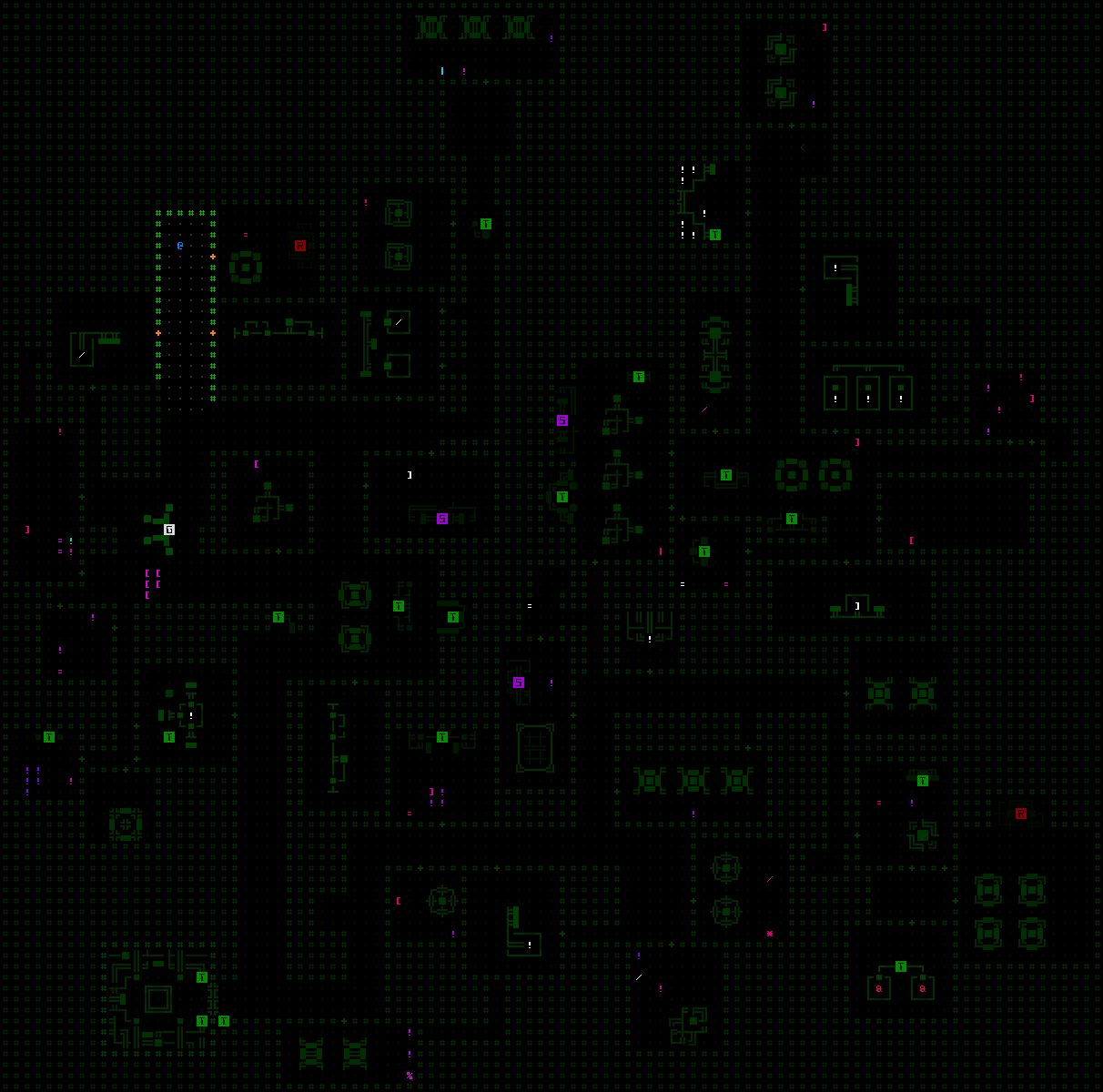
  • 12%: Destroyed. Complex 0b10 has already attacked the Exiles, leaving the place scarred from battle. There are no survivors to be found, but the area contains other useful remains.
  • 25%: This is equivalent to the default scenario, except forces from 0b10 will attack while the player is there.

I built the base map first, then implemented the 0b10 attack (essentially an event tacked on), then moved on to the other two variants last since they were less complicated. More complicated map variants should come first in case they require changing parts of the map concept itself to work right, whereas doing complicated variants later could mean having to waste time changing a bunch of earlier work! It’s hard to predict all the changes that might be necessary in advance, so prioritizing like this is important.

The deserted and destroyed variants were easy to manage since they were basically just modified data and REXPaint maps.
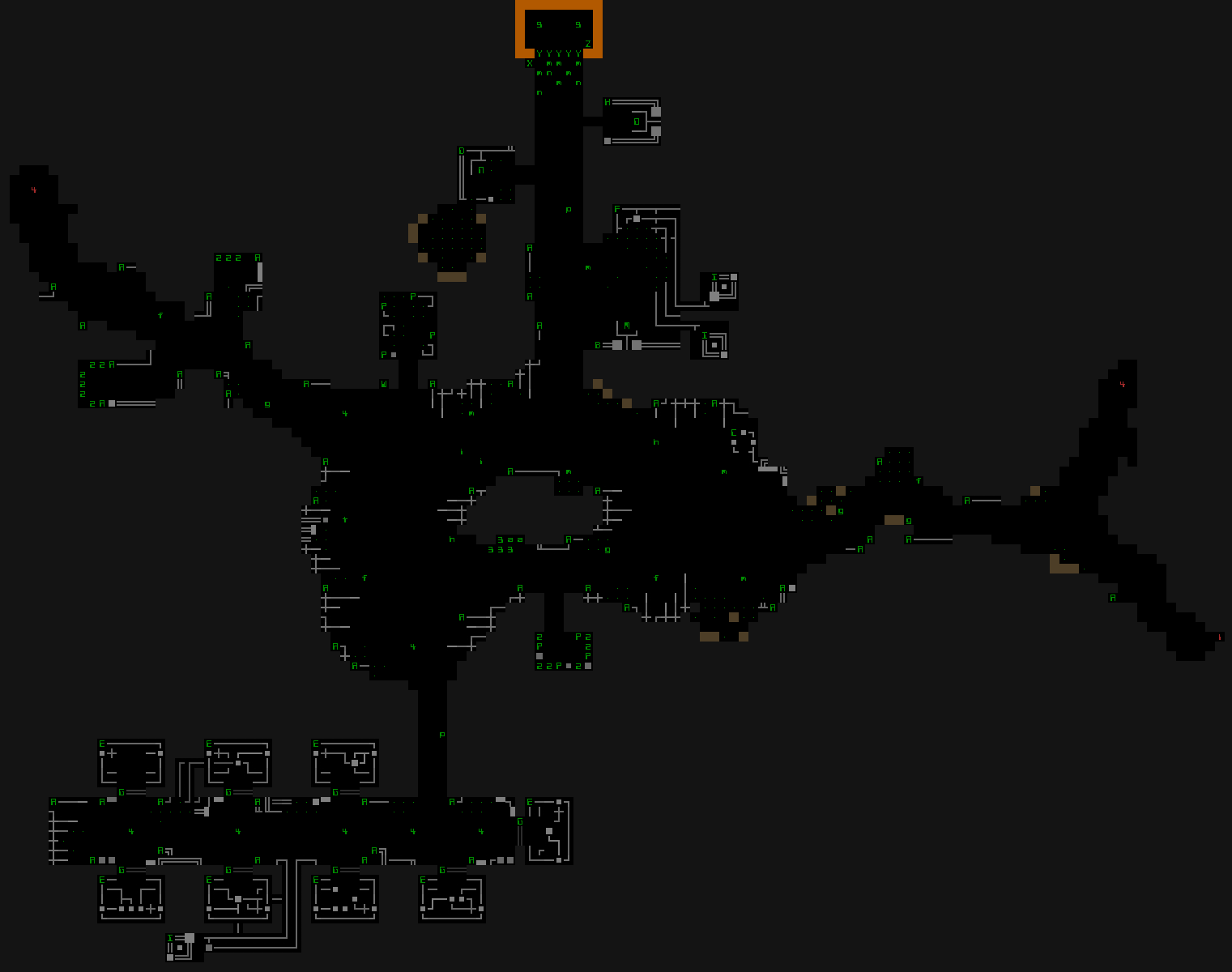
cogmind_level_design_exiles_map_prefab_rexpaint_destroyed

“Destroyed” Exiles prefab in REXPaint with all data layers visible. A comparison to the earlier default scenario reveals newly destroyed machinery, randomized (and randomly shifted) debris, exploded areas, and other different procedural content like possible salvageable robots.

The attack scenario was the most time-consuming variant, since I had to watch the same battle again and again to see all the possible outcomes and whether they met expectations. I spent a couple hours just watching attacks, repeatedly tweaking various parameters to get the desired results.
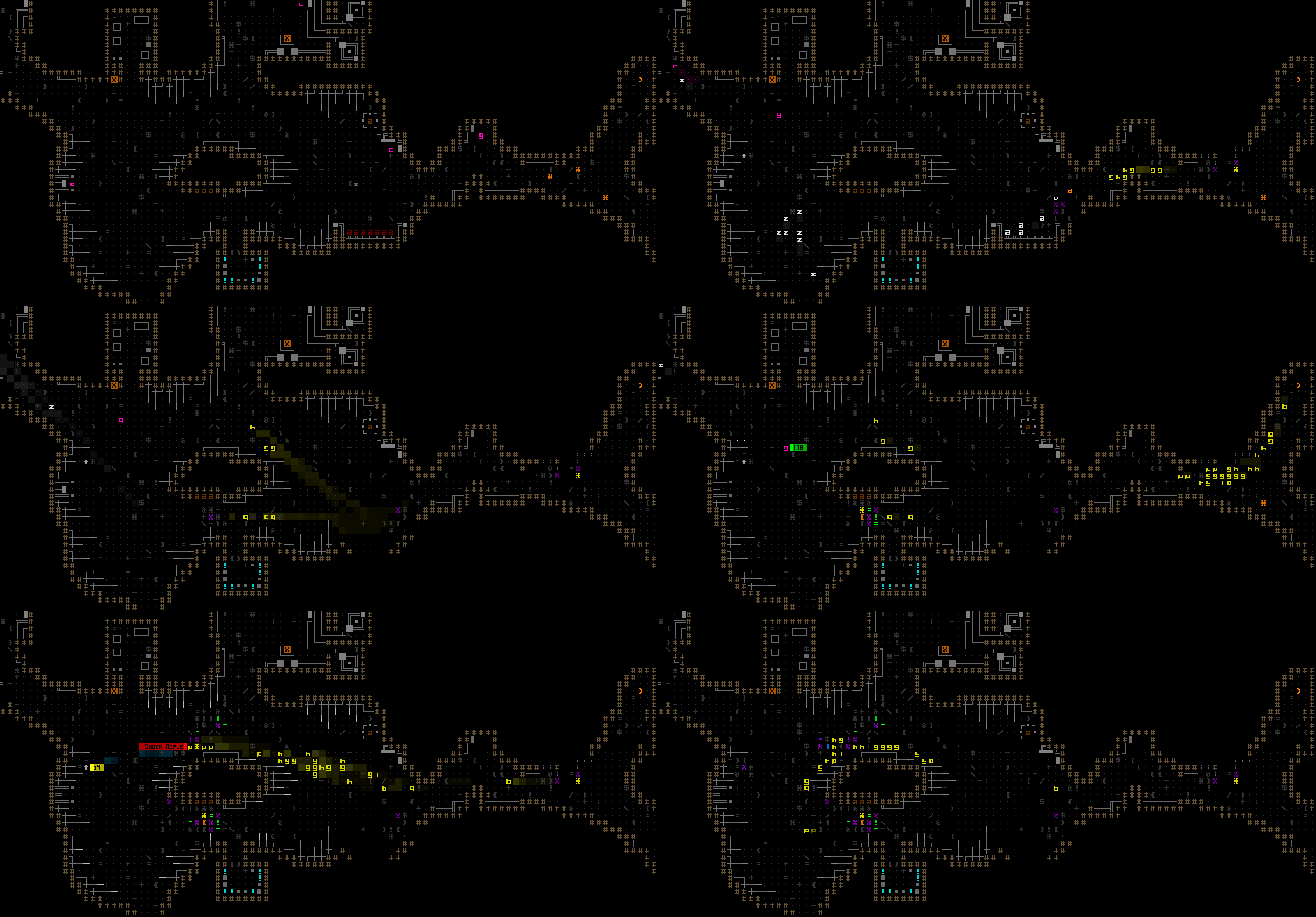
cogmind_exiles_mainc_attack_revealed

The Exiles are attacked by 0b10, with the map fully revealed for observation/debugging purposes. 8R-AWN covers the retreat, and EX-DEC drops a sentry turret before taking off.

Special Considerations

Finally almost done! The “normal” way to play is complete at this point, but there’s one more important stage: anti-cheese measures :)

Naturally some players will try to gain every possible advantage they can think of, even those requiring outright thievery or murdering allies, so it’s necessary to balance those possibilities, too.

Aside: Not all roguelikes need to be balanced like this--some even revel in being totally unbalanced, but for the most part Cogmind is meant to be a tightly balanced experience. Even though some players do still manage to stretch the limits through extreme cunning, which is fine, I want to be careful about allowing specific actions to be so rewarding over others that players always see it as “the proper way” to do something, to the detriment of all other possibilities.

Sure the Exiles are a friendly bunch, but players who see them as a means to an end will likely… try to end them. Handling this was a bit more complex than usual because the Exiles experience isn’t limited to a single map--player hostility could begin wherever they see 8R-AWN, thus behaviors could change during future meetings, including on the map itself.

Earlier I charted the strategic decisions a player can make with regard to the Exiles, and the whole reason these are decisions to begin with is that each comes with an associated cost. Players can choose to…

1) Use the default approach, by taking a single prototype from the Exiles vault and using that and FarCom scanning support to just tackle the main areas of the Complex.

This is the easiest option, good for new players. They’ll lose the chance to get imprinted in Zion (normally another good crutch for newer players but one that doesn’t appear until the mid-game), and they’d have to avoid the late-game Research branches which are very deadly for players with FarCom. Balance-wise, this is because those branches contain alien tech and many of the most powerful items in the game. FarCom makes many other maps easier, at the cost of not having access to these resources.

2) Take one prototype and FarCom, and enter the Research branches anyway.

This is extremely difficult. Entering a Research branch with FarCom triggers “Maximum Security,” the strongest response from the Complex so far, which is essentially like an instantly triggered version of “High Security” with even more assaults (basically endless increasingly strong waves of hostiles entering the map). This mode was added to Cogmind specifically as a response to FarCom, but also made sense to trigger in a few other special scenarios, so I applied it to those as well.

You can see in the rough design notes that the original anti-FarCom plan for Research branches was to dispatch Trackers, a new type of fast and deadly prototype bot. Later I decided that Maximum Security was a better solution there (mainly as an even stronger deterrent), but having already done all the preparations for adding Trackers, I decided to at least make them part of a revamped Intercept squad system.

Intercept squads are another form of tradeoff in Cogmind, originally intended to be very challenging, but players had gotten so good at strategizing that they weren’t quite challenging enough anymore--now the good players have to think long and hard about whether they really want to risk Intercepts :P

Ideally like the FarCom sensor mechanic and other building blocks, something as fundamental to the overarching design as MaxSec and new Intercepts should’ve been determined much earlier in the map design process, but I hadn’t yet come up with a good solution and needed to let it sit for a while, and couldn’t wait any longer to start Exiles work for Beta 8, so it had to be postponed and wasn’t even decided until close to this final stage. Some major changes are best left in waiting :)

3) Steal all three prototypes from the Exiles vault and add some challenge to the mid-game caves.

For those who really want more than one prototype, this is possible albeit with a bit of a drawback. For one, FarCom will no longer work since by stealing all the prototypes you didn’t follow their instructions, although for some players this may be a positive since entering Research branches then becomes a possibility (as does imprinting, if they want to!).

The prototypes are quite powerful, so there needs to be a clear cost associated with stealing them. For this scenario I added a new drawback: Master Thieves. Although they’re not too common, Cogmind already has thieves hiding in caves, so I made a special variant which is even more effective and specifically tracks a thieving player any time they’re traveling through caves. If you steal from the derelicts, they steal right back--it’s an “eye for an eye” sort of deal :) (Thieves race up and try to rip a part off their target, then run away and eventually disappear forever once out of sight.)

Beta 8 has been out for a little while and the current meta among the better players seems to be preferring this route more often than others. I’m not sure if it’ll be necessary, but if this route is always superior there are other tweaks to consider, such as allowing Master Thieves to rip parts out of the player’s inventory as well ;). That said, I don’t want to make this tradeoff as expensive as the FarCom-Research thing--it should be something that players are willing to face under certain circumstances.

4) Steal all three prototypes but just tackle the main areas of the Complex, avoiding the caves.

While not the easiest option, this is still easier than a non-Exiles run. Stealing all the prototypes means losing FarCom, but using sensors instead and avoiding the caves means staying safe from thieves, and still being able to stealthily raid Research branches for the best parts. Avoiding the caves does means losing access to some potential mid-game benefits, but those are optional and there are helpful non-cave branches to consider anyway.

5) Kill the Exiles, specifically 8R-AWN to salvage his own excellent prototype loadout, and also steal all three prototypes.

This is basically the strongest result for the player (assuming no need/desire for FarCom), though also the most dangerous option since 8R-AWN is pretty powerful and Cogmind is weak at the beginning. Players are already doing this, though, because of course they are :P

I did add the possibility of a Hero of Zion attacking the player as a result of their hostilities, but didn’t make it guaranteed since that, too, could be gamed by players for more cheese potential. I’d rather it just happen in some cases as more of a lore-related surprise.

As you can see there are quite a few special considerations when adding a new map! Gotta think of how players will react to each possibility, and whether they’ll think certain tradeoffs are worth it. In making these judgements it helps that I play a fair bit of my own, and that I’m also always reading about player experiences.

The next pair of articles will be addendums to this one, covering steps specific to procedural level design, and a comparison of static vs. procedural maps.
Posted in Design | Tagged , , , , , , , | Leave a comment

Year 5 of the Cogmind

It almost seems unbelievable, but we’re already pushing into our sixth year of full-time development!

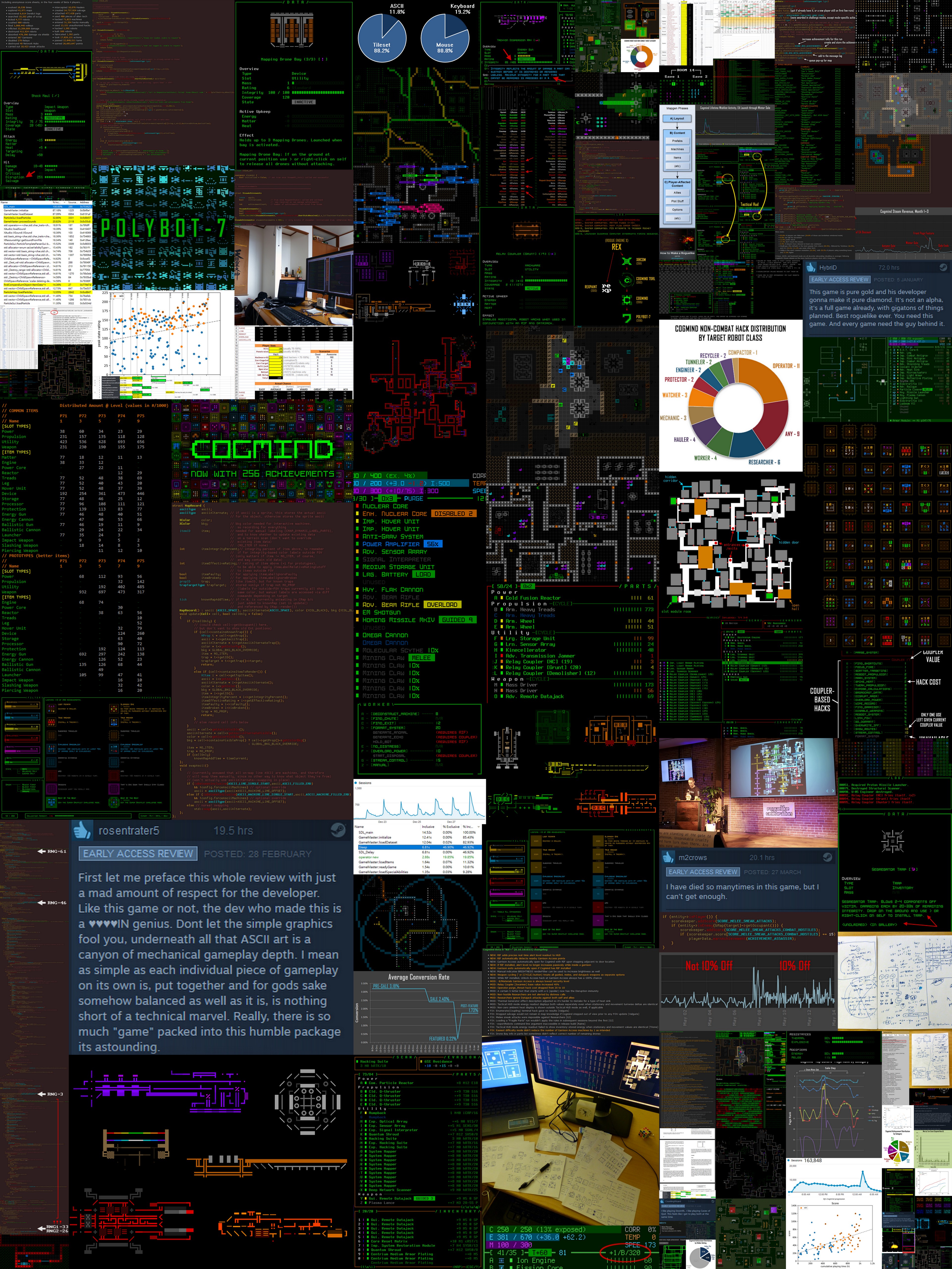
Once again it’s time to look back over the past year at our progress, which in 2018 includes several major releases, other roguelike happenings, and our first full year on Steam. Here’s an image collage to get us started :D

cogmind_development_year_5_small

Selection of images from the past year of Cogmind-related development as posted on this blog, forums, and Twitter (full mega size here).

Development Time

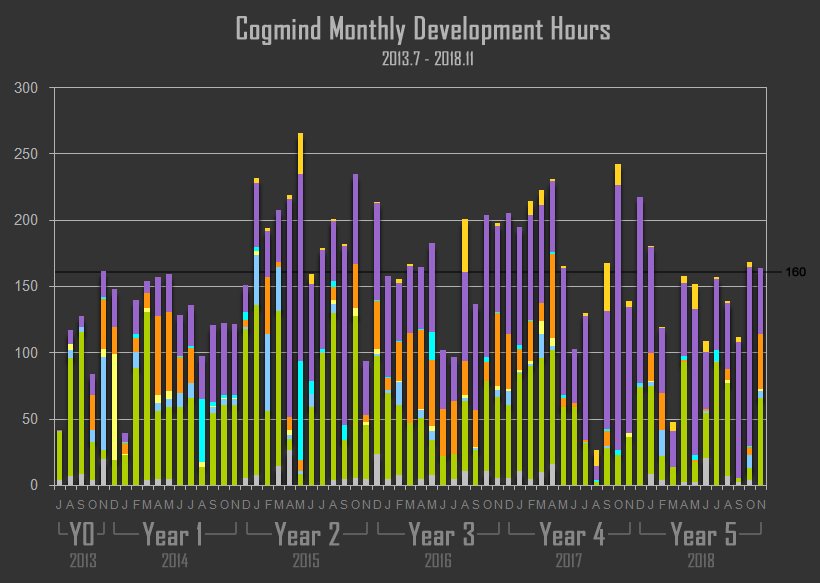
This year we hit a pretty surprising milestone: Over 10,000 hours of work on Cogmind!

cogmind_monthly_development_hours_201307-201811

Cogmind Monthly Development Hours, 2013.7-2018.11 (click for crisper full-size version). (The color coding is for different aspects of development tackled each month, the subject of a future in-depth article to come at a later time.)

The tally at the end of November just edged past that mark to reach 10,062. In Year 5 I added another 1,735 hours, which is 15.2% less than the 2,046 hours of 2017. Work on the game itself totaled 763 hours this year, compared to 896 hours of community-related work (purple). That’s a 1:1.17 game-to-community ratio for 2018, compared to 1:1.10 last year. The lower ratio, as well as overall decrease in hours, can both be attributed to a number of factors:

  • Prior to Steam I did occasional small progress updates on the forums, but shortly after the Steam launch there were community requests for frequent news, so I decided to try even more regular reports in the form of “SITREP Saturday.” This does mean I have to spend more time preparing these updates, though I’ll admit they’ve been crucial in helping the dev process seem more alive and driving more sales to… keep development going xD
  • I’ve also been streaming more! And over this past year have even started uploading most of the videos to my YouTube channel. This, too, is taking more time out of direct development, but I’ll also admit it’s been beneficial in a number of ways, like helping new players learn more about the game, sometimes attracting new players, and giving me more chances to play and walk through everything that’s going on, which sometimes leads to balance changes or new content. I mean I’m going to play anyway, so may as well do it online to get the other benefits, too, right? :) (it’s also been a lot of fun just hanging out with the community, but technically it still counts as “work”!)
  • Even now, 19 months after it happened, The Concussion continues to be a drag on development. Dealing with it still requires a fair number of hours spent on hospital visits every week for treatment, and I have no choice but to sleep more than I normally would each day. Altogether these hours come out of direct dev time, since I can’t reasonably reduce the amount of community involvement without taking a clear hit in terms of revenue :/

The biggest chunk of total usable hours that were instead allocated elsewhere went to POLYBOT-7, although technically that has indirect benefits for Cogmind as well, since it’s a somewhat similar game and got some decent attention. I’ll talk more about that later.

All that said, 2018 has certainly been a very productive year. According to the graph, November actually saw more work on the game proper than any single month since April 2017, the month right before the major Beta 1 release--from this you can probably tell that the upcoming Beta 8 has a decent number of fresh goodies ;). And this year we finally got to a number of major features required for 1.0, making good progress checking off the last remaining bits of the roadmap, alongside other additions.

Features

Although there were only four major releases in Year 5, every one pushed Cogmind forward in a big way.

Beta 4 and Beta 5 piled on tons more QoL, improved the early game, and reworked imprinting to make it a much more interesting strategic choice. Then the following two releases took longer than any had before…

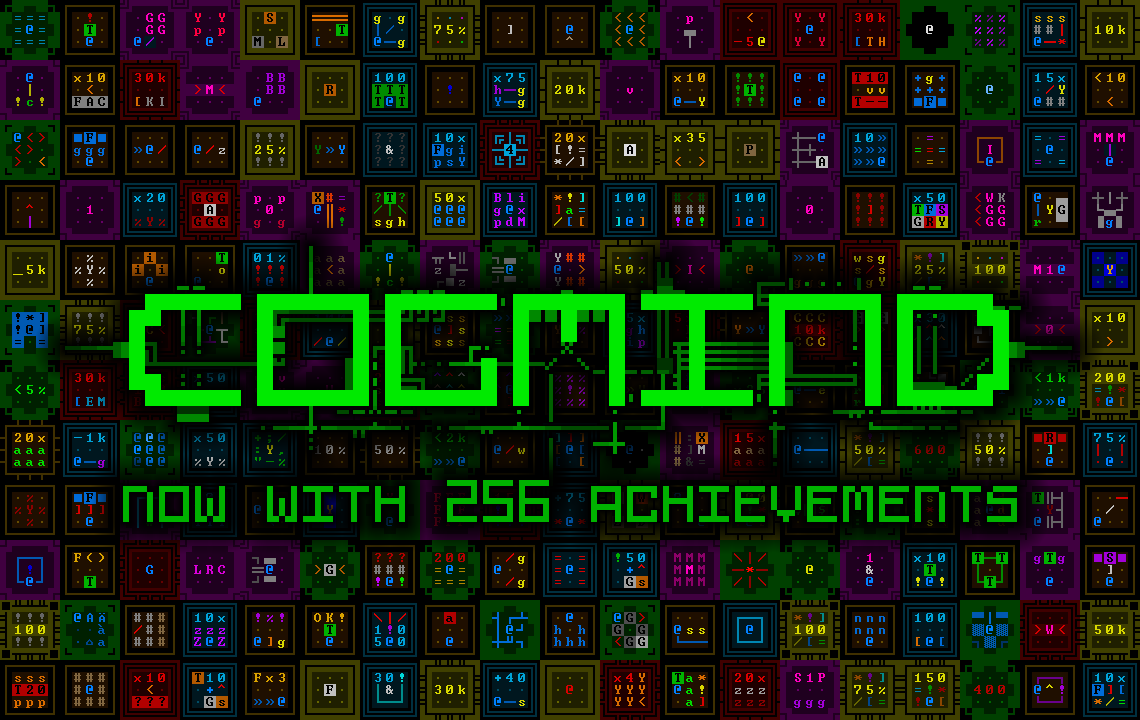
Beta 6 was the achievements update, where we got a non-Steam-reliant system including 256 achievements spread across six categories. You can read more about their design here.

cogmind_achievement_icon_matrix_256

Don’t worry, that’s not all. We’ve got more where that came from ;)

Most recently Beta 7 finally replaced the placeholder robot hacking system that’s been in there since 2015, which I’d dubbed the “last major system” we’d need before heading to 1.0. I’m pleased with how it’s turned out (better be--it took forever to design and implement!) Some further adjustments were made in Beta 7.1, and we’ll probably get some more robot hacks eventually, but for now you can play with the 65 already in there :D

We also had a little fun for April Fool’s this year, the kind of thing I’d like to do again… On that note, be on the lookout for another special intermediate update at some point this month, hopefully not long before Beta 8 itself lands.

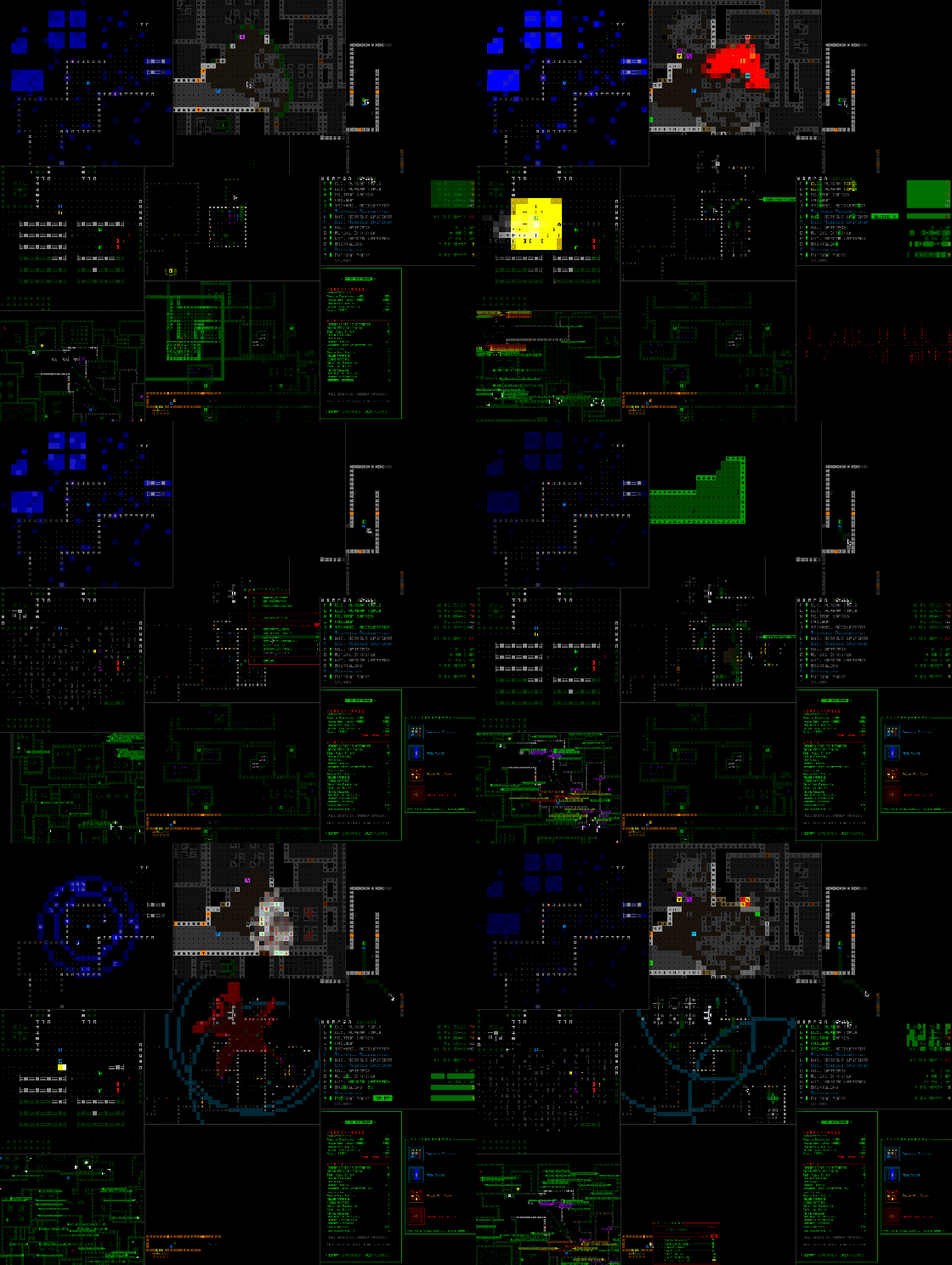
cogmind_year_5_gif_collage_small

An assortment of 2018 progress gifs!

Cogmind-ish Stuff

So what other peripheral activities was I up to this year instead of working purely on Cogmind?

Well, 2018 is only the second time I’ve participated in 7DRL since creating the first iteration of Cogmind back in 2012. You can read more about that, and the game itself, in the original release announcement. One could say it’s a Cogmind-like ;)

polybot_box_cover

POLYBOT-7 box art.

It really ate up a ton of time, though, which is kinda funny because it’s suppose to be a “7-day” roguelike xD. All told I took a month off for that including planning, the week itself, and writing a massive postmortem. I’m very glad to have done it, and would love to do more 7DRLs, though I’m thinking it’s probably a better idea to skip 2019 in the interest of getting Cogmind to 1.0.

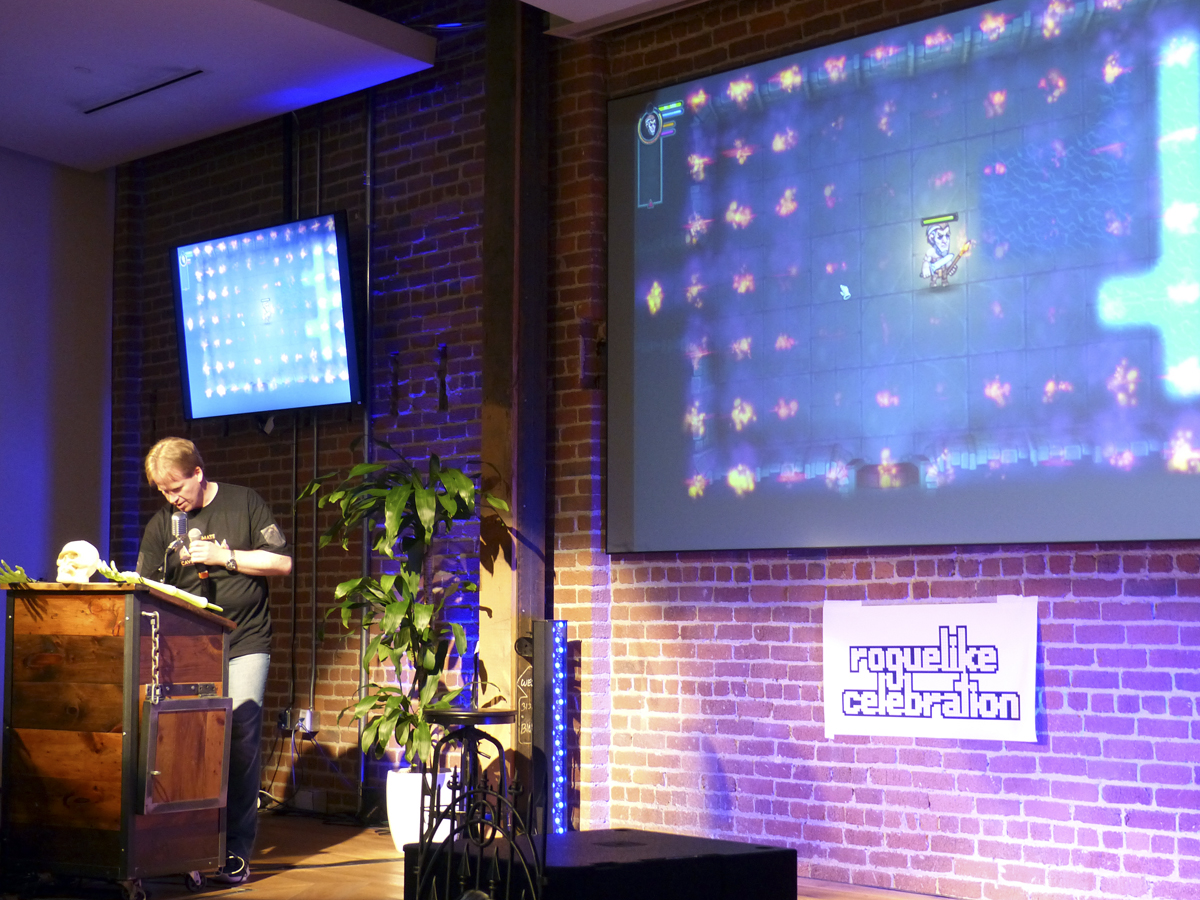
I also took part in this year’s Roguelike Celebration, which while technically only a couple days long also requires that I travel around the world, so there’s that plus the fact that I need to arrive even earlier to avoid serious jet lag, and then I combined it with a bit of vacation to make the trip more worthwhile. Such a great event, and although my talk wasn’t focused on Cogmind in particular, being about roguelikes did of course still provide a few opportunities to mention my own work. Beyond the actual attendees, the video of that talk was watched over 6,000 times in its first month o_O

And although it didn’t really take much time, I did finally release a new version of REXPaint, one of my primary dev tools and one that’s used by quite a few other devs and artists. I do have bigger plans for it, including putting out a sizable 2.0 one day, but don’t want that to interfere with Cogmind development so keep waiting until at least Cogmind 1.0 is a thing.

Words!

As usual I’ve been writing a lot--documenting events, analyzing things, sharing knowledge…

One of the highlights this year is being featured as the front page main article on Gamasutra three separate times!

These are all articles originally serialized on the Grid Sage blog which I then merged into larger single articles for that site.

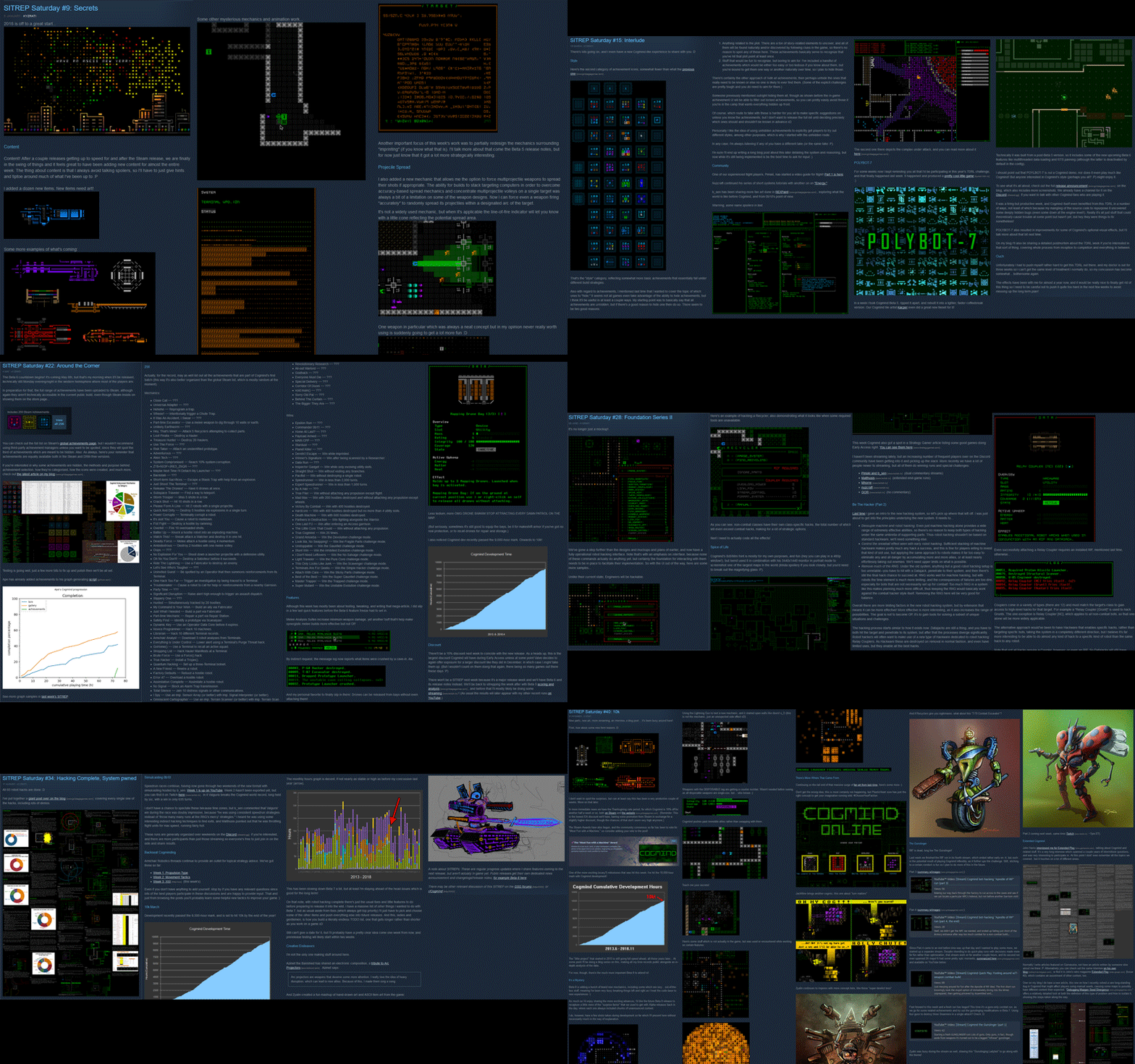
As mentioned earlier, this year I’ve also been putting together a ton of progress reports for the forums/Steam. We’re up to 40 SITREPs now…

cogmind_year_5_sitrep_collage

A whole bunch of SITREPs…

In addition to the blog and these other outlets, I’ve continued hosting the r/RoguelikeDev FAQ Friday discussions. #69 through #76 are all from this year, and you can check them out for writings on topics like Packaging and Deployment, Map Memory, Movement, Procedural Generation, and Consumables.

Steam, Year 1

While Cogmind may have been on sale for three and a half years now, it’s only been on Steam for a little over a year. I haven’t been doing any business-related articles like I used to, not since the launch post-mortem from November 2017, though I did take a stat-heavy look at player metrics on Steam. (It was nice to get that out of the way before GDPR this year convinced me to change Cogmind stats back to being opt-in only, meaning that any data we collect now is only a minority of the total.)

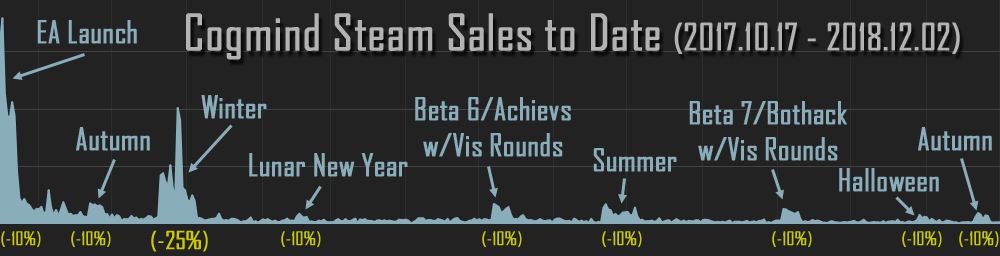
Today I’ve put together a graph showing how sales on Steam have been trending over time:

cogmind_steam_sales_data_171017-181202

Cogmind sales history on Steam, Oct 2017~Nov 2018 (click for full size). Note: Sales off Steam are excluded here, but I mirror all discounts on my website, and the relative amount of revenue from direct sales pretty consistently hovers between 10-15% of all revenue, because yeah a lot of people buy games through Steam but Valve takes a huge nearly one-third cut of revenue from games sold on their site!

Sales are decent considering it’s already been a year, though you can clearly see the total volume shrinking. Apparently I need to do more major releases paired with visibility rounds :P (“Visibility rounds” are Steam’s option for developers to show a game off to more people a limited number of times during its lifetime, and which must be paired with a significant update.)

Or I guess just doing discounts like 25%+ would likely bring in a lot of revenue, although I don’t really like the potential long-term impact that can have, not with a game as niche as Cogmind. I’m being as conservative as possible here… Besides, I already promised to keep the occasional discounts to 10% during EA, so not much room to maneuver there ;)

I did have that single two-week 25% discount at the end of last year in exchange for Valve giving me free front-page publicity for a day during that period, so it’s good to see what kind of impact those things can have (I wrote about this on TIGS).

Financially we’re doing okay, but I’m starting to get worried about next year. This won’t change much with regards to development plans since it was already about time to start aiming closer to 1.0 anyway, though I can see it keeping me from straying too far from that goal in 2019 :P

Special thanks to Shogo, Joshua, Wladimir, Gary, and others for your generous donations this year to help keep development going!

2019

If possible I’d like to reach 1.0 next year! So first we’re going to get an action-packed Beta 8, then I’ll switch gears to focus on features that must be done by 1.0 (which is just a milestone, by the way, not the end of the road!).

There are absolutely tons more optional features I’d like to add, but I’m pretty sure I won’t be able to safely fund development past another year of EA. We haven’t yet hit the review threshold I was hoping for, at least not in Steam terms (we’ve passed the threshold, but they don’t count reviews from non-Steam purchasers :/). I mean, yeah we could’ve hit it already if I’d only released on Steam rather than via direct sales so long before, but to be honest this wouldn’t have been a net positive because a huge chunk of Alpha revenue would’ve gone to Valve rather than me, making it hard to put so much time into polishing, so I’m glad things have worked out as they have so far.

But anyway, who knows, we may still hit it if I take too long to finish 1.0 ;)

Many thanks to everyone who’s left a review so far--we’ve definitely got a much higher review-to-sale ratio than your average game on Steam <3

As for the release date, “next year” is a pretty broad target, though I can get a little more specific for you: We’re going to get at least several more Betas before reaching 1.0, so it’s unlikely to happen before Q4. Of course, if it gets too late I may have to avoid the holiday season and end up pushing it into 2020. October would be an okay month, but I’m not too keen on releasing in the months shortly after that. Anyway, we’re flexible here :)

cogmind_2019_item_art_preview

Lots of fun toys coming in 2019!

Posted in Annual Review | Tagged , , , | Leave a comment

Debugging Mapgen Seed Divergence

I rather enjoy debugging. It’s just another type of puzzle, one of the many challenges of gamedev approached with logic and the tools at hand. It should be noted I actually don’t much like debugging if it involves a bunch of code I didn’t write, but this is why I almost entirely use my own tech, stuff that I built, am familiar with and… capable of understanding :P

Most bugs die a swift death in Cogmind, since it’s built using a pretty simple architecture and literally the first thing I put together for the framework was its error detection and reporting system, always taking into account what could go wrong whenever anything new is added.

But one nightmare bug in particular has been in there for a very long time…

Background

“Seeding” a game’s RNG allows it to produce the same numbers in the same sequence, and is therefore a useful feature in roguelikes, especially where map generation is concerned. I’ve already written an article on seeds and how they work in Cogmind, along with their many applications, so I won’t go into all that again.

This time I’m here to talk about a specific seed-related issue that popped up and how it was uncovered and resolved.

Nightmare

Around early 2017 occasional reports of seeded runs not always generating the same maps in some cases started popping up. Now obviously this isn’t right, because the same seed should always produce the same map, so clearly some player action before that point had managed to affect the generation, causing the seeded content to “diverge.”

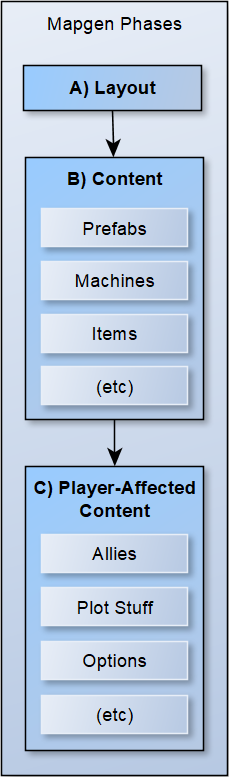
cogmind_mapgen_phases_major

Major mapgen phases in Cogmind.

Map generation can be divided into three main phases: layout, content, and player-affected content. It’s important to separate out all the latter stuff (C) so that it doesn’t affect the base map that everyone using the same seed should share (A/B), so I’m generally careful to do that, but obviously something had slipped in somewhere…

I say this bug was a “nightmare,” though honestly the effect on players was minimal since it rarely came into play and wasn’t a show-stopper or anything like that, it was a nightmare for me because I couldn’t easily track down something like this!

Nonetheless, this is a vital sort of bug to fix because not only are fully reliably consistent seeds important for built-in weekly seeds or other similar events (which are still something I’d like to do), but this bug had also already affected me several times before in other bug-solving efforts. Often times the quickest way to reproduce a bug in order to properly resolve it is to be able to generate a map using the same seed it was created from, especially when I get a random remote crash report which is nothing more than a stack trace and log containing the seed. More than once over the past couple years I couldn’t take that easiest route, or even recreate certain bugs at all since the seed results may not match what the player encountered!

So you can see why it was pretty important to fix this, and when kiedra suddenly brought it up and later offered relevant save files, I was happy to jump on it immediately, brushing aside my previously scheduled work for the day. (It’s best to do this sort of thing when the events are freshest in the player’s mind, in case I had any other questions.)

Data

kiedra provided exactly what I needed, two save files, each from separate runs, both from the map before the one in which the divergence was observed. The fact that Beta 6 added multiple interval autosaves to Cogmind made collecting these saves (and others needed for debugging) much easier, but solving this issue in particular still required that someone be playing actual seeded runs, and observing the differences, and be both able to save this data and willing to share it with me. Whew, finally got an, uh, convergence of all these variables ;)

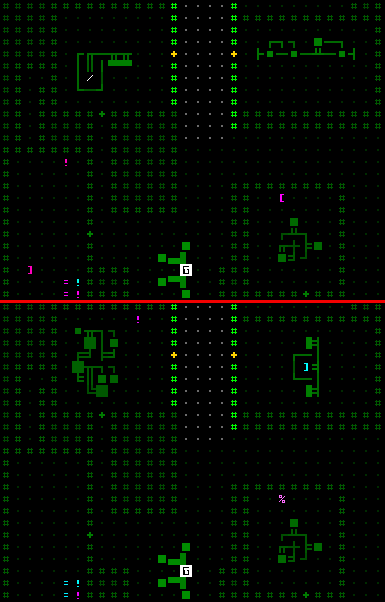
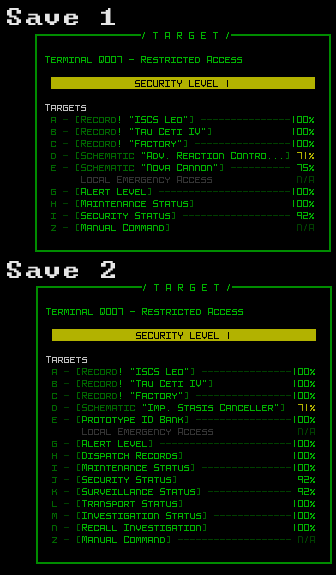
Here are two screenshot excerpts demonstrating divergence on the same section of map:

cogmind_seed_divergence_comparison

Seed divergence demo. You can also see the full size maps here and here, opening them both and flipping between the two to see the total changes. Having added the new map output feature in Beta 7 was great for getting full-sized maps like those :)

You can see how the layout is identical, as are a couple machines and certain locations chosen for item placement, but other machine and item choices are actually different! Gotta find out where the changes started…

Sleuthing

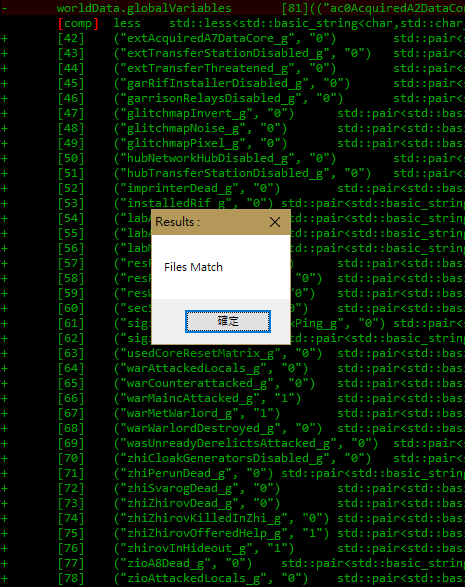
My first guess was that it had something to do with global plot-related values. This is what I’d been thinking all along since I didn’t hear about this issue until much of the story and events were complete. In any case, this was really quick to check since we had two saves, so I loaded up each and just compared the list of globals…

cogmind_global_variable_file_comparison

Files match. D’oh!

That didn’t pan out, so I moved to comparing the values coming out of the RNG at several major points in the mapgen process, since if any value at a given point was different from that same point in the other save, then the divergence must be occurring between that point and the previous non-diverging one. Basically, if there’s a divergence the RNG must be handing out at least one extra number in one save, and that would entirely throw off where all the subsequent numbers are applied, hence different results from that point onward.

Even before that, based on just the screenshots I could pretty much narrow it down to placeRandomObjects(). “Narrow” is an overstatement though, because that’s also the bulk of the map content initialization process :P. Anyway, that’s where the number comparisons would start.

cogmind_seed_divergence_RNG_checks

The first 500 lines of placeRandomObjects(), marking major intervals where the latest RNG output was checked. (I just tested them by setting breakpoints in the debugger and recording the numbers on paper, nothing fancy.)

At the first three points the RNG gave the same number, so we can be pretty confident that the content generated prior to those points was identical between saves. Then comes the fourth check, and we have a winner! The RNG in each save gave a different number there, so they must have diverged somewhere between the last two checks.

Here I got a little ahead of myself and ended up wasting some time because I was excited about finally getting this close and immediately made an assumption based on the general code in that section. I thought it had something to do with how in a few cases later map generation stages were allowed to modify spawning restrictions for object types, different from what was set in the original layout. Problem was, this assumption was not at all based on actual evidence, so the lesson here is to follow the evidence, not your imagination, especially when there’s already a direct route to finding the solution. Oops.
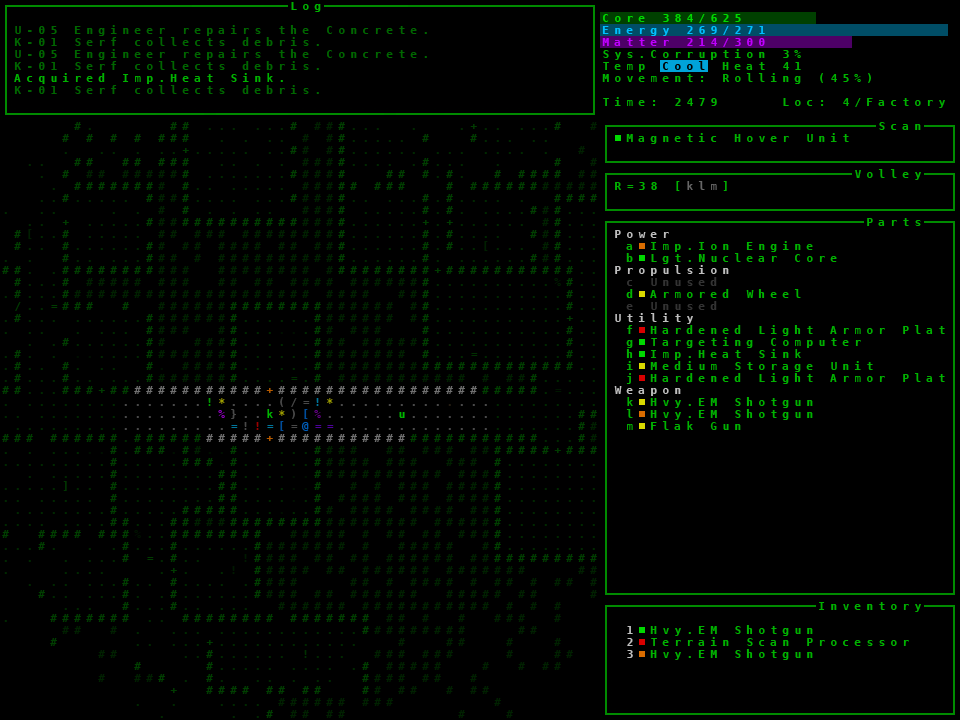
Fortunately I realized my error when I was taking a quick break (it’s good to “get away” from problem solving for a bit, since it might allow for new perspectives, although clearly this was still rolling around in my head while on “break” xD).

I came up with a few ideas for narrowing down the problem space, and while most would solve the problem quickly once implemented, they’d also take a while to build and end up spending more time than they were worth, so I decided to just keep up the straightforward manual search. I did still chop out huge unrelated chunks of the content generation so that the resulting maps would have fewer distractions and be easier to visually analyze, possibly leading to more clues.
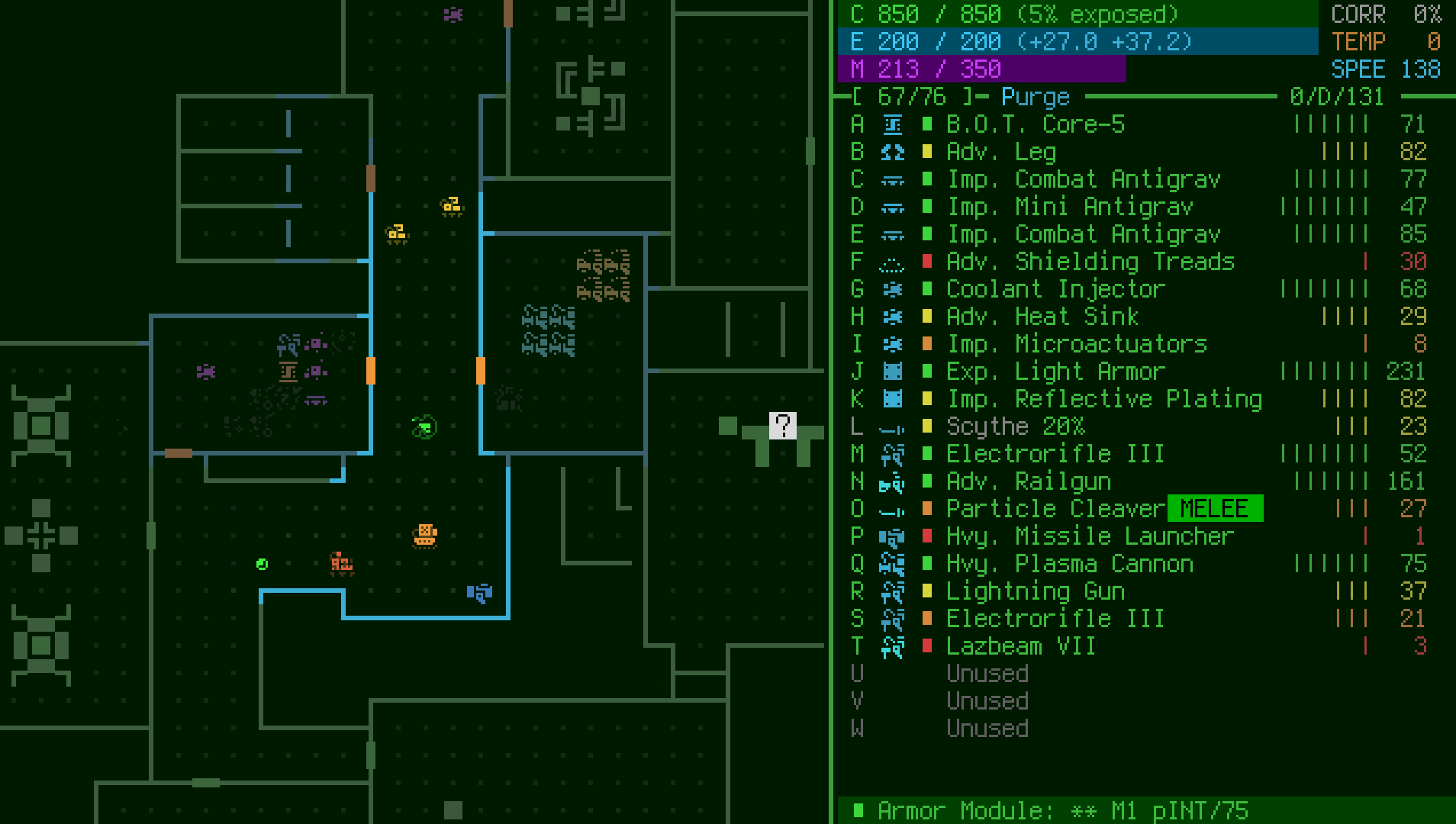
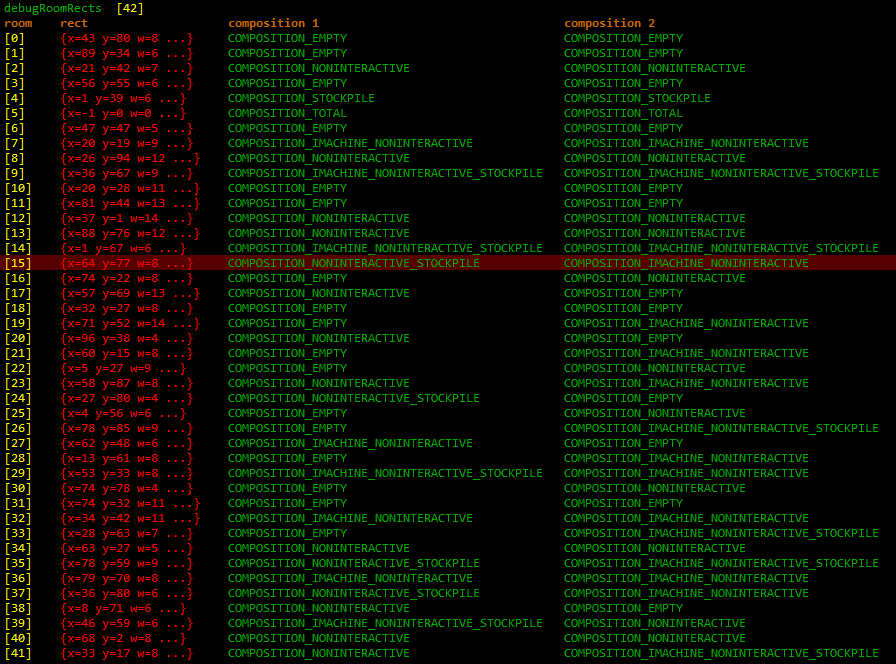
To go along with that view, I got a list of every room in the order they were filled, and what type of general content they included:

cogmind_seed_divergence_room_checks

General room comparison.
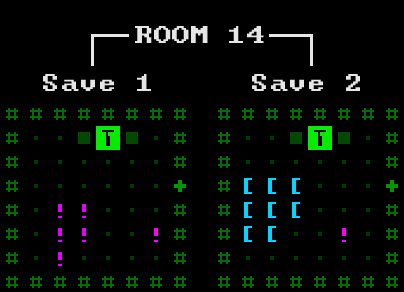
Getting closer! From the data above, it’s either an issue with Room 14 or 15. Room 15 has a different composition, but since composition is set first, it’s probably an issue with the room before it at (1,67) on the map…

cogmind_seed_divergence_room_comparison

Room 14 we have you now!

To confirm real quick I also visually checked the final output of several rooms listed above 14, and those were identical in both saves.
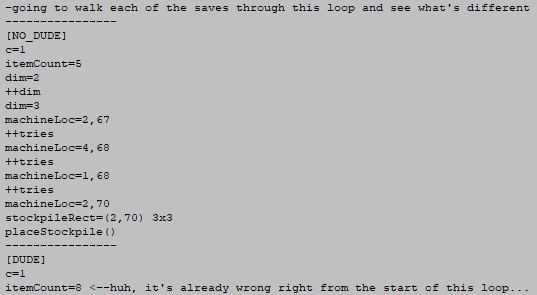
Seeing as the Terminal looks identical but there are different numbers and types of items, I decided to take a look at the items first. Stepping through the code line by line for that room I recorded a few values under the first save, then went to the second save, only to discover that the very first numbers it started with were already different, so it must’ve been before item placement even started in there!
cogmind_seed_divergence_room_item_loop_comparison

As usual when solving rather involved bugs, I have pages of notes recording the entire process and data along the way, so here we have this :P

Well there wasn’t much before the items… just the Terminal, so I eyed it suspiciously and had an epiphany: it must be something inside the Terminals.

Gotcha!

cogmind_seed_divergence_room_comparison_terminal_hacks

Caught red-handed with different hacking options!

As soon as I saw different hacks I knew the answer (although it becomes extra obvious by looking at the point from which the hacks change), recalling that schematic hacks at Terminals would favor the player by usually re-rolling if the randomly chosen schematic happened to be one they already had.

This kind of gameplay-improving tweak is fine, but it needs to be done in the player-affected content segment of mapgen! Here I’d checked for and applied the changes immediately, forgetting that we’re in the middle of the base content assignment. So if the player happened to already have a schematic which the game attempted to put on any Terminal on the new floor, it would roll again for a new one, advancing the RNG state and bam--everything after that point will be different.

This also explains why the issue tends to appear more often in the late-game (more time to accumulate schematics) and only for some players (those using schematics as part of their play style, and running seeds so they might actually notice it).

For the sake of double confirmation I did check that kiedra had different schematics in each save, four more in the second than the first, and one of them happened to be what was chosen for this Terminal.

Based on this finding I knew there were some other related instances, and fixed all of them at once. The same behavior exists (to varying degrees) with part schematics, robot schematics, lore records, and preloaded Fabricator schematics. Of course the fix is to move all these player-relative content modifications to the final mapgen phase.

The final check was to run the saves under the new code, and compare both those results to a completely fresh debug run using the same seed (which just teleports to that map so nothing at all can interfere with it). Same results across the board :D

And now seeds should be fully reliable once again!

Better Architecture

It’s worth mentioning (mainly to head off the inevitable comments to this effect :P) that there are ways to prevent this kind of thing from happening in the first place. Like if there are clear rules that should be obeyed, as there are here, then be sure to encapsulate all player-relative data and keep it hidden/inaccessible from the mapgen process until it’s allowed.

In any case, this made for an exciting debugging adventure ;)

Posted in Internal | Tagged , , , , , | 2 Responses

How to Make a Roguelike

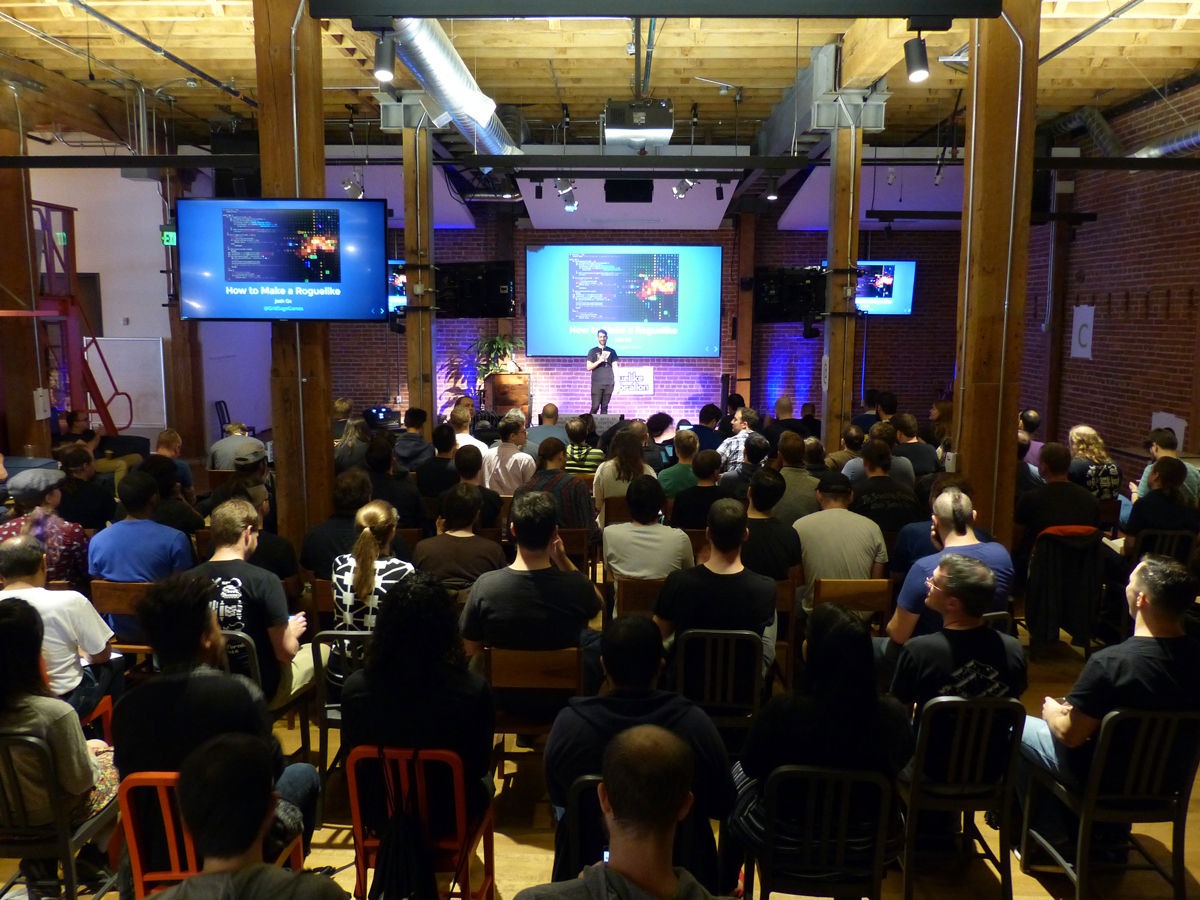
I’ve always wanted to put together a comprehensive primer on how to make a roguelike, something that could hopefully be inspiring while including both general and specific advice. This year’s Roguelike Celebration seemed like the perfect opportunity to force myself to do that after having put it off for so long, so I gave a 30-minute talk on the subject.

I’ve got a fair bit of experience to draw from, having exclusively worked with the genre for the past seven years (Cogmind, Cogmind 7DRL, POLYBOT-7, REXPaint, X@COM), made it my full-time job for the past five, and over these years also helped build r/RoguelikeDev into the largest community of roguelike developers on the net.

The “How to Make a Roguelike” talk is available in video form below, but this article serves as a text version of that same talk for those who’d prefer a readable format, or to just take a closer look at the many images ;)

Intro

A couple years ago at the first Roguelike Celebration I did a talk about how I became a developer, but this time I wanted to talk about how anyone can go about making their own roguelike. It’s pretty common for roguelike players to at least dabble in development. We’re inspired by the games we play and want to make something better, something different, or just something of our own. My talk definitely isn’t a tutorial, it’s more about how to get started and general advice to help you along the way.

roguecel2018_how_to_make_a_roguelike_title

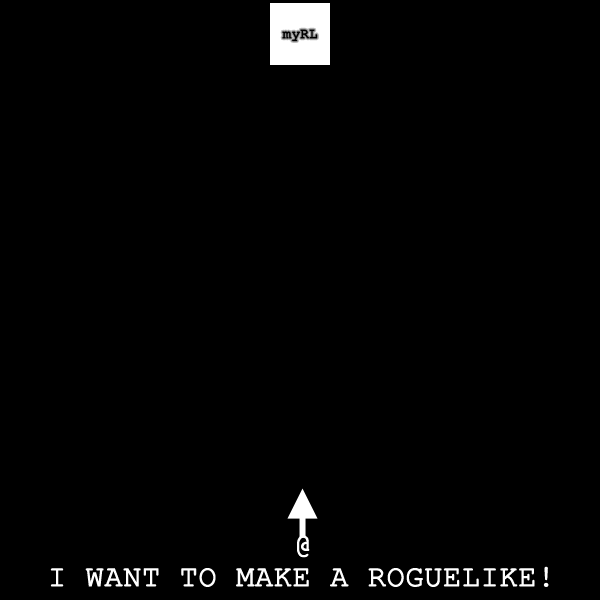
Making a roguelike can be pretty tough, not unlike journeying through a dungeon full of obstacles. In the diagram below, that’s you at the bottom starting out your journey. At the top is your target: a fun playable game.

mapgen_ready

Ready, set, @!

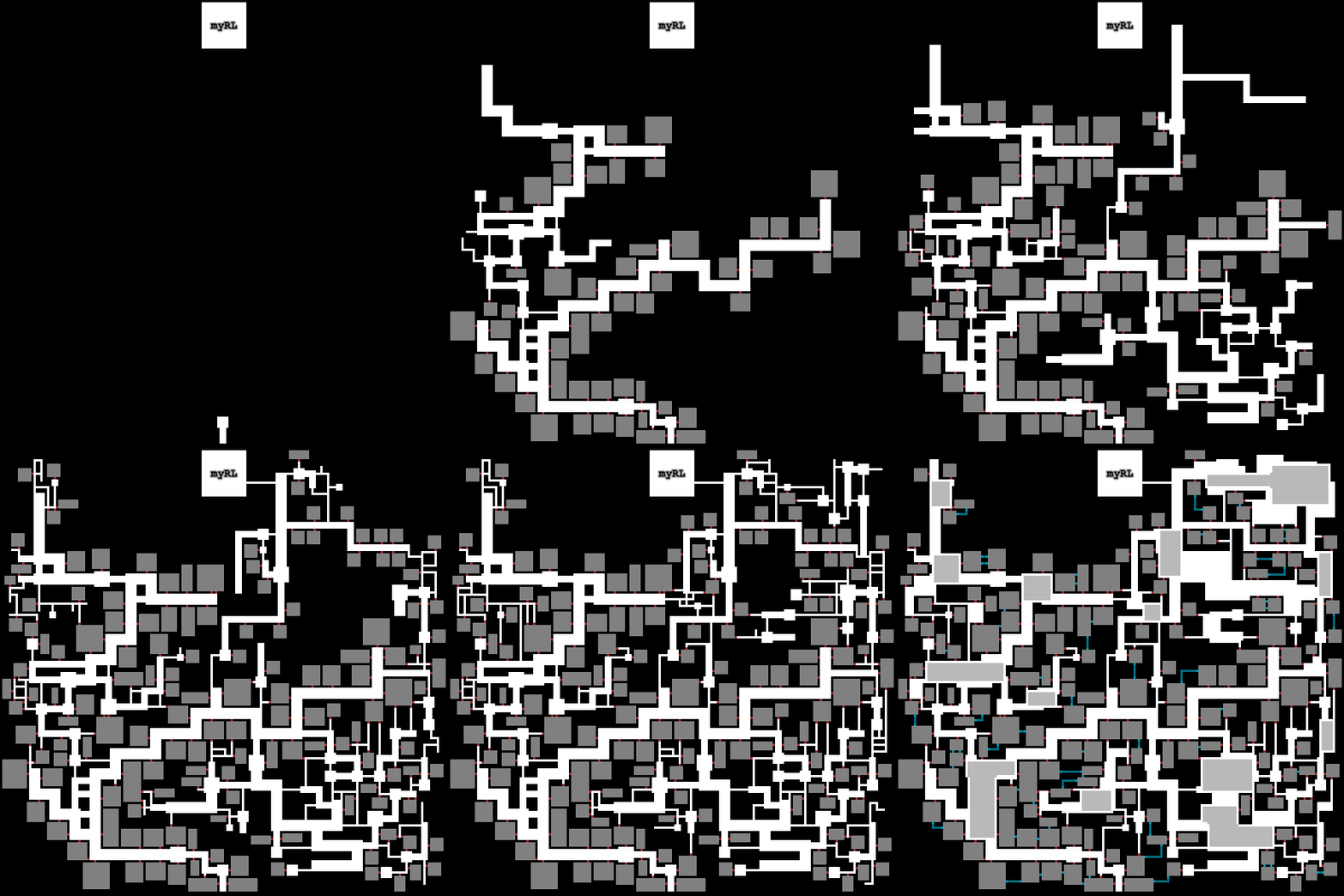
It’s very easy for your path to end up like this, wildly developing in every which direction as you try to add every system you’re thinking of without a clear overall path:

mapgen_indirect

Indirectly approaching your goal. One day… (This is an animation--open the image separately to see its process from the start.)

Yes you might finish and barely reach your goal, but at what cost? Maybe years of wasted effort and all of your hair :P. On the way it’s more likely you’ll develop yourself into too many difficult corners then get stuck, demoralized, and quit.

What you need to do is make a beeline for your target. With a basic plan and understanding of where to go, you can start with strong fundamentals and then, when you have that fun core game, expand on it all you want!

mapgen_direct

Head straight for the goal first and start with strong fundamentals. (This is an animation--open the image separately to see its process from the start.)

In this article I’ll mostly be covering the fundamentals, how to travel through this dungeon with a greater chance of success, especially when you’re just starting out and full of enthusiasm, but also aren’t sure how to proceed.

General table of contents:

  • Language
  • Scope
  • Core Mechanics
  • 7DRL
  • Resources
  • Hooks
  • Tips

Note that although this is an intro on how to start making a roguelike, it does not include how to stop making that roguelike. You’re on your own there ;)

Language

Let’s start by getting what is always the first and most common question out of the way: What language to use.

The answer is easy: Anything.

The slightly longer answer is that it doesn’t really matter a whole lot. If you already have experience with some language then that’s great, go ahead and use it. Language is a means to an end, and people have used just about every language to create a roguelike before.

Now that’s not to say there aren’t some easier options if you’re just starting out, so if you’re not sure then I’ll help you with a suggestion:

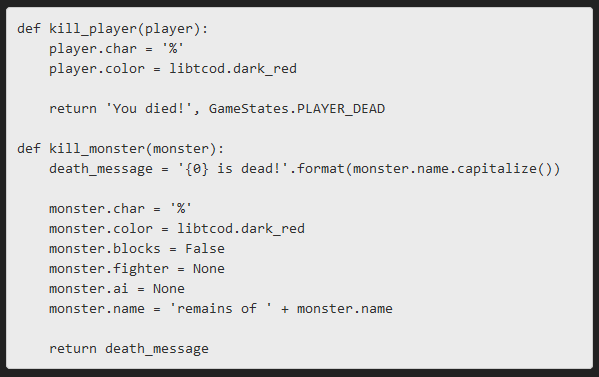
python_libtcod_tutorial_sample

Sample python code from the libtcod tutorial.

Python is often recommended for first-time roguelike developers because it’s pretty simple and straightforward to work with. Just look at that code. There’s not a whole lot of weird syntax, and if you don’t even know programming or python you can probably still figure out most of what’s going on here.

But don’t worry about “simple” being a limiting factor, as you can still do great things with python.

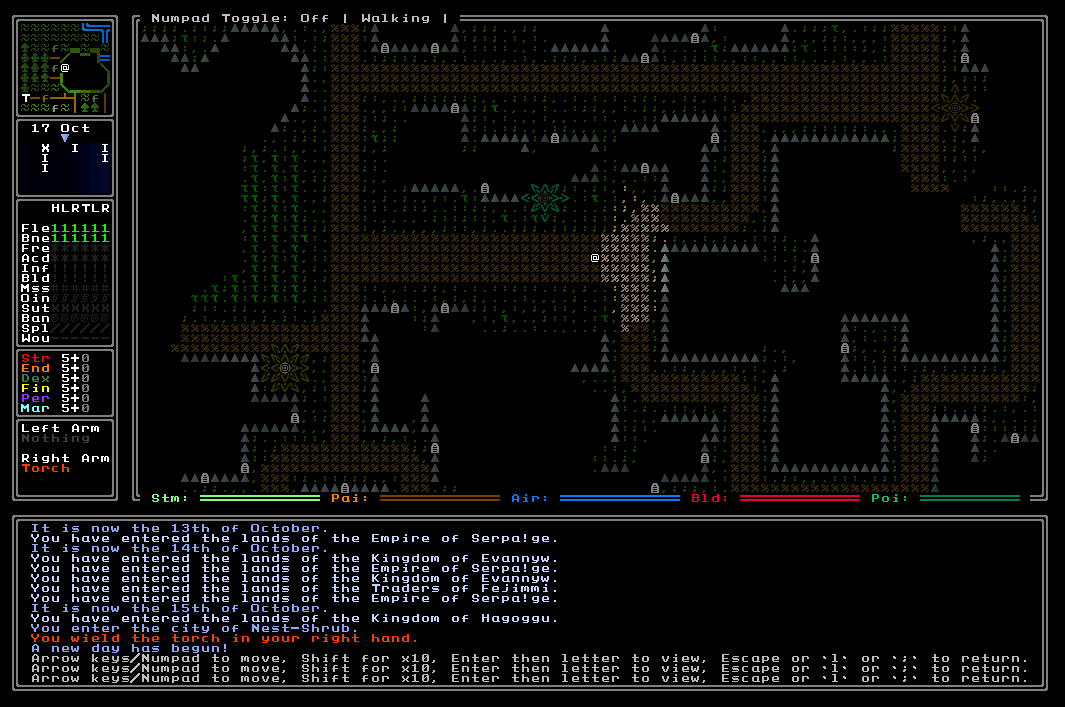
python_roguelike_ultima_ratio_regum

Ultima Ratio Regum is written in python, and it’s a beautiful and massive open world project which isn’t complete but nonetheless already incredibly impressive.


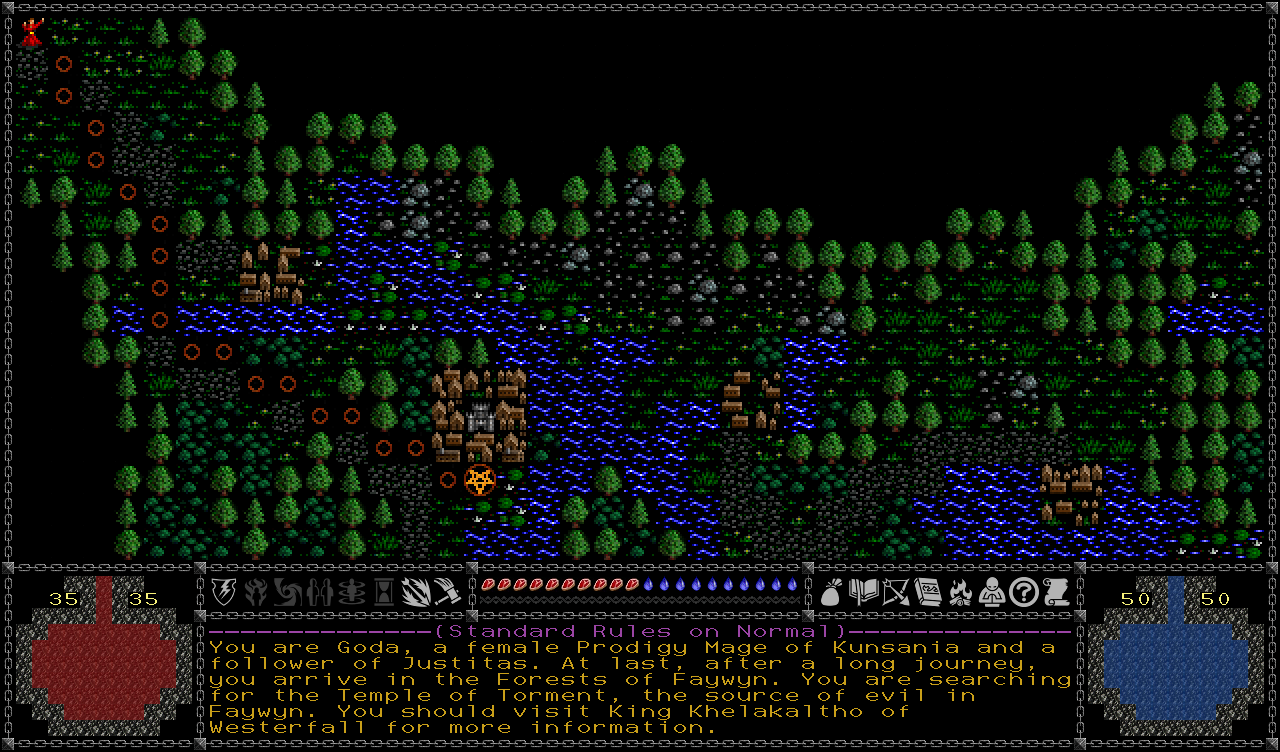
python_roguelike_temple_of_torment

Temple of Torment is another expansive and complete fantasy roguelike written in python.

There are literally hundreds of python roguelikes out there. All said you’ll have a smoother ride if you start with python, and we’ll come back to how to get started with it later on.

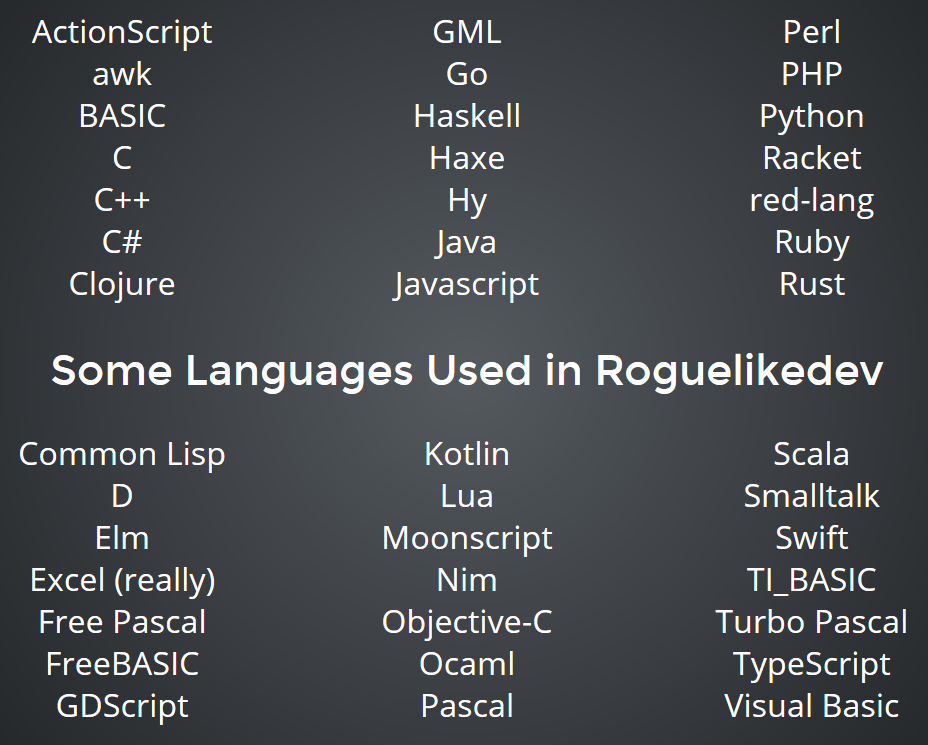
programming_languages_used_in_roguelikes

A sampling of programming languages used by roguelike developers.

More complex languages like C and C++ are good in that they’ve been popular for ages, meaning you’ll find numerous relevant resources and references out there. C++ is what I use, but that’s only because I was familiar with it to begin with. I wouldn’t recommend it for beginners, especially if your goal is to make a roguelike rather than spend all your time debugging! You’ll find a lot of other devs using python anyway, so you’ll still have access to plenty of resources.

Scope

Another issue that comes up often among new developers is that of building your “dream roguelike.” Should that be your first goal? Almost certainly not!

At first you’ll be learning a lot, making mistakes you don’t even realize yet, so it’s best to build up some experience first. More importantly, the focus of game development really changes from beginning to end, so it’s best to go through the entire process at least once or twice before starting larger serious projects. Keeping your scope small at first is also the best way to ensure you’ll actually have a complete something to show for your efforts.

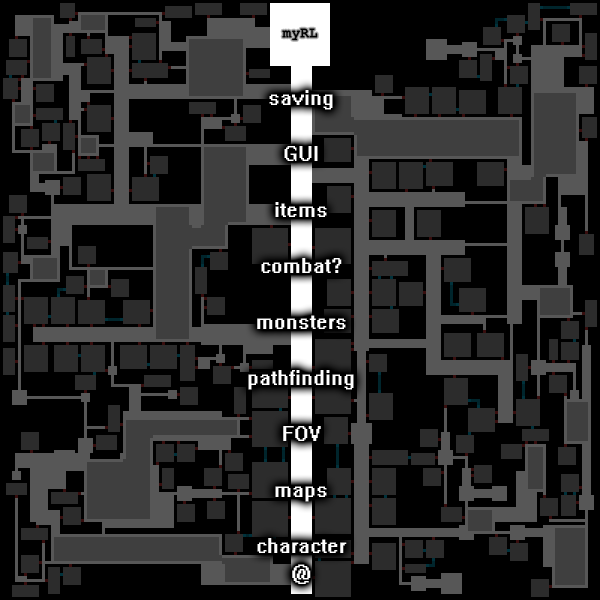
Taking our dev map from earlier, that main path is what you need to focus on:

mapgen_stages_1

Main development path purely covering a sampling of required features (note that I tend to let “combat” carry a question mark because roguelikes do not necessarily involve combat!).

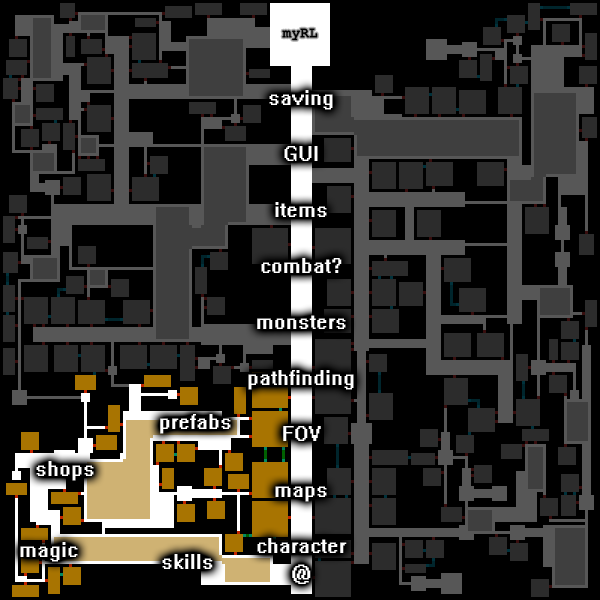
It can be both a complete game and a stable foundation on which to build more. All those other areas out there to explore are tempting, but try not to get drawn too far away from the main path early on. It’s like playing a roguelike: If you start by blindly running around in the unknown doing only what you feel like doing rather than what you probably should be doing, unless the RNG is totally on your side you’re probably going to die out there somewhere. Repeatedly. Sure this can be a fun way to play around, but building a roguelike is a different story and a bigger investment of time, so try to stay focused.

The cool thing is you can build roguelikes piecemeal. They’re basically a conglomeration of systems that can be tacked on if you think they’ll support the main game.

mapgen_stages_2

Building onto your roguelike core, piecemeal style.

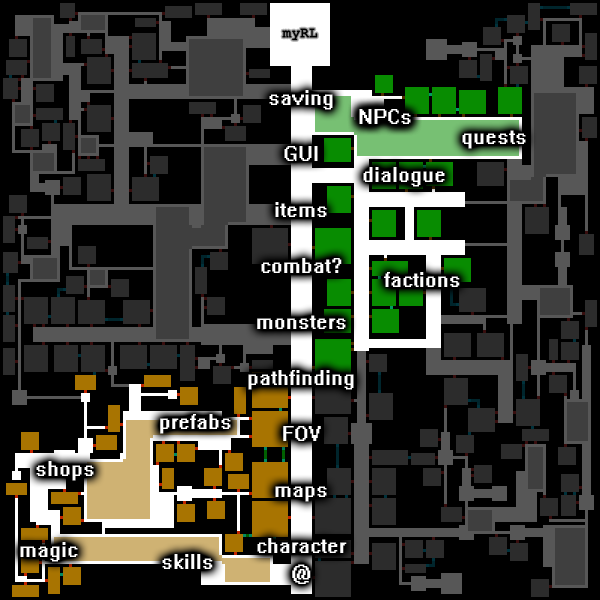
After that you can just repeatedly expand and iterate, hopefully with player feedback.

mapgen_stages_3

More pieces!

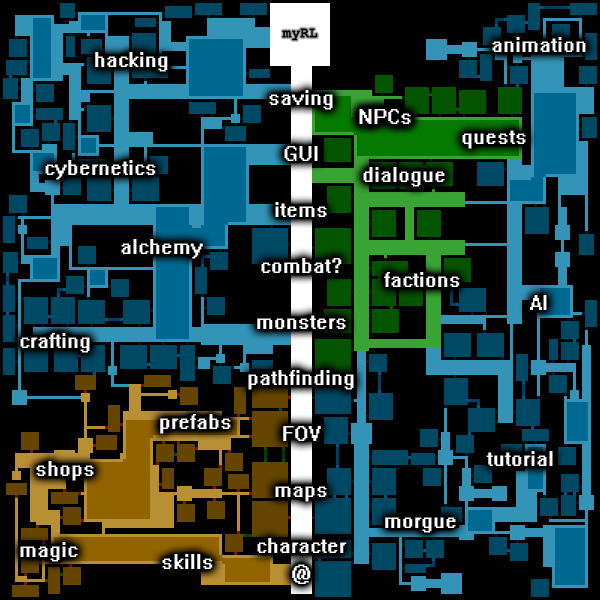
In the end you’ve got so much stuff tacked on that you have no idea where the last ten years went xD

mapgen_stages_final

o_O

Looking at a roguelike project as a whole it can seem really daunting, but all you really need is a plan and perseverance. Starting small is important because you’re going to make mistakes, and you’re much more likely to fail if you aim big right away.

Core Mechanic

So what does a small roguelike really need? A core mechanic. This is where the experience starts. It should be explainable in a single sentence and this is what you want to prototype first. Go straight for the fun.

What’s the game’s unique take on rogueliking? If your game only has this mechanic, is it fun? If you’re thinking a little bigger, could this mechanic serve as a core for the rest of the game to sit on? Think about what the player is doing from minute-to-minute, which presumably has something to do with this core mechanic. If that repeated process isn’t fun, it’s not going to matter what you build on top of it!

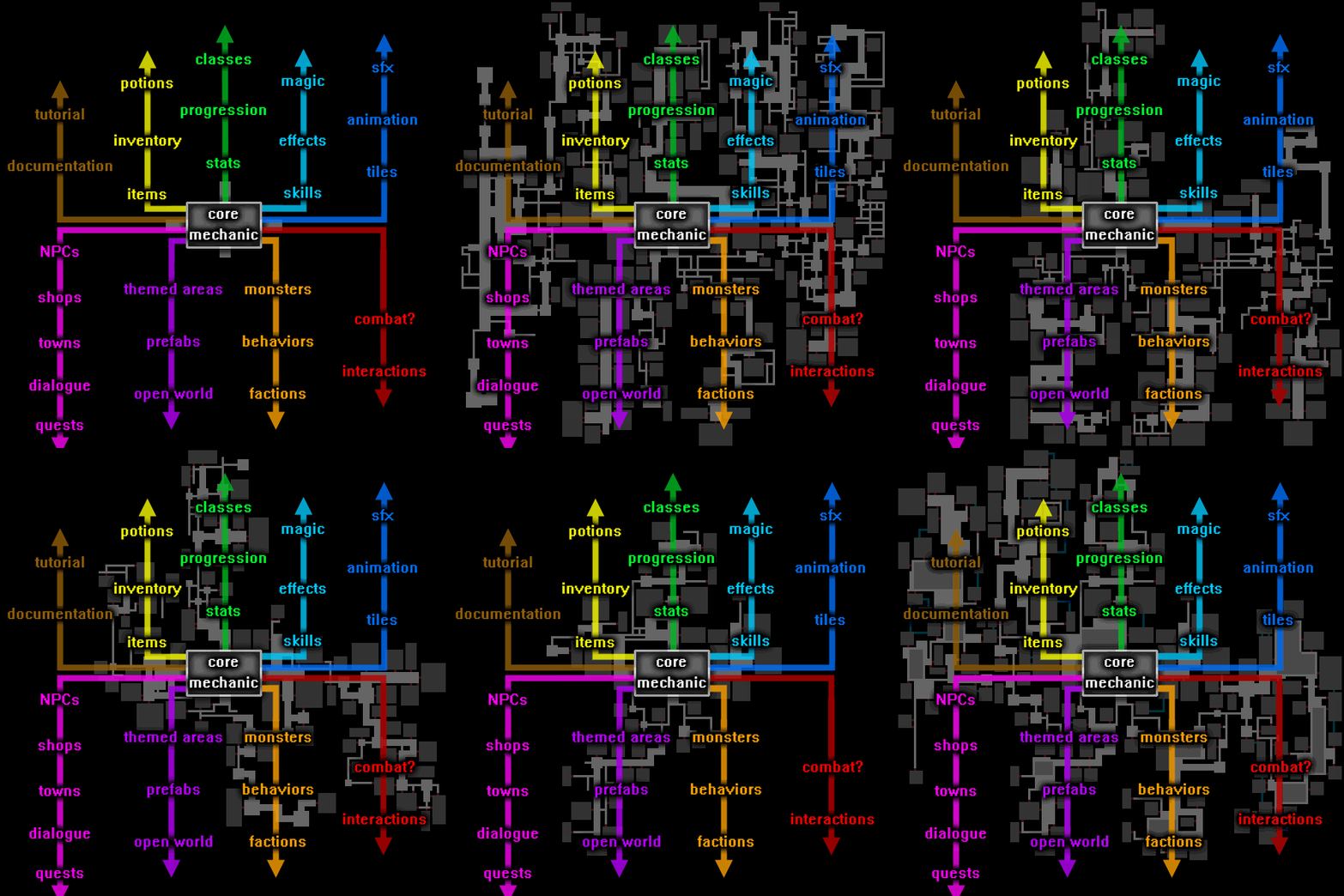
mapgen_core_mechanic_final_shrunk

Visualizing the Core Mechanic as a foundation for roguelike design.

So in this initial proto-game, only implement as many of the outer elements as necessary to bring out and test the core mechanic. Again, the above visualization and its branches may look daunting, but it’s just a sample of what’s possible. Roguelikes can be really simple and yet really fun.

To explore core mechanics a little bit more, let’s look at 7DRLs.

7DRL

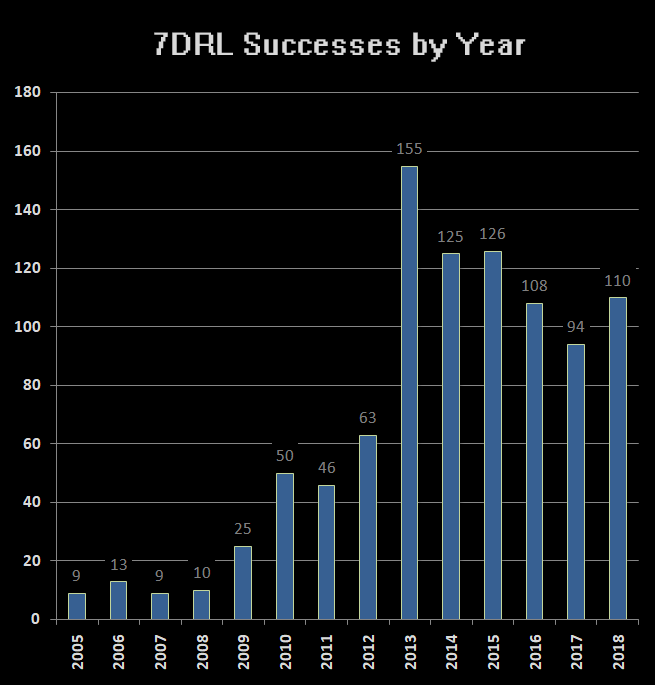
A “7DRL” is a roguelike made in 7 days. Every March or so there’s an event where lots of devs make their own 7DRL, already going on 14 years now. It’s great because as long as you finish you’ll definitely get at least a few people to play it and leave feedback. Judges will also score them in different areas, though most everyone treats 7DRL like a personal challenge (it’s not supposed to be a competition).

7DRL stats - successes by year

7DRL Successes by Year, 2005-2018.

Over a hundred new roguelikes come out of this event each year. It’s a lot of fun, and while I wouldn’t recommend doing a 7DRL as your first game (you don’t need that kind of pressure so early), it’s a good idea to participate once you have at least some experience and know what goes into a roguelike, especially the technical aspects, because having a deadline really does help.

7DRLs are great examples of “start small and expand as necessary after you’ve confirmed your core mechanic seems like a good idea.” So 7DRLs naturally make good prototypes, and many are experimental in nature. We see so many cool innovative ideas each year!

Let’s take a look at a few examples…

7DRL_2014_knight

Knight (2014 7DRL)

Knight is all about controlling your momentum. You’re mounted on a horse most of the time and that little blue block in the center or so is all you can move, only one space per turn, and that’s where you’ll end up next turn. So you can only accelerate, turn, and slow down so quickly, meaning you have to plan in order to line up your attacks on moving foes to behead them with your sword as you pass.

7DRL_2016_dodgeRL

A Roguelike Where You Dodge Projectiles (2016 7DRL)

I love how this 7DRL has its core mechanic right in the name (download). You’re a ship in space, and although you automatically attack enemies within range, enemy-fired projectiles move more slowly, and you can see their projected path for the next turn and need to maneuver so that you can both continue attacking and avoid being hit.

7DRL_2015_seven_day_band

Seven Day Band (2015 7DRL)

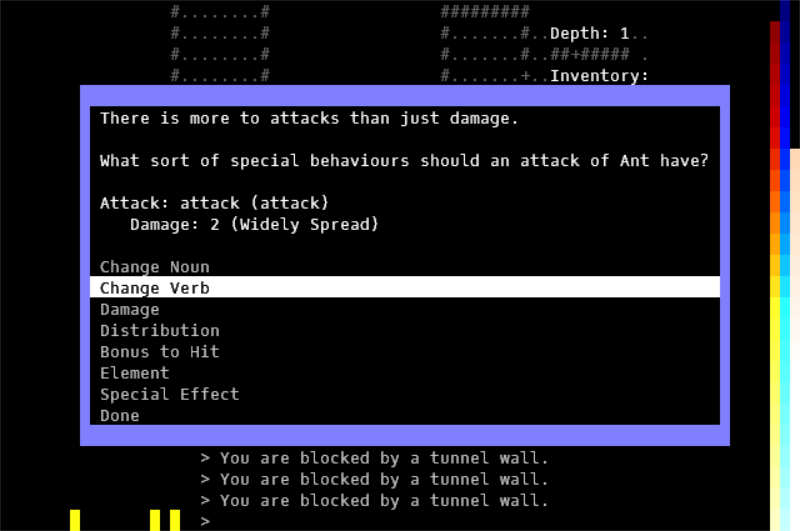
In Seven Day Band you create your own roguelike as you play it. Wandering around you’re faced with new unknown enemies and objects, and have to set their names and abilities as you encounter them for the first time, or when they start to matter. (“Band” here refers to making an Angband-like of your own.)

7DRL_2011_brokenbottle2

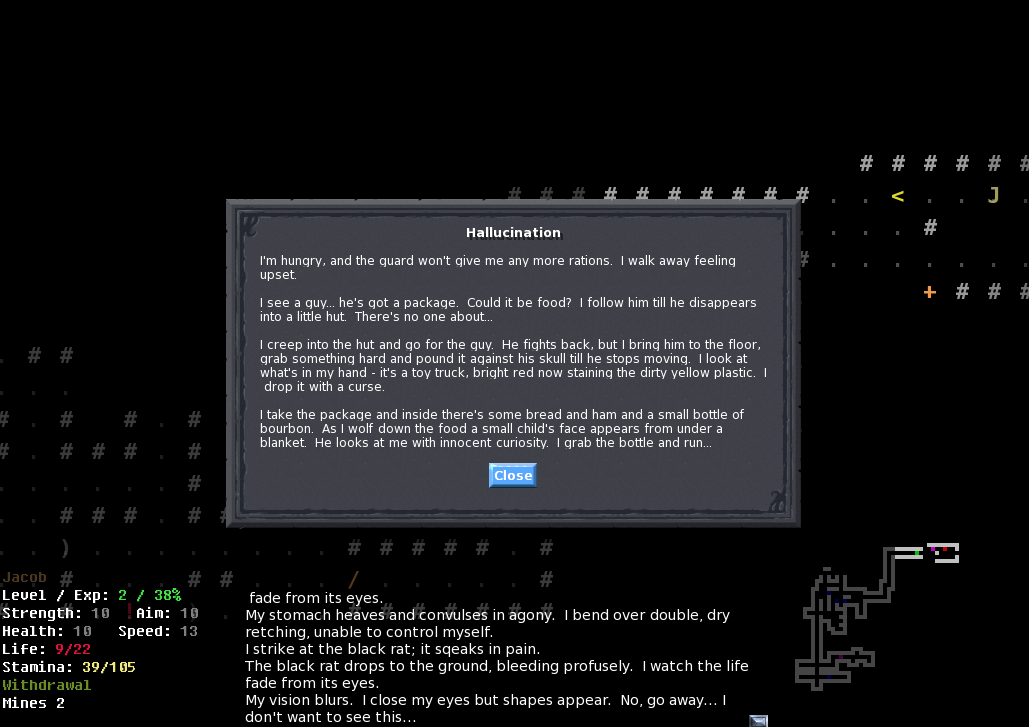
Broken Bottle (2011 7DRL)

In Broken Bottle you play an alcoholic in a post-apocalyptic world where alcohol consumption ties in to most of the experience, for better or worse depending on your choices. (It’s a pretty story-focused 7DRL.)

7DRL_2012_drakefire_chasm

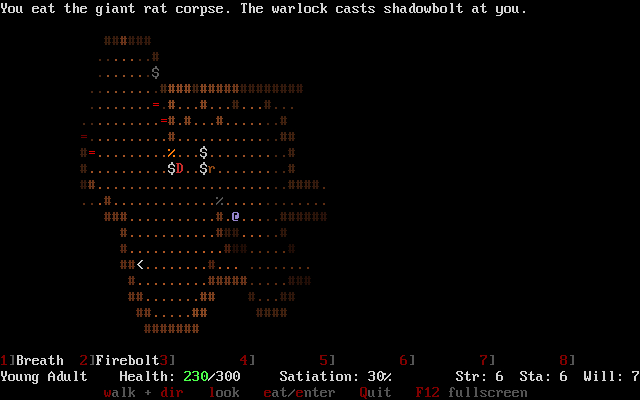
Drakefire Chasm (2012 7DRL)

Drakefire Chasm has you playing a young dragon fighting caverns full of monsters, adventurers, and other dragons, but there are no items, just upgrading your dragon abilities and eating your foes in order to grow larger and advance. This one still gets occasional updates.

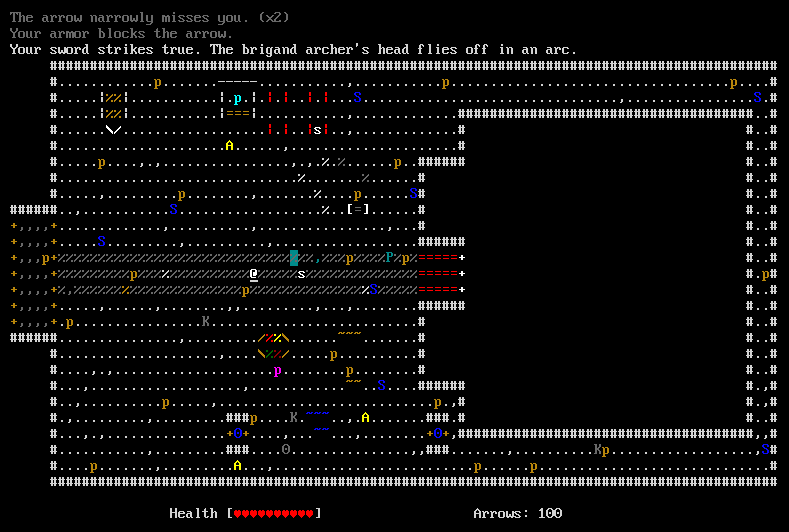
7DRL_2014_golden_krone_hotel

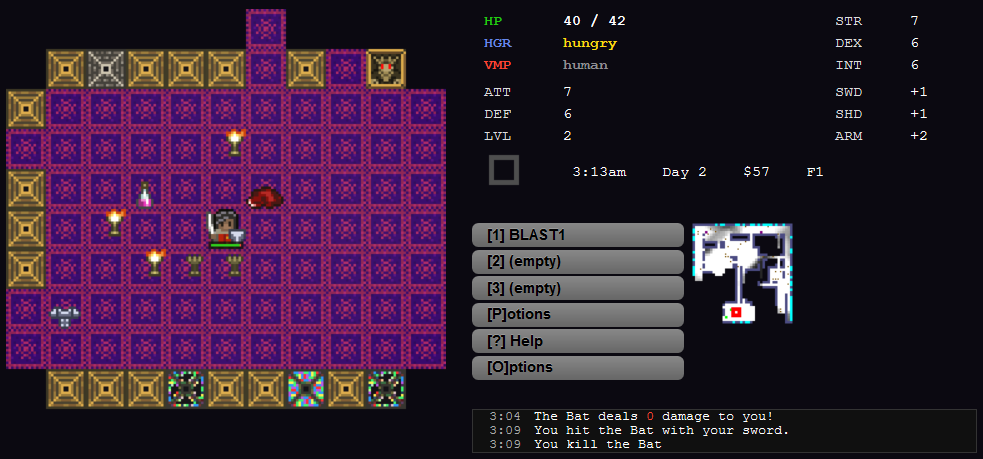
Golden Krone Hotel (2014 7DRL)

In Golden Krone Hotel you take advantage of the differing abilities of your vampire and human forms, including their interaction with dynamic light. This one eventually turned into a bigger commercial roguelike and has done pretty well on Steam since releasing a year ago.

7DRL_2012_cogmind

Cogmind 7DRL (2012)

Here’s my original Cogmind 7DRL, where you’re a robot building yourself from scratch using parts found and taken from other robots, with rampant item destruction so you’re forced to rebuild pretty often. Obviously this also became a much bigger commercial project later. I never expected my little 7DRL detour six years ago would turn into my job, but I’m really happy that I participated because that was perfect for proving the core mechanic was fun.

7DRL_2018_polybot7

POLYBOT-7 (2018 7DRL)

This year for 7DRL I did POLYBOT-7, which is kinda like Cogmind but plays extremely differently because there was a significant change to the core mechanic. Instead of the player choosing what items to attach, nearby items automatically fly over and attach themselves to you, and you can’t even remove them. The only way parts are removed is when they’re destroyed. I originally planned for it to be a kind of scaled-down Cogmind, but as 7DRL got closer I kept feeling like that wasn’t really a game worth making--it needed to be something with a truly unique hook to it, a completely new core mechanic. It turned out pretty fun, and also became a good reason to design numerous additional mechanics that would support this new type of experience (comparison here, and I also did a huge postmortem covering the process behind its development from beginning to end).

So while these games may have more than one system, it’s pretty clear where their core mechanic lies, and like many other 7DRLs they really stand out for it.

Non-7DRL Examples

While we’re at it let’s take a look at a few non-7DRL examples. These games took years to make, and certainly include a ton of systems and content, but you can still see how they revolve around their core mechanics.

mage_guild

Mage Guild

There’s Mage Guild, which has the greatest alchemy system that let’s you mix any two items, be they potions, monster remains, or whatever, and get all kinds of interesting new items and effects.

demon

Demon

In Demon you recruit a wide variety of autonomous follower demons and train them.

TGGW

The Ground Gives Way

There’s The Ground Gives Way with its completely item-based progression.

xenomarine

Xenomarine

Xenomarine is built around ranged combat and directional facing, not something you see in many roguelikes.

nethack

NetHack

And one of the NetHack devs once told me NetHack’s core mechanic is “if it seems like it should be possible to do something, then you probably can.” (This almost seems like an anti-core mechanic and not the kind of example you want to follow as a new developer, but yeah :P)

Resources

One of the most important things you’ll need access to for roguelike development is information. That includes learning the basics, getting answers to questions, getting into more advanced topics later, or just food for thought.

Your specific pitfalls will be different from other devs, because everyone’s got a somewhat different skill set and personality, but you can use online resources and friends to overcome those obstacles. While you probably won’t have anyone actually working with you on your project, others can step in with advice when you need it. But you have to ask! It took me far too long to learn that, and my early progress was pretty slow because I never reached out to people. So I’m here to tell you, there’s tons of help just waiting out there!

Let’s look at some of the most useful resources…

r/RoguelikeDev

The RoguelikeDev subreddit is is the largest group of active roguelike developers in the universe. We’ve got a very welcoming and helpful community, and a well-organized sidebar pointing to a wide variety of useful resources.

r-roguelikedev_sidebar_highlight

r/RoguelikeDev and its informative sidebar.

Among those resources are tutorials in various languages and libraries, and we have members who’ve used them before and can help answer your questions.

Earlier I mentioned starting out with python, and the easiest way to do that is with the library known as “libtcod,” for which we have a tutorial (many, in fact).

libtcod_logo

libtcod logo

Like most game libraries, libtcod handles basic features like your game window, mouse and keyboard support, bitmap fonts, and palette and color manipulation. But it also does a lot of the roguelike-specific heavy lifting, like map generation, FOV, and pathfinding.

libtcod_features

Feature samples found in the interactive libtcod demo.

Ultima Ratio Regum and Temple of Torment, two roguelikes I showed earlier, both started with the game they created using this tutorial, and eventually grew into their own things. libtcod is pretty great, and has been receiving updates for ten years now.

Another way to get started is to join the r/RoguelikeDev summer code-along event. It follows the libtcod tutorial alongside other developers, if you need the extra motivation and pacing handled for you.

roguelikedev_does_the_complete_roguelike_tutorial_2018

r/RoguelikeDev summer code-along logo

We’ve done the tutorial for a couple years so far and interest has always been high. About 100 people participate each year. Technically you don’t even have to use libtcod or python to participate--many people use other languages and follow along with their own roguelike or similar tutorials.

At the end of two months you’ll have your own playable roguelike! Here are some of the games that came out of our event the past couple years:

r-roguelikedev_tutorial_sample_projects_2017-2018

r/RoguelikeDev summer code-along sample projects.

It’s a really nice walkthrough you can tack onto--it basically gives you the required technical background for a functioning roguelike, then you do the part where you let your imagination run wild :D

Later on in your RoguelikeDev travels we have FAQs that cover different aspects of development in order to get you thinking about how to approach various topics. We’ve done a fair number of them :P

faq_friday_topic_list_1-74

FAQ Friday topics #1-74

These include meta topics like planning and motivation, and details like common systems, design, all sorts of stuff! Over the years we’ve had quite a few devs contributing to these community FAQs, including many with well-known roguelikes.

Honestly we’ve got tons of developers hanging out in the subreddit in general, many with long-term hobby projects and who are knowledgeable and happy to help. We also have a Discord for real-time help and discussion. (We share the server with the r/Roguelikes subreddit, so you’ll also find lots of people playing and discussing all sorts of roguelikes in other channels.)

RogueBasin

Outside our subreddit, many years ago Santiago Zapata created this great website you may have heard of called RogueBasin. There you’ll find a whole section of development-focused articles.

roguebasin_articles

RogueBasin Articles table of contents.

There are quite a few articles (that list there is just the general table of contents!). Although a lot of the content is older, most of the articles are just as relevant today. This is actually where I got started years ago, and found the articles both inspiring and enlightening. (Also a little scary at first, but remember, roguelikes are developed piecemeal--take it one step at a time!)

Roguelike Radio

Darren Grey, Andrew Doull, Mark Johnson and others host the podcast Roguelike Radio.

roguelike_radio_topic_list_2011-2018

Roguelike Radio topic list (2011-2018).

Check out all those topics! They also include interviews with a wide range of roguelike devs. I’m even in two or three of them, including one where I say Cogmind might be done in 2016 or something like that. Hahahahaha… (The new year is 2019, but don’t hold me to that--more players keep finding it and I’m always adding new content and features because I can :D)

You’ll also see that a number of the podcasts cover the 7-day Roguelike Challenges, which are a pretty big thing in the community.

So we’ve got knowledge covered pretty well now, but another major consideration when it comes to game development in general is assets

Assets

Here are our assets:

cp437_ibm_pc

Roguelike development assets :P

Seriously though, ASCII is wonderful in so many ways, and makes it so easy to add new content. With the right combinations of foreground and background colors you can create some really pretty games.

brogue

Brogue!

If familiar with roguelikes already you’ll probably recognize that as Brogue, but over the years I’ve collected a large number of inspiring ASCII screenshots, and want to share a selection of those here to give you an idea of the breadth of possibilities:

roguecel2018_how_to_make_a_roguelike_ascii_roguelikes

22 images from a range of ASCII roguelikes. (And to head off the inevitable questions: You can find the names of these projects here.)

The variety is just amazing--there’s just so much room for unique styles!

When working with ASCII or ASCII-like monochrome tilesets you can also use my editor, REXPaint (and it integrates with libtcod--bonus!). For me it’s become a totally indispensable tool, and quite a few other roguelike devs rely on it now, too, for things like interface design, mapping, and art.

rexpaint_logo_and_ui_with_samples

REXPaint logo, partial interface, and sample images (note there are too many colors in this composite recording so the gif screws with the palette).

Tilesets

Of course, if you want more people to actually play your game (:P), or if it’ll help you get into your project, there are also some nice tilesets you can use, even if they’re just a placeholder. Many are free, or at least available at a reasonable price. You can find links to a bunch of tilesets in the r/RoguelikeDev sidebar.

roguelike_tileset_sample_sets

Sample 2D roguelike tilesets.

For some people tilesets have the advantage of sparking your imagination, if you need that to help with development. That said, you may have seen some of these tiles in other roguelikes before, and that can be one of the drawbacks (the visual style not necessarily being uniquely associated with your project), but good-looking free/inexpensive art is invaluable for indie devs.

roguelike_tileset_examples

Roguelike tileset demos by their respective artists.

Good Starting Points

For this last segment I want to take a look at where to start your real design process, what you want to focus on. You might be satisfied with just moving a little @ across the screen smashing into letters, or you might want to go a bit further than that, and hope that others enjoy it as much as you do.

Of course you’ll want some kind of hook to get people interested in the first place, but this hook can take a number of forms…

We already talked about having a core mechanic, which is one of the easier hooks since it ties most directly into the gameplay itself, and roguelikes first and foremost are all about gameplay. All those permadeaths aren’t going to be worth it if there’s no replayability.

Amazing audiovisual features aren’t traditionally as common, although we’re seeing more roguelikes headed in that direction, which is great because it attracts even more players to the genre. So that’s a useful hook.

But the one I want to emphasize now is theme, which is an excellent hook, but not taken advantage of nearly enough.

Theme

We have lots and lots of fantasy dungeon crawlers, so naturally if you want to really distinguish your project, go for any unique theme that’s not a fantasy dungeon crawler.

roguelike_theme_list

Brainstorming potential themes for roguelikes.

Roguelikes are generally based on good/interesting gameplay, but having a unique theme not only makes the entire experience unique, it also gives you a source from which to readily draw brand new mechanics. (A unique theme almost forces you to take this route.) In particular, historical and mythological themes offer a huge range of established material to explore and expand upon. People also always seem to want more sci-fi roguelikes than what we already have, a relatively underexplored group of themes compared to how broad it is, and how much sci-fi content we see out there in other genres and mediums.

We’ve seen some really unique themes in recent years.

MakaiRL

MakaiRL is a neat concept steeped in Japanese mythology and historical fantasy. I wanna play that!


The Skies of Bloody April

Skies of Bloody April is a World War I dogfighting roguelike.

These are the kinds of themes that really turn heads, especially of course once they reach a fully playable state (both of the above are still in early development).

One that’s already a very complete game is Lone Spelunker, where you explore the natural and sometimes dangerous wonders of subterranean caves.

lone spelunker

Lone Spelunker

As for some other themes frequently asked about in the roguelike community which haven’t been satisfied yet, pirates come up pretty often. We did have one game pop up, Pirate Rogue, which is among the highest ever voted threads on the Roguelikes subreddit.

r-piraterogue

Pirate Rogue concept art.

But Pirate Rogue was just a concept they were prototyping and the developer put it on hold since they realized their dream game was a bit beyond their experience level. The demand is clearly there, though.

Superheroes and cyberpunk are other themes that come up all the time. Someone do them.

There have been a lot of great stories coming out of the RoguelikeDev subreddit, just so many awesome projects in there, both new and long-term. But I wanted to share one in particular which I consider a pretty inspiring story, and that’s Armoured Commander.

armcom1

Armoured Commander

You’re in control of a single WW2 tank, within which you lead multiple crew members in overland campaigns. Gregory Scott, the developer, started this project with only limited programming experience, and just went at it with the libtcod python tutorial.

One year later it was finished and featured in Rock, Paper, Shotgun.

armcom1_rock_paper_shotgun_small

Armoured Commander in Rock, Paper, Shotgun.

That’s from no gamedev experience to a complete game featured in a top PC gaming opinion site in one year. Sure there’s luck involved in this sort of thing, but having a unique theme and sharing it around guarantees that more people are going to take notice.

So pick a unique theme and own it. This gets more people interested, and in turn that will help keep you motivated.

armcom2

Gregory’s now working on a sequel, ArmCom 2.

Remember that your game doesn’t have to be a strict roguelike. I’m going to be a little blasphemous here and say it’s not worth getting caught up in definitions. We often see people come up with a game idea they’d like to make, but then worry about whether or not everyone agrees it’s a roguelike. It doesn’t really matter, because there are as many definitions as there are players! As long as it’s internally consistent and follows your own plan, you’re all set. (But don’t worry, the Roguelikes subreddit will continue to bring you weekly arguments about whether or not something is a roguelike xD)

XRLs

Now to do a total 180. There’s another approach you can try which has its own advantages, the so-called “XRL.” These are based on existing IPs, and save you much of the planning and design effort that goes into making a game, as most of those questions will already be answered for you. At most you have to come up with how to adapt it to roguelike formulas. With an XRL you can focus on implementation and other fundamentals while you get your feet wet.

Lots of devs do this. A while back I made a list of examples on RogueBasin. All the roguelikes listed below are based on existing IPs.

roguebasin_roguelikes_based_on_existing_IPs

A partial list of XRLs.

Personally I think this is a good way to start out your early development efforts.

Perhaps the most famous XRL is DoomRL, officially now called just “DRL” after they were hit by a C&D from Zenimax for the name.

doomRL

DoomRL / DRL

Aside: Note you do have to be careful of particularly litigious companies, like Nintendo, for example (I’d advise against doing an explicitly Pokemon roguelike!), but in general roguelikes are so niche and under the radar that XRLs are fine for hobby projects. Only those that gain significant notoriety would have to worry about this sort of thing, and by that point you can either rebrand it to your own content, or should probably have enough experience to be comfortable working on your own ideas from scratch. XRLs are usually short-term, small-scale learning projects, although a number of XRLs have been in development over multiple years. (In any case, definitely forget having any commercial aspirations with an existing IP!)

Today DoomRL developer Kornel Kisielewicz is busy working on the DoomRL successor Jupiter Hell, a prime example of using an XRL to grow a large fan base, and then relying on them to support an even larger commercial roguelike.

In his early years Kornel also made two other XRLs: AliensRL, one of the first roguelikes I ever played, and DiabloRL.

aliensRL

AliensRL


diabloRL

DiabloRL

Prolific roguelike developer Slashie has made roguelikes based on Castlevania, Metroid, Zelda, Star Wars, Megaman, and probably like ten others he hasn’t told us about :P

XRL_by_slashie

Slashie’s collection of XRLs.

Even my own first semi-roguelike project, XCOMRL, belongs in this category. Based on the original UFO Defense, it started from an IP with mechanics I was already really familiar with and love, which helped a lot.

xcomrl_exodus_night

“X@COM”

From there I was able to branch out and add a lot of my own mechanics and content, doing experiments on top of an already solid foundation.

xcomrl_mods

X@COM modded maps, some of them complete conversions into a non-X-Com universe.

Another major advantage to XRLs is that you have instant fans, other people who enjoy both roguelikes and that same IP. This is great for motivation since you’ll always have people cheering you on. A number of my core supporters today are the same people who followed my early work on X@COM.

Tips for the Long Run

So some tips to help keep you in this for the long run…

Release Early and Often

“Release early and often” is the roguelike development mantra. It’s good to quickly get everything into a minimally playable state--again, build that prototype. Doing this will probably net you some good feedback, which is valuable for the long term.

roguebasin_release_announcements

RogueBasin release announcements history.

Sharing Saturday

Even before your first release, even with just a concept, and long after that, try participating in our weekly sharing threads in the RoguelikeDev subreddit.

For some this is a way to stay accountable to yourself, and it’s a nice way to review what you have, or have not, been up to. You can literally post about how your week was hell at work and you barely got anything done, and in the process make friends with others in the same boat. Or you can talk about the cool new feature you added or are thinking about. Or share funny bugs. Anything, really! It’s a great community :D

r-roguelikedev_sharing_saturday_1

Come share with us!

Keep a Blog

Besides Sharing Saturday it’s also nice to concentrate all the info about your development in one place. A public place. Blogging actually has a bunch of advantages; here’s a list of some of the major ones:

  • organize your thoughts
  • examine your work from a different angle
  • document the process
  • create a useful long-term reference
  • get feedback
  • build a community

I’ve been doing this for a while myself and found it to be incredibly valuable. Below are the topics I’ve covered over the years on my blog:

gridsagegames_blog_posts_2013_2018

Five years of blog posts from Grid Sage Games.

You’ll probably find a fair bit of useful info just sitting there for the taking :)

Accessibility is Important

Accessibility is important. Traditionally this wasn’t the case with roguelikes, but nowadays you have an opportunity to reach so many more players if you’re willing to put in the effort. This means sufficient documentation, a tutorial, full mouse support, a tileset, etc.

To demonstrate how valuable mouse support and a tileset can be, check out these player stats from Cogmind:

accessibility player stats

Cogmind player preferences: That’s a whole lotta mice and tiles!

Note that some accessibility features are important to consider in your design from the very beginning, but don’t worry about all this stuff in your first roguelike. Starting with an ASCII/keyboard-only game is just fine.

The Beginning

This is the end of my article, and the beginning of your great new roguelike.

Get to it :D

Posted in Gamedev | Tagged , , , , , , | 13 Responses

Roguelike Celebration 2018, the Experience

Another Roguelike Celebration! The biggest roguelike gathering of the year just keeps getting bigger :D

I had to miss last year due to my concussion, but it was great to finally meet up with everyone again. Back in 2016 I showed up just a few days before Roguecel and still wasn’t sleeping well when the time came around, and although the sheer excitement of being with all these roguelike developers and players was enough to keep me going through an entire day, I knew it’d be even better if I could participate fully refreshed. So this time I made a vacation of it, arriving in the US a couple weeks early to visit family near San Francisco, too.

roguecel2018_airport_at

I knew I was headed in the right direction as soon as I saw the sign at the airport.

Like 2017, this Roguecel was on a two-day schedule, which is just awesome. The feedback from 2016 was pretty much unanimous in that a single day was simply not enough, especially since that also forced the talks to be split into two tracks, meaning you’d always be watching one talk at the expense of another, which sucked. (After this year I’m hearing multiple calls of “two days is just not enough!” xD)

Pre-event Gathering

On Friday night (10/5) we had a pre-event meet-up at ThirstyBear Brewery. It was announced relatively late so there were only about 25 people or so, though this was probably for the better since the place was already packed and we had no reserved space. Instead we gradually assimilated tables as they were emptied, and in the meantime had to guess who among those entering the bar were actually here for roguelikes. This was not hard to guess ;)

I met up with lead organizer Noah, who said about 230 tickets were sold this year!? o_O \o/ roguelikes!

I spent most of the evening catching up with old friends Santiago and Thomas. All three of us hail from separate countries, but talk online and got to hang out in 2016.

roguecel2018_preparty_with_santiago_and_thomas

RogueBasin and Ananias creator Santiago, myself, and ADOM developer Thomas Biskup.

Santiago admitted he didn’t have a single slide prepared for his talk the next day (in the morning scheduled for right after mine). Quite the opposite of my approach, but surprisingly it turned out fine as you’ll see.

In the Beginning

Saturday marked the official start of the event, and the next morning I arrived early to help out a bit with setup. Roguecel 2018 was held at the GitHub offices in San Francisco, same as last year though different from 2016 so I hadn’t been here before.

roguecel2018_github_entrance1

Front doors to GitHub in SF.

GitHub is such an amazing space for hosting events, and we got to use it for free. Wow.

roguecel2018_github_open_area

Open area near the entrance.


roguecel2018_github_cafeteria

Cafeteria.


roguecel2018_github_speaking_area

Speaking area.


roguecel2018_github_stage

Stage.


roguecel2018_github_view_from_stage

View from stage.

As usual the decorations included various posters, letters, @ signs, and message log texts, so part of setting up was to hang these things around the area to make it a little less GitHubby and a little more roguelikey.

As a sponsor, Thomas had some Ultimate ADOM posters printed up, so he, Britta (another organizer) and I hung those around.

roguecel2018_decorations2

Ultimate ADOM posters.


roguecel2018_decorations1

The Altar has been a guaranteed fixture of the event each year.


roguecel2018_decorations3

Exactly what I want to see at the emergency exit.

Swag

Even before 9am people were scanning their tickets at the door and picking up their Roguelike Celebration memorabilia.

roguecel2018_registration

Let the rogueliking begin!

Every year there are @ socks for everyone to replenish their supply. And a new t-shirt design.

roguecel2018_swag_apparel

Roguecel t-shirt and socks. (Apparently only 2016 had a separate t-shirt design for speakers, one that is still one of my favorite shirts, and I brought and wore it on Sunday.)

But there was a great collection of other stuff, too…

roguelike2018_swag_misc

RC2018 swag!

Everyone got one of those awesome ASCII/@ tote bags, inside which is a notebook, marker (magic, of course), and pamphlets containing Ultimate ADOM mini-stories. Top-center there is a little roguelike map lapel pin! As a speaker I also got some nice chocolate and a custom thank you card with a hand-written message on it, signed by all the organizers <3

Food

All three meals were catered both days, except for dinner on Sunday. It was a healthy, tasty variety of options, so I was happy to see that (in addition being mostly stuff I wasn’t allergic to :D).

roguecel2018_breakfast

Saturday breakfast begins.


roguecel2018_breakfast2

People just starting to filter into the cafeteria. It was funny to see the high proportion of black clothing throughout the weekend, as many were wearing roguelike-related t-shirts.


roguecel2018_breakfast3

More and more people.


roguecel2018_breakfast4

There were eventually enough people that in looking back at my earliest pictures I’m surprised to see a number of them I didn’t even realize were there until much later!

After breakfast it was time for talks, so most everyone gradually moved over to the speaking area. There are technically linked monitors everywhere so it’s easy to see the talk from other sitting/standing areas, too (even, uh, the restrooms xD).

roguecel2018_pretalk_audience

Audience getting ready for the first talk of this year’s Roguelike Celebration.

The talks started a little late due to GitHub technical issues, and the first two ended up not being streamed, but at least they were recorded.

I was actually the opening talk! This is great because I could get it out my mind rather than worrying about it any longer. It also turns out that because my talk touched on a lot of different subtopics, a fair number of other speakers referred back to my presentation, which was kinda cool.

roguecell2018_noah_opening_remarks

Opening remarks by lead organizer Noah. (At this point I’d already set up my laptop and presentation so it’s ready to go, which is why it’s on all screens.)

How to Make a Roguelike

My own talk went pretty well. Back in 2016 at the first Roguelike Celebration when I gave the From Hobbyist to Full-time Roguelike Developer talk, I was quite nervous because 1) that was the first time I’d done any kind of speaking about anything since high school in the 90s and 2) I hadn’t even practiced what I was going to say, just put together a bunch of slides and notes (this is bad when you’re as easily nervous speaking before an audience as I am).

But this time I came prepared. Perhaps a little too prepared? I started my outline a few weeks in advance, on September 13th, and worked on the outline and content off and on up until the day before the Celebration. I finished with just enough time to practice it a couple times, and was happy that my (intentional) overestimates of how long each section would take ended up totaling an actual final time of about 26 minutes or so. At the time I guessed I’d spent maybe 40 hours on it, but on checking my time records now, apparently I spent freaking 59 hours preparing this talk xD

Well, it was worth it! This is something I’ve always wanted to put together, a comprehensive primer on how to make a roguelike, something that could hopefully be inspiring while including both general and specific advice. So this year’s Roguelike Celebration seemed like the perfect opportunity to force myself to do that after having put it off for so long.

The full talk is here:

In addition to the video presentation, I’ve made the slides publicly available here and will also be posting a full text version, perhaps with some edits and additions, here on the blog soon. Update 181024: Posted!

Santiago took some photos for me from the audience.

roguecel2018_kyzrati1

How to Make a Roguelike!


roguecel2018_kyzrati2

Core mechanic!

Morning Talks

Right after me was Santiago, and his talk was great, surprisingly so considering he hadn’t done any slides until that morning (though he did admit the stress wasn’t worth it and he will try not to do that again in the future…).

roguecel2018_santiago_talk

Santiago Zapata talking about the origins and early history of roguelikes. Also helping immortalize Thomas’ amusing presentation from the ADOM Kickstarter campaign.


roguecel2018_andrew_talk

Andrew Aversa (Tangledeep creator) talking about roguelike difficulty.


roguecel2018_bob_talk

Bob Nystrom talking about Entity Component Systems. Bob’s book Game Programming Patterns is pretty popular among game developers, and he’s worked on his own roguelike as well.

Breaks

Then it was time for lunch…

roguecel2018_lunch_line

The lunch line was quite long, but no problem since there was plenty of good conversation to be had in line anyway. I mean, pretty everyone’s there due to a shared interest in the genre, yeah? :)


roguecel2018_lunch2

Post-food mingling.


roguecel2018_lunch1

Still mingling.

The weekend wasn’t packed with lots of back-to-back talks, either. In addition to meal times, there were additional breaks for mingling or whatever.

roguecel2018_random_thomas_santiago

Thomas and Santiago hanging out.


roguecel2018_random_jason_amit

Jason (Caves of Qud) and Amit (Red Blob Games) talking about Amit’s new real-time terrain modification methods, and plans for sharing a new A* heuristic, among other things.

Afternoon Talks

In the afternoon we came back to a great talk from Jim. Really all the Roguecel talks were great.

roguecel2018_jim_talk

Jim Shepard (Dungeonmans creator) talking about good storytelling in roguelikes, funny as ever.


roguecel2018_jongwoo_talk

Jongwoo Kim (designer at Kitfox) talking about subjective simulation design.


roguecel2018_alexei_talk

Alexei Pepers giving everyone a guided tour of fun stuff in the NetHack source code.

Then came the final presentation of the day, in which Thomas shared the first public demonstration of Ultimate ADOM, the new game the ADOM team has been working on for about nine months now.

roguecel2018_thomas_talk_adom1

Thomas begins the Ultimate ADOM demo, live in game.


roguecel2018_thomas_talk_adom2

Clearing a room with a spell in order to move along to another area for a different demo.

Although they’re focusing on the graphical version of course, the ASCII version actually also looks pretty neat. There’s also grafting of enemy parts in order to gain their abilities, which certainly sounds a lot like Cogmind :P, though Thomas does say he’s been taking inspiration from my work so yay ;)

Party and Arcade

Thomas also sponsored the Saturday evening party, so no complaints there!

roguecel2018_github_bar

After dinner the bar opened. GitHub has a bar right in its cafeteria…

In addition to the bar, a bunch of computers were set up for playing roguelikes and retro games. Among them, there were original VT320 and VT420 terminals from which to log into the Living Computer Museum and basically play Rogue and Hack as they were originally played. These naturally got a lot of attention :)

roguecel2018_arcade1

Logging in to play Rogue at the Roguelike Celebration 2018 Arcade.


roguecel2018_arcade2

Rogue on the VT320 (left) and Hack on the VT420 (right).


roguecel2018_arcade3

Playing Rogue on a VT320 @ Roguecel!


roguecel2018_arcade4

The machines had lines (or more like groups) for a while :P


roguecel2018_arcade5

One of the other arcade areas.

Some devs also just hung around with their own devices showing stuff.

roguecel2018_santiago_ananias

Santiago demonstrating the current state of Ananias, and its UI layout on different devices.


roguecel2018_party_end

The party was winding down when I left around 10pm.

Sunday Talks

Tarn Adams kicked off the second day of talks.

roguecel2018_tarn_talk

Tarn talking about how villains and their various behaviors can help naturally drive a story in DF adventure mode.


roguecel2018_tarn_talk_slide

Tarn did his slides in Paint, and despite the small number of slides he kept building on the content of each such that they tended to get quite messy. It was fun :D

Then came Brian Walker, who had sadly missed the first day because he had a vacation which was set before the Roguecel dates were even determined this year. So we didn’t get to hang out the day before, but at least he got in late that night and could still make Sunday.

roguecel2018_brian_walker_map

Brian talking about procedural level design in Brogue. This is my favorite pic from everything I shot during the Celebration, with Brian in his plaid shirt melding into the very map he’s explaining :P

For the latter portion of his presentation, Brian also shared info about his current project, a time-moves-only-when-you-do platformer roguelite that draws on the same map generation principles found in Brogue.

roguecel2018_brian_talk_platformer

The new project looks quite cool, and apparently it’s quite far along. Basically it’s a new playground for interesting map generation techniques, which is why he got into doing Brogue in the first place.

More Breaks

Of course there were more breaks to enjoy on Day 2 as well.

roguecel2018_random_amit_tyriq_brian

Tyriq Plummer demoing his simultaneous turn-based 2018 7DRL for us.


roguecel2018_random_santiago_travis

Santiago and Travis wanted to test out the Rogue machine but the VT320 wasn’t logged in at the time.

More Talks

rogecel2018_danny_talk

Danny Day talks about the advantages and disadvantages of event listeners in Desktop Dungeons.

Then Thomas came up for a second talk (well technically yesterday’s was a demo), this one about how they’re using ECS in Ultimate ADOM. So it was a lot more technical and source-heavy, with plenty of examples. I also got a shout out at the beginning, which was great :D

roguecel2018_thomas_talk_ECS

Thomas talking about the style of ECS they’re using in Ultimate ADOM.


roguecel2018_jonathan_talk

Jonathan Lessard talks about the Chess/Rogue hybrid he created with Pippin Barr. Lots of interesting design discussion regarding how to mix the two, and what did and did not work.


roguecel2018_leif_talk

Leif Bloomquist talking about his multiplayer roguelite built for the C64.


roguecel2018_max_talk

Max Kreminski talking about “gardening as a mode of play.”


roguecel2018_colin_talk

Colin Liotta talking about the roguelike puzzle game he designed for the 2017 MIT Mystery Hunt.

Last was the lightning talks series, where different speakers would come up for just five minutes or so and share some topic of interest.

roguecel2018_lightning_talk_alexei

Alexei was up on stage again, this time talking about visualizing the aggregate results of procedural generators.


roguecel2018_lightning_talk_kawa

Kawa talking about death as part of the roguelike experience.


roguecel2018_lightning_tall_eben

Eben Howard talking about his Java roguelike library SquidLib.


roguecel2018_lightning_tall_ignacio

Ignacio Bergkamp talking about his neat idea for a new approach to character death in roguelikes: On death allow the player to enter a free-form blurb of text to describe how they lost.


roguecel2018_lightning_tall_kate

Kate Compton talking about “Chancery,” her conversational bot framework.


roguecel2018_lightning_tall_thom

Thom Robertson talking about his procedural whale-seeking game.

After another break, Caves of Qud devs Jason Grinblat and Brian Bucklew narrated a “choose your own playthrough” run of Caves of Qud, controlled by Nick DeCapua.

roguecel2018_caves_of_qud_playthrough

Nick, Jason, Brian, and the audience playing Caves of Qud.

Dinner

Those two days sure went by fast. I took one last shot before heading out of the building.

roguecel2018_github_entrance_final

#roguelikecel logo still up at GitHub as we’re leaving.

For the final dinner there were maybe several dozen who’d stuck around, so we all walked a block up the road to the 21st Amendment Brewery.

roguecel2018_group_dinner1

On our way to 21st Amendment.

Fortunately there was still a fair amount of outdoor seating left, and we gradually took over additional tables until they were all ours, though a portion of the group walked further up the road to another restaurant to eat real quick before coming back later.

roguecel2018_group_dinner2

Arriving at 21st Amendment.


roguecel2018_group_dinner3

Hanging out before dinner at 21st Amendment.

And there we sat until closing time!

roguecel2018_dinner_table

Good times filled with conversations about roguelikes and of course plenty of other procedurally generated topics.

Such a great weekend, very much worth flying around the world for… I’m already looking forward to seeing everyone again next year!

Posted in Uncategorized | Tagged , , , , | 10 Responses