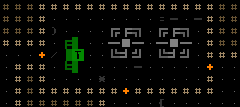
Official development blog
[ Latest Cogmind Release Notes: Feb 2026, "Unchained More" ]

Cogmind Roadmap: Year 1 and Beyond

About one year ago I launched this new blog to provide updates on Cogmind’s development. 1,533 hours later development is still chugging along. Yes, I keep detailed stats about where time is allocated and plan to share those figures and more in a (much) later post, but today I want to write about the first year with regard to the planning that goes into a long-term indie project, as a way of reviewing both where we’ve come from and where we’re headed (1.0 of course!).

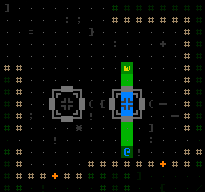
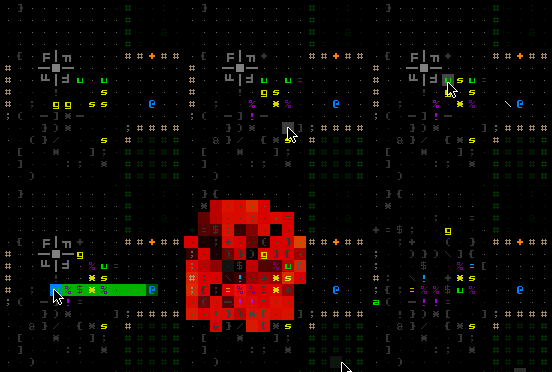
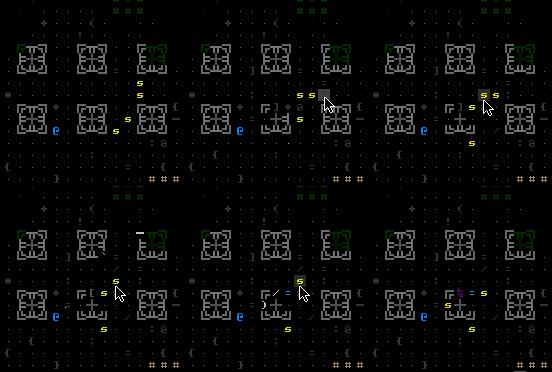
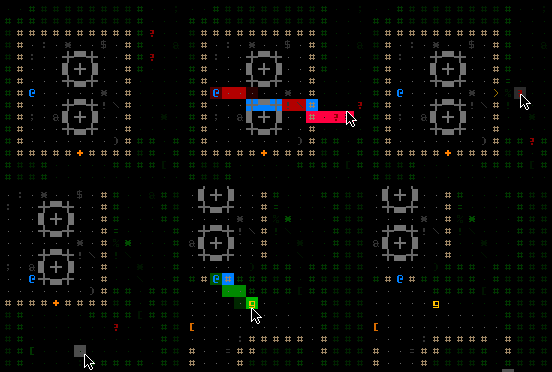
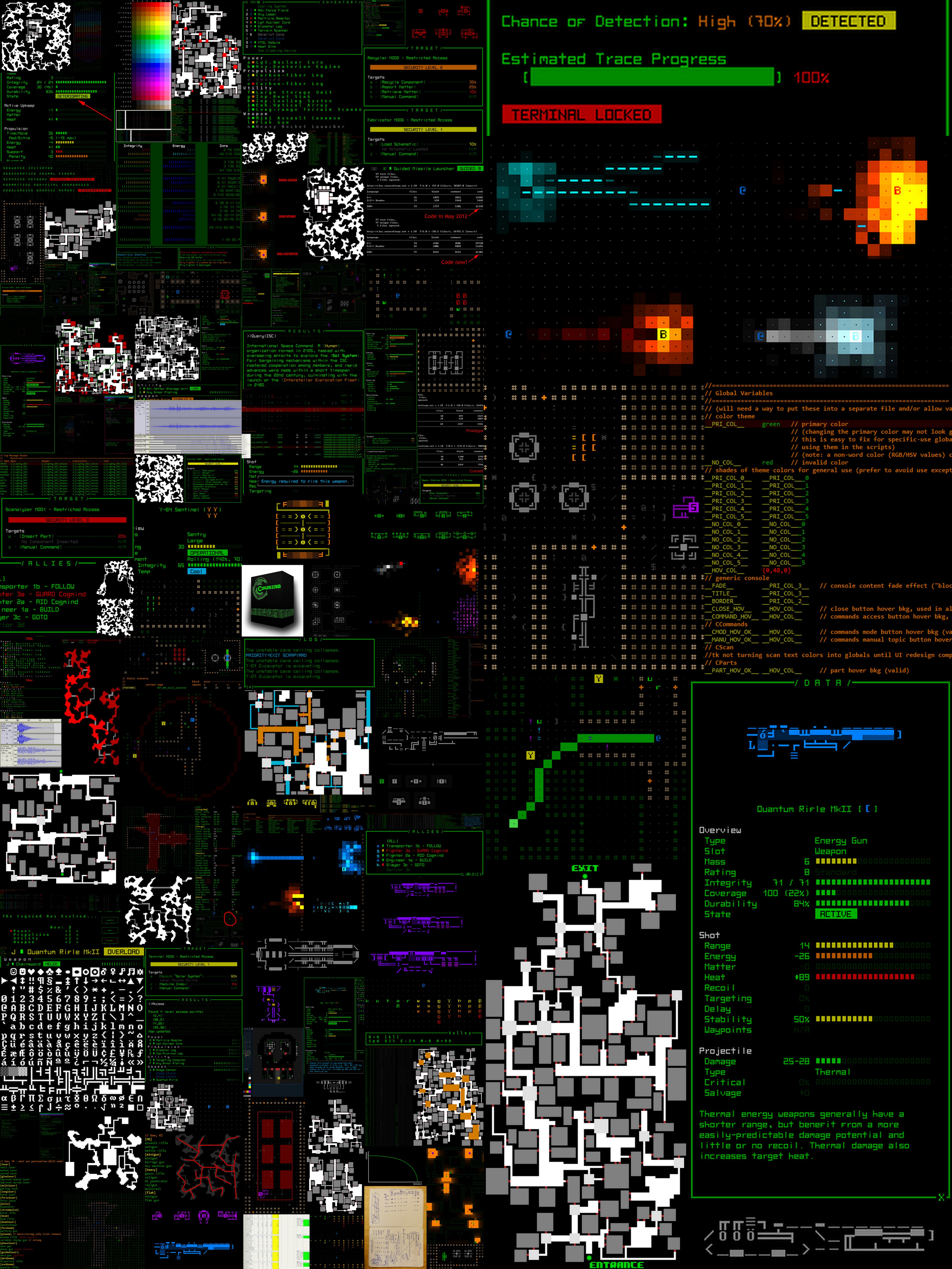
First, take a moment to look at the past year, in the form of all the images that have appeared on this blog so far:
cogmind_one_year_collage

Images from the past year of Cogmind development as shown on this blog (click for mega size).

First Roadmap

Development (re)started in July 2013 when I wrote an expanded design doc (1,320 words for the 7DRL became 18,000 words). After some time spent cleaning up the mess that was a hastily coded 7DRL, the next few months were spent adding support for basic mechanics that were missing from gameplay: guided weapons, salvos, overloading, multi-tile robotsmelee combat, large parts, factions, burnout, momentum, EM disruption, hacking, and machines. These were new systems fundamental to the updated game that could be implemented in any order I felt like, thus this period was mostly spent coding down a long list of mechanics--overall a pretty free-form phase of development.

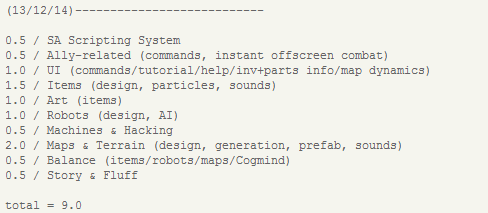
Development time for individual items like those listed above can be measured in days, but the next phase would move into major components and require an ordered approach. You don’t want to start work on the world generation before a good chunk of the content is ready, or build robots before most of the parts are designed. At this point I also needed to know about how much longer development might take. Enter the first roadmap:
cogmind_roadmap_131214

Cogmind’s very first roadmap, which didn’t appear until after about six months of development.

Estimated time required for each component is measured in months, with the total expected time for completion at the bottom. The date the roadmap was written appears at the top.

The Cycle

Every couple weeks or so I revisit the roadmap to check that development is proceeding on schedule. Rather than update the roadmap over time, I update a new copy of it in order to keep old states for comparison, making it possible to track when and where the pace of development differs greatly from estimates, if at all.

Looking back at the first half year of roadmaps, I’m pleased to see that my estimates were fairly accurate:
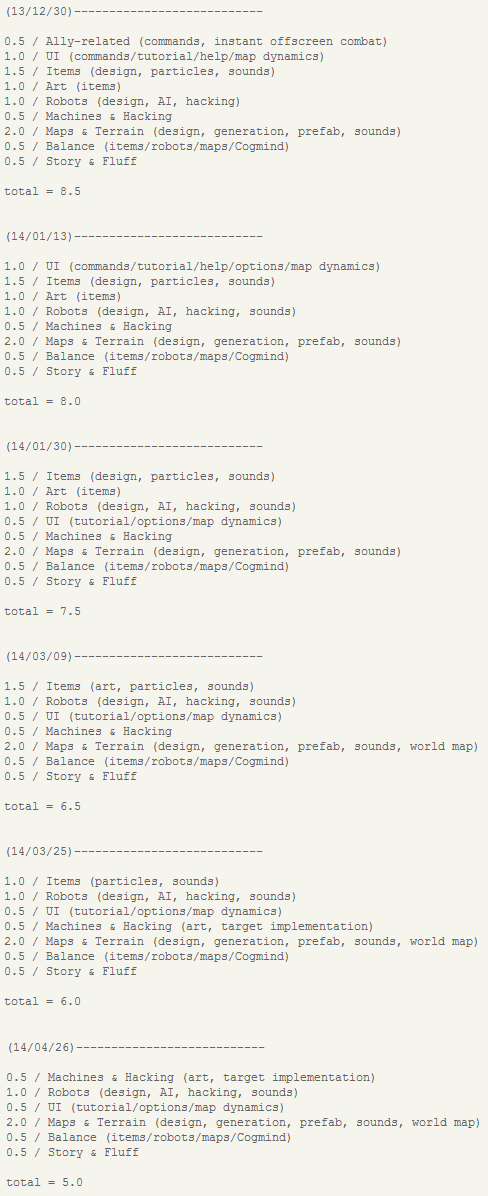
cogmind_roadmap_131230-130426

The first half year of Cogmind roadmaps.

Keep in mind that this is only a high-level general roadmap. Most of the intermittent planning stages are spent writing and organizing extensive medium- and short-term to-do lists which are referenced daily/hourly.

Because frequently pausing development of a major feature is an inefficient use of time, newly discovered bugs and necessary little improvements are collected on to-do lists for later and handled in between major features. These lists tend to grow significantly and while this phenomenon is not explicitly shown in the roadmap, it is taken into consideration for the time estimates--always pad your estimates!

Four Phases

Looking at the process so far, and what still lies ahead, three phases of development emerge from the data:

  1. Mechanics: The initial roadmapless phase where basic functionality is designed and coded. A period of very code-heavy development.
  2. Content: Create objects based on all available mechanics. A data-heavy phase without much coding.
  3. World: Build the game world using content from the previous phase. A mix of equal parts data manipulation and coding. Lots of iteration is necessary to reach the intended experience, and algorithms are tweaked to fix inadequacies in the results. (Development has recently been shifting into this phase.)

So what happened to the fourth phase?

It actually belongs at the front--phase 0. Ideally development of a new game begins with a so-called “vertical slice” of the game experience to make sure the long period of development will be worth it. At the simplest level this is a prototype that proves the core mechanic, and I already had this in 2012 with the 7DRL and therefore didn’t revisit it. This is actually a small cause for worry because the new hacking mechanic, a pretty major element, has never been tested as part of the whole! (The ability to have allies is another game changer, but I’m less worried about that.)

The Last 10%

Most developers have heard the saying that the last 10% of a game is 90% of the work. Now I haven’t by any means reached the last 10% just yet, but the principle is nonetheless already taking some effect.

After a year of work there’s already a mechanically sound, mostly bug-free experience with dozens of robots, many hundreds of items, hundreds of pieces of ASCII art, a thousand sound effects, a fully-animated interface, blah, blah, blah… but no game! Every day I literally remind myself “still so much to do…”

Looking back at the first roadmap, nine months from December is… now! There are several reasons for this.

Firstly, because there are many variables in development and I don’t want to waste time planning too far into the future, the last 25% of my original roadmap was either oversimplified or missing important features.

My roadmaps also don’t take into account real life delays, things like vacations, family issues, the occasional freelance job… You’ll notice that the provided selection of roadmaps ended just before May. The string of good examples ends there, as that’s when I put development on hold for five weeks to deal with some other obligations. Another week in July was reserved for family, and several weeks will be eaten up come October, and probably December, too.

I’m luckier than most full-time devs in that I have relatively low operating costs and don’t need to set an absolute release date, but having a roadmap is still essential for staying on track, and of course helping answer questions like “WHEN CAN WE PLAY IT?!”

So when can we play it…?

Now that we’ve definitely moved into the latter half of development, it’s time to revisit the roadmap and make sure it’s accurate based on what we know now.
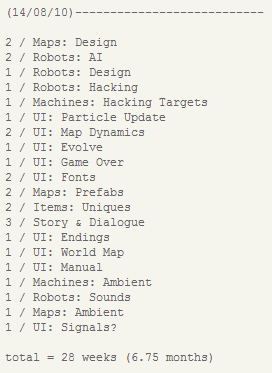
cogmind_roadmap_140810

The latest development roadmap (ordered).

As you can see I’ve switched from months to weeks as we break larger features into smaller chunks for the final run. While using days as the unit of measure would enable more accurate individual items (some may take less than one week, some more), there’s no reason to bother with that level of detail since it’s difficult to predict--might as well fudge it and let the values average out in the end.

Adding in some previously missing elements also increases the total time required. Based on the roadmap, and knowing that at least four weeks later this year will see no development, the absolute earliest we’ll see a pretty complete game is March 2015. Game development sure does take a long time!

Current Progress

I’ve been wanting to make a prettier and more detailed public progress graph available on a new Cogmind site, but haven’t gotten around to building the site yet (hopefully soon). Instead I’ll just post the chart here for now.
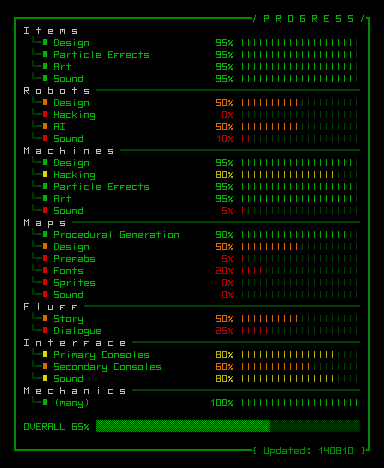
cogmind_progress_140810

Current development progress, rendered of course in Cogmind’s UI style :)

Yeah, it looks full of big holes, a result of the disproportionate amount of time required by individual items (some of those bars represent week-long projects, while others took an entire month), and also because the mechanics and much internal work are underrepresented.

Also note that some remaining components will be outsourced: Sprites and ambient map sound/music. Those don’t even appear on the roadmap, as much of the work would be done in parallel anyway.

Release Schedule

So March 2015 it is? Not exactly. In fact, I’m still aiming for a first release this year. Still debating how to handle the whole release issue…

When

What state should a game be released in?

I believe a free game should be released as soon as it’s playable. This gives the developer immediate feedback from interested players and the game can grow around them. Heck, if Cogmind were free I’d release it right now since it’s already playable and fun even without a complete game world.

The issue becomes a little trickier with a commercial product, especially when you want to reach the largest possible audience in a market flooded by more and more games--many obscure games don’t get a second look so the first impression is pretty important, be it by media or by players themselves. Releasing too early is putting a greater portion of the results in the hands of chance.

Cogmind is more than just a roguelike dungeon romp, but you won’t see that in the game’s current state. By the time it’s done there will be a story, lore, NPCs… While it’s currently very “playable” in the game sense, the intended experience is simply not anywhere near complete. I hope that when people see, or play, the game they can see a greater range of what it has to offer.

So I can at least say that it won’t be released now.

How

There are two options I’m considering for how to start releasing.

One is as a demo for a Kickstarter campaign. Still not sure if I should bother with that route since it would postpone 1.0 even further, though it would give the game greater exposure (while implying that “it’s not done yet”) and bring in more money that could be spent on better audio-visual components. I almost want to do this simply as an elaborate excuse to get myself a Cogmind T-shirt =p

The other is simple alpha funding, which itself could go one of two ways. Either initially sell only through my own site without trying to reach out to a larger audience, gradually getting into the market and expanding exposure as necessary, or wait a little longer and go for a bigger early access release on multiple platforms.

Dammit, WHEN?!

“When it’s done.”

Haha, just kidding. Little roguelike dev joke there.

Each of the “hows” might have its own slight affect on the first release date. KS would be earliest, small-scale alpha would be later, and full-scale early access would be latest. I’d like to think that any of these options would see the game out there somewhere in a November-December time frame.*

*Fake fine print: No promises.
Posted in Annual Review | Tagged , , , | 11 Responses

Projectile Penetration

At this stage of development I wasn’t planning on adding new mechanics, but projectile penetration has been hovering around on my to-do list ever since early playtesting showed the game would really benefit from a way to shoot through objects.

The ability to simultaneously hit an entire line of enemies, or even fire through obstructions to hit a target on the other side, really does add a lot of tactical depth. An additional mechanic also enables yet another category of weapons with meaningful variety (<--a key requirement when adding any “new stuff”). More on the new weapons below. Penetrating projectiles will also be a great addition for the Hunter class robots, which are so crazy aggressive they’ll start shooting as soon as they detect you, even while you’re behind a wall or on the opposite side of some obstruction. (You might remember them from the 7DRL if you got far enough.) Their combat AI type is literally named “INSANE” =p

Mechanics

Each weapon specifies a maximum number of obstructions its projectiles can penetrate, along with a separate chance to pass through each consecutive obstruction. For example the basic Coil Gun can penetrate up to two objects, the first at a 60% chance, and the second at a 30% chance. A third object after that would still take damage, but the projectile would stop there. If any chance fails along the way, the projectile does not continue beyond the point of impact, even if it destroys the object.

You don’t have to destroy something to penetrate it--the mechanic is completely independent of damage, meaning you can now even fire through walls to hit targets on the other side without taking down the wall itself. I’m sure players will find some creative ways to screw with the AI that I’ll have to address later… but it’s fun!

Weapons

A majority of projectiles cannot continue after striking their first target, and of the original item set only ballistic weapons of the slug-firing variety (e.g. Gauss Rifle) were given a chance to penetrate one or two obstructions. However, these are not a very reliable way to penetrate a target. At best you can hope to get lucky with them.

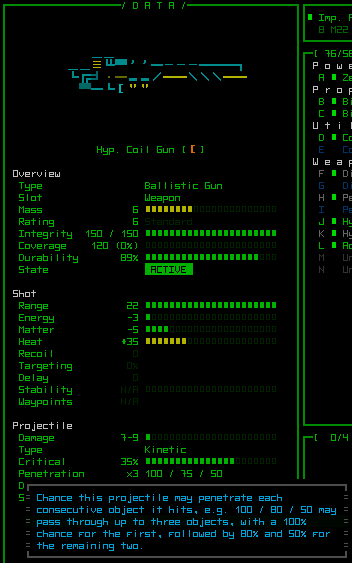
New variants of those ballistic weapons are designed specifically for penetration and thus much more reliable. They carry the “Hypervelocity” designation, and may penetrate up to three or four obstructions--meaning some can hit up to five targets!

cogmind_hypervelocity_info_coil_gun

Hypervelocity variant of the Coil Gun.

Hypervelocity weapons exchange damage capability for penetrative potential, but make up for the lack of collateral damage with a greatly increased chance of a critical hit due to passing through an object.

In a related development, critical hits now destroy props, too (not just robot parts/cores), otherwise this new category of weapons could endlessly fire through machines to hit targets on the other side without ever scratching the machine itself, which looks weird and doesn’t make sense (props are normally destroyed only when a single damage application reaches an integrity threshold, making it impossible for weak weapons to chip away at a stronger obstacle to eventually destroy it).

Usage

The line-of-fire visualization for aiming got a little update since obstructions may not necessarily block a shot anymore. It will now assume maximum penetration for the given weapon(s) and highlight any penetration points in blue.

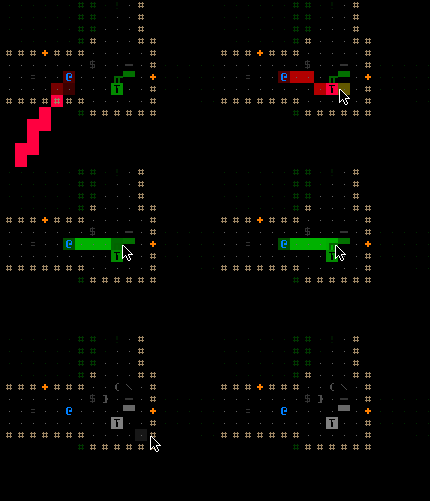
cogmind_penetration_lof

Aiming a Hypervelocity Coil Gun at the Watcher on the other side of a Matter Pump. In a best-case scenario, the projectile will penetrate the entire pump.

The entire path is considered valid (green) if there is enough potential penetration to reach the intended target. This new feature minimizes the need to count spaces.

Some example situations:

cogmind_penetrating_robots

Firing through enemies. Eventually I just shoot right through them at the Fusion Modulator, which explodes.


cogmind_penetrating_machines

Firing through an Atomic Centrifuge at an incoming squad. I’m at an advantage since they won’t shoot their own machines.


cogmind_penetrating_walls

Locating a pair of Grunts on the other side of a wall via simple sensor array, taking one out through the wall with a Hypervelocity Railgun.

Posted in Mechanics | Tagged , , , | 12 Responses

Non-Interactive Machines

Non-interactive machines were first discussed in the context of the object placement algorithm of the previous post. But there is plenty more to cover.

Distribution

We can’t simply pick random machines for any and all maps. The types of machines on a given map should reflect the theme of that map, be it storage, factory, research, etc.

Our goal in developing a selection system is to minimize effort while maximizing both variety and logicality of a map’s content. It would be a lot of work to list every possible machine for every map type. The better solution categorizes machines by their “theme” (e.g. mining, matter, energy, processing…). Then each type of map can designate one or more “machine themes” from which to choose its machines.

Mines, for example, pick from the “mining” and “matter” themes; factories select “matter,” “energy,” and “production” machines. This enables maps with overlapping themes to draw from overlapping pools of machines. The selection pool is weighted, so machines themselves can also specify how common they are (with a separate frequency value for each placement location: room, hall, and junction).

Gameplay Impact

Although dubbed “non-interactive,” these machines actually serve as more than just a way to flesh out the atmosphere.

Tactical Positioning

Their very presence breaks up large spaces with destructible obstacles. However, depending on the size of the machine this may only be a physical barrier rather than a visual one, because machines only partially obscure FOV.

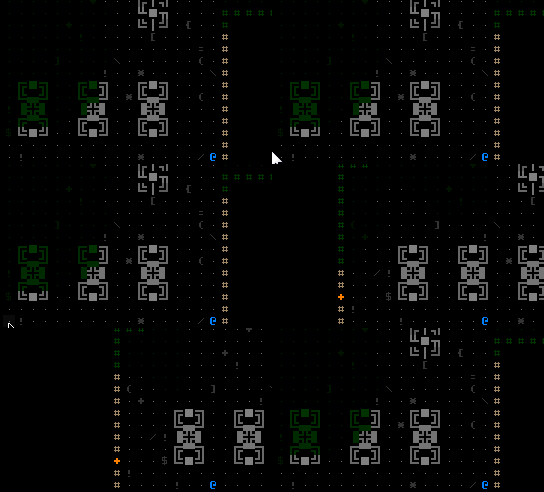
cogmind_machines_and_FOV

Notice how FOV is not completely blocked by the machines.

Explosions

Even more deadly (and fun!), is that some machines may explode.

For all the ASCII debris fans, even non-explosive machines send out flying debris when a piece is destroyed.

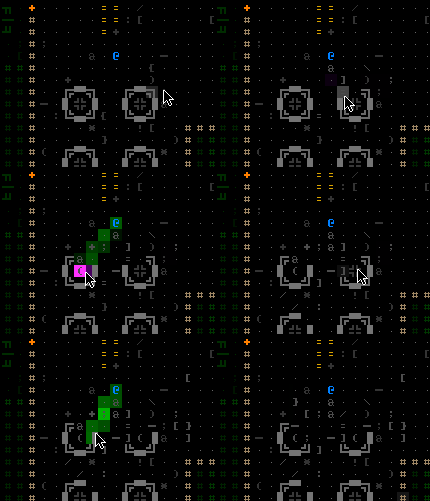
cogmind_machine_destruction

Chipping away at a pair of Electrolysis Chambers.

Some machines may send out different colors reflecting their nature/use, such as this Matter Pump.

cogmind_debris_matter_pumps

Damaging Matter Pumps (the in-game color of matter is purple).

Interactive machines do not explode, but their debris animation can also be a little different, such as sparking from a terminal.

cogmind_debris_terminal

This terminal fades to gray once disabled, since it can no longer be accessed.

Truly explosive machines will detonate in glorious ASCII-plosions that can engulf nearby machines or robots. As with all particle effects, there are many styles:

cogmind_exploding_nuclear_reactor

They didn’t need this Nuclear Reactor, did they? (Don’t get on my case about nuclear reactors not exploding. Because this one clearly just did ;D)


cogmind_exploding_fusion_modulator

Lesson: Don’t blow up a Fusion Modulator while sitting in the same room.

(More shots from the sandbox, because I’m not hunting through the game to find these things.)

cogmind_exploding_vacuum_chamber

A vacuum chamber (yes I’m standing too close, but that’s okay because I gave myself 40,000 integrity points =p The sandbox is nice like that.).


cogmind_exploding_machines

Scratch one Antiparticle Reservoir. Might as well take out the Power Conduit, too. Aaand.. for good measure let’s just switch to the Rocket Launcher and take out some other machines. (Several times I’ve caught myself unable to stop strolling around the sandbox doing this, again and again and again :D)

There are more, but I’ll leave them for you to discover in game, hopefully when an enemy hits one you’re standing next to ;)

To prevent overuse of the boring (and overpowered) strategy of “lure enemies near a machine and blow it up,” the predictability of explosions for some machines will be reduced by introducing a system of “machine instability.” When a machine takes damage it may have a random machine-dependent chance to become unstable, which starts an invisible timer after which it will automatically explode on some later turn.

The only element of this I’m not sure about is whether the player should have cues to indicate that a particular machine has become unstable and may explode at any time. Since the time remaining before explosion is still uncertain, it makes sense to tell the player at least when there are signs of instability. In any case, the implementation will depend on playtesting, as well as the precise number and frequency of machines that explode (these parameters haven’t been added to the data yet).

With powerful enough weapons you can of course cause a machine to explode instantly, but machines prone to deadly explosions are generally more heavily protected against weapons as this is not exactly the safest of environments.

Melee

Melee weapons, however, are particularly good at hacking up machines, though for obvious reasons point blank attacks on explosive machines are rarely a good idea. On a related note, recall that knock-backs are possible with impact-type melee weapons, thus as a new extension of that mechanic, you can now smash robots into a machine.

Normal machines will simply shoot debris from the point of impact (and coincidentally make some pretty cool metal crunching sounds). Explosive machines on the other hand will probably roast whatever robot is so unlucky as to be smashed into ground zero, and probably engulf those nearby, too.

cogmind_knockback_explosion

Whacking a flying swarmbot with a Gravity Flail, sending it careening into a Nuclear Reactor which explodes and takes out all his friends, too ;)

Be wary of enemy brawlers that may unwittingly do this to you!

Posted in Design | Tagged , , , , | 2 Responses

Furnishing a/the Dungeon

Most traditional roguelikes are pretty barren, especially those of the subterranean variety where a map is composed of rooms empty except for monsters, items, and a small selection of interactive props or obstacles (e.g. altars, plants, pools of some liquid). This reflects, and highlights, the genre’s focus on tactics and strategy. If an object doesn’t have some direct affect on gameplay choices, then we don’t care about it. Traditional roguelikes take place just as much in the imagination as they do in the visible space, so players are used to seeing only what information they need to make decisions.

Some might argue that the limits of ASCII mean we only have just enough symbols to represent important interactive parts of the map, but this isn’t really true given the number of possible color and glyph combinations (especially once you add extended ASCII) as well as foreground and background colors. See Dwarf Fortress for an example in the extreme.

Cogmind’s 7DRL prototype, being a simple game focused purely on its core mechanic, had absolutely no props despite its uncharacteristically large rooms and corridors (to make room for long-ranged combat and more robots). To an extent that has now changed with the addition of machines, though the game still very intentionally leaves much of its map area as empty “periods” (‘.’). While this lack of furnishing makes for more boring static screenshots, I believe it’s important to preserve the clarity of the player’s field of vision for tactical purposes. (The only exception being dark gray debris left from destruction--to inform the player where something happened as well as positive reinforcement for the good old “hell yeah, I blew something up!” feeling.)

That’s not to say there’s no diversity to the maps. As you’ll see below, on their own machines already do a good job of indicating what a given area is for. And with that we arrive at the meat of this post: Now that we have these beautiful procedurally generated maps, what do we decide to put where, and how?

Furnishing Types

“Furnishings” refers mostly to machines. One advantage of Cogmind machines is that they always occupy more than one cell (space), and are always represented by ASCII line art. These characteristics mean they won’t be confused with robots or items, and enables significantly greater variety than if each had to be represented by a single ASCII glyph. This is made possible by the fact that maps are large and open, and big machines give the map content a better sense of scale--roguelikes are an abstraction, but when possible it’s nice that objects which should take up more space actually do.

More on each of the three categories of furnishings below.

Interactive Machines

These have been discussed several times before in terms of their functionality and hacking. Interactive machines are those which can be accessed via a special window to perform certain actions, including terminals, fabricators, scanalyzers, recycling units, and repair stations. There are plans to add some special interactive machines with unique features, though those haven’t been added yet.

cogmind_terminals1_sprites

The sprite sheet for low-level terminals. All interactives are drawn in grayscale and the game applies color automatically depending on their type. Each is surrounded by a faint rectangle and the props definition file specifies the coordinates of the top-left corner so the game can find the right sprite. (That first terminal is the one exception to the “machines always occupy more than one space” rule.)

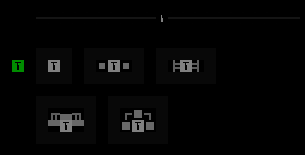
There are three levels for each interactive machine, which generally offer increasing rewards at the cost of hacking higher security. Each visual style is associated with a specific type of operating system version, and Cogmind gains familiarity with each system based on the number of times each is accessed, somewhat limiting the number of possible styles (they need to be recognizable). Recognizable styles also means that meta knowledge can be helpful here as some of the terminals are always easier to hack than others.

Non-Interactive Machines

Machines Cogmind cannot hack (because their function wouldn’t serve the gameplay) are categorized as “non-interactive.” These all appear on the map in grayscale to denote their non-interactive nature.

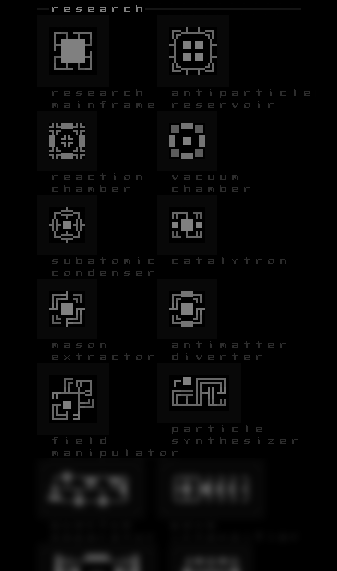
cogmind_machines_noninteractive

A sample selection of “research”-themed non-interactive machines as seen in the sprite sheet.

In addition to lending the maps more atmosphere, these machines also serve to break up large spaces. This is important because Cogmind now has even larger open areas than seen in the 7DRL, and there really needs to be something to hide behind in the largest of them to make a stealthier approach possible, or simply to put something between you and an attacker.

More information on non-interactive machines in the next post.

Stockpiles

Being a collection of items, “stockpiles” are not a permanent dungeon fixture, but act somewhat as a furnishing since they occupy more than one space and you often won’t want the entire batch so some/all of it will remain in place. They are therefore placed along with machines during the “furnishings” stage of map generation.

In Cogmind items are frequently found in groups rather than individually. A single stockpile contains a random number of items (from 3 to 9), divided among 1-3 types. Thus it is common to find multiples of the same item, a design decision that pairs nicely with Cogmind’s mechanics since you can (and often want to) equip more than one of the same item, or carry spares for when one is blown off.

cogmind_stockpile

A typical early-level stockpile containing a couple wheels and some storage units.

Object Placement

The object placement process is largely data-driven, relying on a substantial number of interrelated arrays to describe object count, relative frequency, type of location, amount of padding between walls and other objects, etc. The details are way beyond the scope of a blog post (and also fairly boring), so I’ll describe the process here in a general sense.

Objects are placed according to a “composition” system that determines how to decorate a room or hall (open area). An area can contain:

  • An interactive machine, any number of non-interactive machines, and one or two stockpiles.
  • An interactive machine and any number of non-interactive machines.
  • Any number of non-interactive machines and one or two stockpiles.
  • Any number of non-interactive machines.
  • One or two stockpiles.
  • Nothing (empty).

Each type of map specifies the chance that each room or hall will pick a certain type of composition (weighted probability). I’ll use a hall as an example:

The interactive machine, if any, will be placed first.

cogmind_hall_placement_interactive

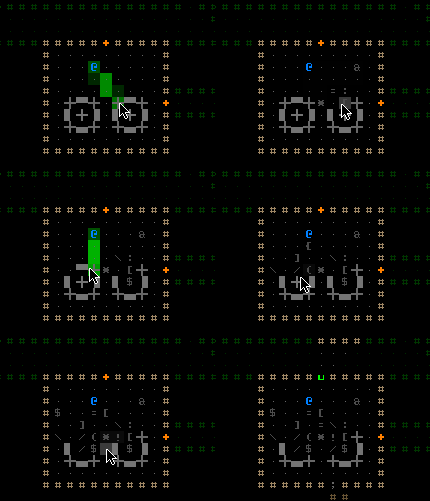
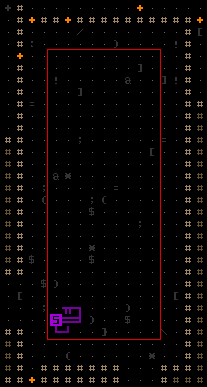
Interactive machines are initially placed along the edge of an inner rectangle defined by maintaining sufficient machine-wall padding on each side.

It then has a chance to be pushed back against the wall, as long as doing so won’t obstruct any doors or pathways.

The stockpiles, if any, are then placed using the same rules (along an inner rectangle, and possibly pushed against the wall).

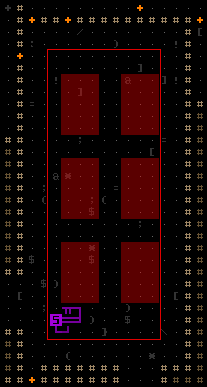
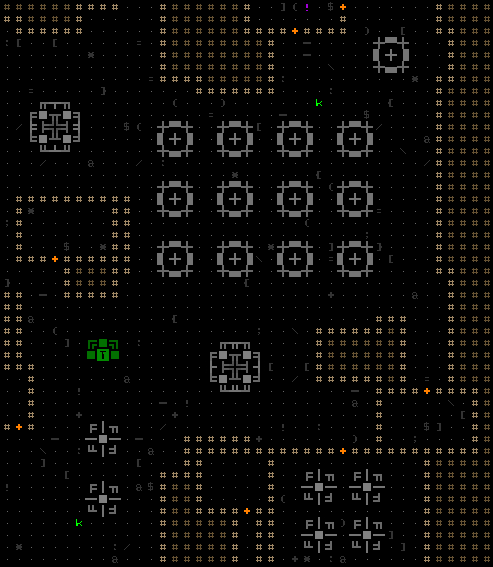
Non-interactive machines, if the composition requires any, are used as a final stage “filler.” The largest possible array of a randomized type of machine is placed randomly within the hall’s inner rectangle. Any location in that array which overlaps another object or its padding area will remain empty. In this case the generator chose to place an array of Processing Tanks.

cogmind_hall_placement_noninteractive

A two-dimensional array indicating potential placement of non-interactive machines.

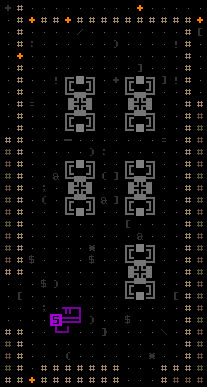
In the above example, placing the bottom-left tank would be too close to the scanalyzer, so it is removed from the array.

cogmind_hall_placement

The final hall.

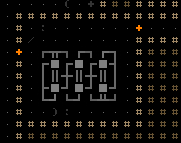
Non-interactive machines usually appear in repetitive clusters, though sometimes one or more within the group may be replaced with a different machine that is no larger than the others.

Because their frequency affects gameplay balance, there are a limited number of interactive machines and stockpiles that can be placed on a given map--as limits are reached those objects are skipped in the placement phase. Technically this also means that not all of them might be placed if there aren’t enough rooms/halls, though properly designed map parameters should have the right amount of space to fit them all.

Note that most machines are allowed to be rotated in any direction, making it easier to fit them into more areas and increasing the chance of placing everything the map requires.

During the furnishings placement stage, halls are parsed in largest to smallest order--the larger they are the more we need to put something in them, while rooms are parsed in a completely random order for now. Later placement stages put terminals in high-traffic junctions, and individual (non-stockpile) items anywhere on the map, preferring more secluded areas for higher-rated items.

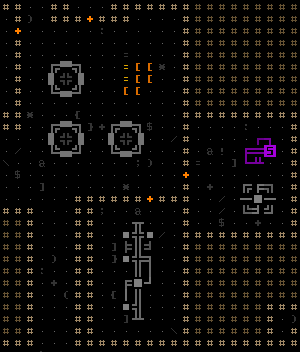
Some map excerpts showing machine placement variety:

cogmind_machine_placement_matter_filter

This Matter Filter fits nicely into this room.


cogmind_machine_placement_nuclear_terminal

This terminal presumably controls the neighboring nuclear reactors, as well as providing a point from which to hack the local system.


cogmind_machine_placement_electrolysis

Hm, what could they want with all those electrolysis chambers?


cogmind_machine_placement_matter_pump

Matter Pumps and an Integration Channel in a side room. Plus someone left a pile of Assault Rifles here for the taking.

The next post will take a closer look at non-interactive machines, including the system used to decide what machines belong on each map. Also some fun stuff like blowing them up ;)

Posted in Design | Tagged , , , , , , , , | Leave a comment

Dungeon Prefabs

Procedurally generated maps are great, but even with variety factored into an algorithm it naturally won’t produce anything outside its parameters. This is good in that it keeps the style consistent, but individual areas sacrifice character as a result.

Hand-crafted map pieces can restore some of that character where you really need it, be that interspersed with generated content to mix things up, or at key plot areas where a specific environment is necessary. Prefabs integrated with the rest of the map will really stand out, and be more memorable for it.

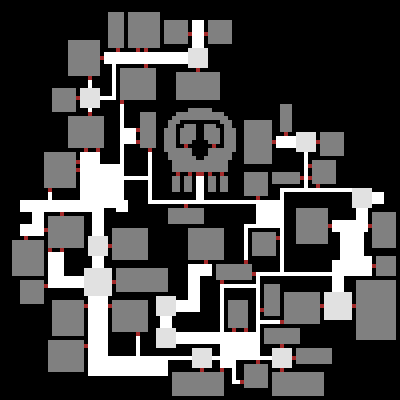
prefab_skull

Just a silly example, but writing a separate algorithm to procedurally generate skulls would be overkill.

Prefabs are a way to deviate from what may otherwise be a repetitive experience (even if that repetition is masked behind layer upon layer of random content). They also give players a “common ground” from which to discuss specific parts of a game. The more a roguelike is completely random and unpredictable, the more discussion is limited to “general survival tips.” Static areas open up a whole different category of discussion--“what can we do here” rather than “what can we do when XYZ.”

And it’s not only strategy--a whole new category of stories emerges from static areas, since readers who’ve played the game will have a much clearer idea of where the story takes place, having explored that same area themselves.

Creation

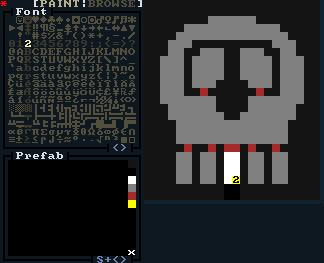
I chose to draw prefabs in REXPaint, assigning different palette colors for each cell type and painting them on the first layer.

prefab_skull_REXPaint

Initial tests used the same palette as the algorithm development program.

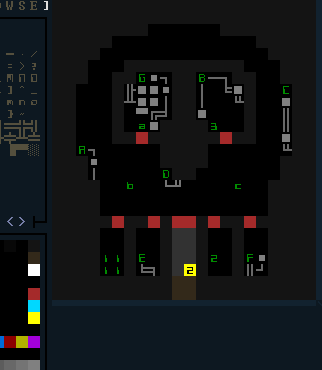
Other layers in the image store additional information, because prefabs are obviously about more than just the layout.

cogmind_prefab_skull_REXPaint

I changed the palette to give it the black background similar to what would be seen in game, to simplify the design process.

Above is a fully “rigged” prefab with some test content. Layer 2 (above layer 1) contains map linking/integration information (that yellow ‘2’, which I’ll talk about later). Layer 3 is where unique machines/props are drawn (those gray lines and boxes). Layer 4 contains references indicating static object locations (the green letters/numbers).

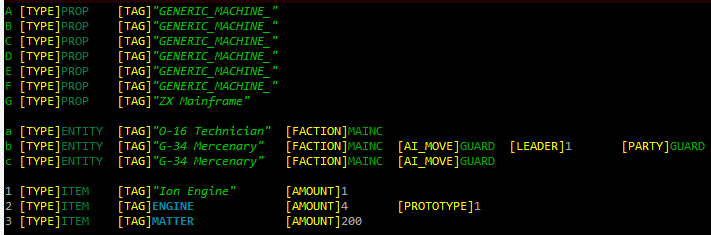
Any prefab that includes specific objects (most), needs an accompanying text file that describes the objects placed in layer 4.

cogmind_prefab_skull_script

Test data/script for the skull prefab, containing a random assortment of objects.  Ideally this information could be entered/viewed/manipulated directly in the prefab editor, but in the case of Cogmind prefabs and their objects are fairly simple so I’ve opted to use a text file instead.

Objects can be listed in any order, and use any letter or number as a reference. More features, including the potential for randomized objects, will be implemented when necessary--this is just what the game currently needs to get things working on a basic level.

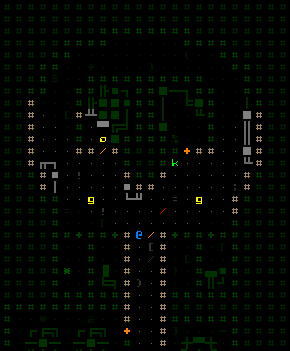
And here it is loaded in game connected to an actual map:

cogmind_prefab_skull_ingame

Entering the skull test in game. (The map generator dropped an extra robot and item into it because the area wasn’t set as off limits to random spawning.)

Integration

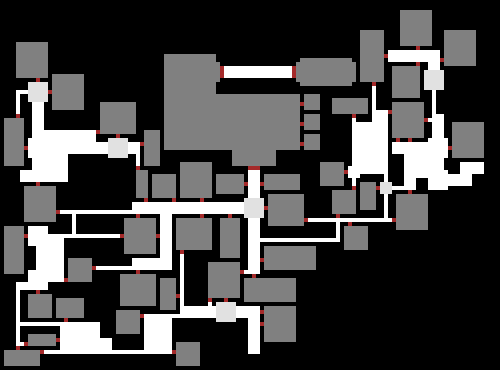
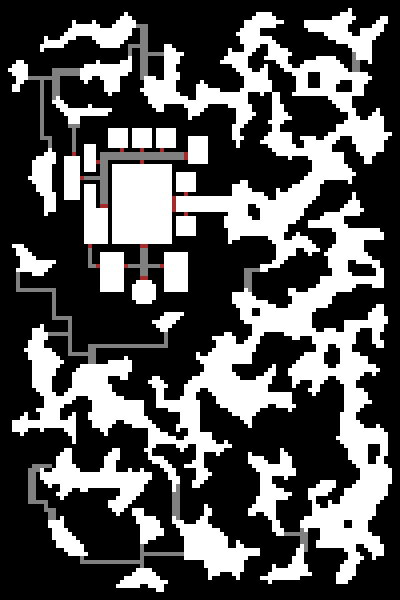
The main issue with prefabs is how to connect them to the rest of the map. Letting the map generator do whatever it wants could make a mess of the prefab and defeat the purpose, so dark gray cells surrounding the skull keep the map generator from encroaching on it. Instead we control the connection from the prefab end.

First, based on instructions from a map definition text file the algorithm reads in .xp files (produced by REXPaint), parses them for their contents, then places those cells on the map (at a random position if indicated) before any other generation begins. The yellow cell on the skull example indicates that when corridor-building begins, a 2-wide tunneler will start digging south (the nearest edge) from there, and will eventually connect with the rest of the map.

cogmind_prefab_skull_placement

The section of the map definition file that places a prefab, where the “type” is the file name containing the image. Maps also support other general [FEATURE]s besides prefabs, most useful for designating areas that are off limits to the generator.

Because the features are placed before any tunneling and random generation begins, they also support randomized placement so that, for example, you won’t always find the same point of interest in the same area of a map.

Update 3/16/2016: I’ve since written Generating and Populating Caves, demonstrating how prefabs are integrated with cave maps as part of the post-generation process.

Update 1/11/2017: And the newer Map Prefabs, in Depth covers prefab integration in room-and-corridor style maps, as well as the elements that go into constructing an individual prefab itself.

Uses

Carving skulls and other fun shapes from the map isn’t entirely what I meant by “character.” Prefabs are ideal for more functional layouts that fit specific needs of a game, like special NPC and plot-related areas.

I don’t want to rely on “finding” the right place in a map for a certain encounter to occur. I’ll just build it.

prefab_base

You meet a potential ally in the main hall and if he doesn’t like what you have to say his minions hanging out in side rooms ambush you, otherwise he lets you check out the secret weapon stash in the back. (Or: You use a terrain scanner to find that you can just blast/drill a hole into the back room from another part of the map and take whatever you like ;)

More or less the same method is used to add hand-crafted content to caves, although direct links are used instead of a tunneling algorithm so they don’t get out of control and take over the caves.

prefab_cavebase

Hm, we could walk in the front door… or not.

This is the fifth in a five-part series on procedural maps:

Posted in Design, Dev Series: Procedural Maps | Tagged , , , | 5 Responses