Official development blog
[ Latest Cogmind Release Notes: Feb 2026, "Unchained More" ]

Introducing… the Intro

The next stretch of development is aimed at improving interface animations to further strengthen immersion.

This means more ASCII eye candy, and better sound effects.

I’ve started at the “beginning” by creating an intro for the game. It’s 34 seconds of procedurally generated particle effects, setting the tone and atmosphere of the game as Cogmind runs through a startup sequence and gets an auditory introduction to what’s going on around him before the core is fully operational.

Only a video could do the intro justice, but for now here’s a screenshot from a stage mid-way through the intro (minus the effects occurring elsewhere on the screen):
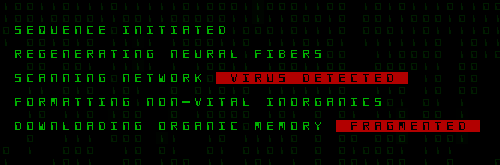
Cogmind Intro

The content provides some background to the story, although how it plays in will only become apparent later on.

Parts of the intro will probably make their way into the first Cogmind trailer.

Like the original 7DRL progression will not be XP-based, instead occurring every time Cogmind reaches a new area and “evolves.” These evolutions will likely be accompanied by animations in a style similar to the intro, reflecting the current state of Cogmind and adding to the story via visual details (since the story is otherwise told mostly through text).

After the intro, and upon arriving in new levels, the map visualization is also animated/created gradually with sound effects as Cogmind “scans” the surroundings. For this purpose I expanded the functionality of the particle-driven interface, giving it access to map information that can inform particle spawning and movement, allowing them to trace walls, find specific types of objects, and more.

Cogmind Map Animation

It’s even cooler with sound effects.

Once you’ve seen them, you can of course skip either/both intros with a key press (space bar), or turn them off completely in the options.
Posted in Design | Tagged , , | Leave a comment

Drag & Drop

I’m pretty sure Cogmind is the first ASCII roguelike to support a drag-and-drop mouse interface.

Usage of drag-and-drop is not required, but it is slick, and will help non-hardcore players get into the game by enabling an intuitive feature common to modern interfaces.

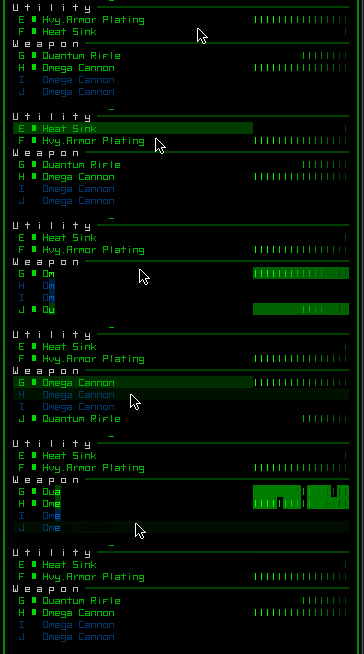
Cogmind Drag & Drop

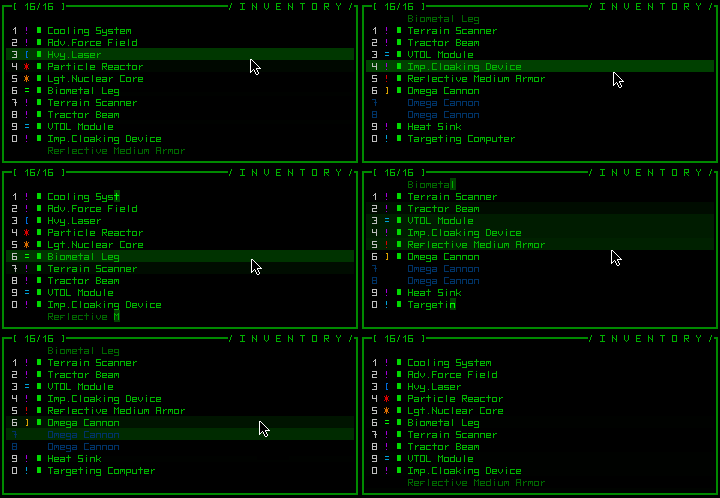
Dragging works between the parts list, inventory, and map, meaning you can use it to drop, attach, remove, or re-arrange parts.

For mouse users, the original part manipulation controls (Ctrl/Shift-clicks) are still available (they’re faster than drag-and-drop), but drag-and-drop does make it possible to arrange the order of parts in your list, a special feature previously only accessible via keyboard.

Cogmind Drag & Swap

Aside from organizational preference, changing the order of parts is only meaningful for weapons, since it determines their firing order.

Cogmind is still (and always will be) entirely playable without even touching the mouse, which is the most efficient way to play, but every command is also mouse-accessible, meaning mouse-only play and hybrid styles (probably the most common) are all possible.

Next: See a sneak peek of the intro.

Edit 160728: See a newer recording of the drag-drop UI and lots of other features to help ease new players into the game in this more recent post.

Posted in GUI | Tagged , | 6 Responses

Large Parts & Non-Parts

In the prototype, all items were parts, and all parts required exactly one slot to attach. The simple system was nice, but eventually you want access to more options, if only for special cases. As we’ve seen before the 7DRL version did away with all special cases, which is great for pumping out a quick prototype, but doesn’t work as well when creating a deep game with lasting play value.

Two new possibilities have now been fully implemented: multi-slot parts, and “non-part” items. To avoid unnecessary complication at the beginning of the game, neither of these will be introduced until after some play--they are most meaningful later on, anyway.

Large Parts

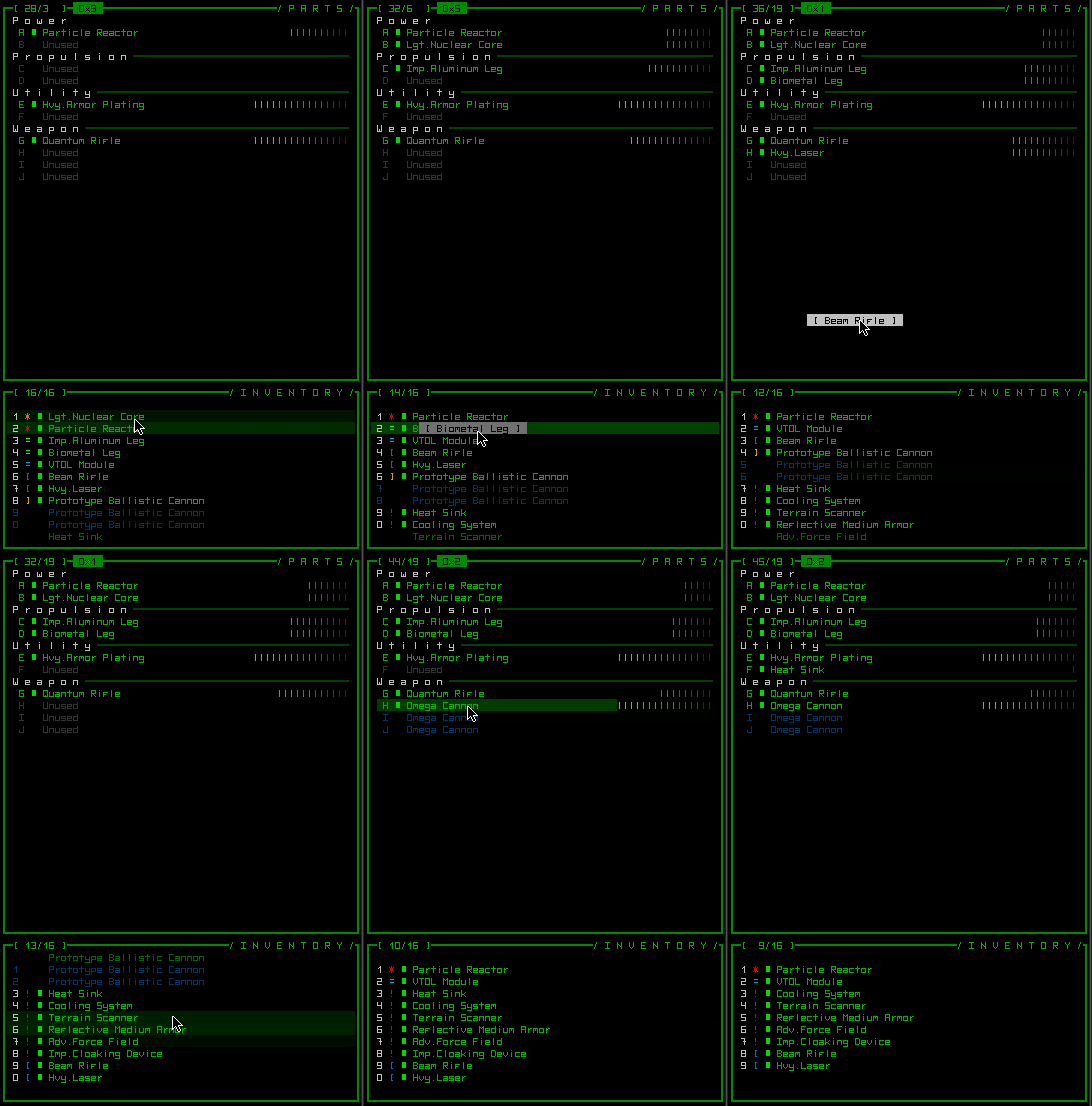
While a majority of parts still require a single slot, some larger parts occupy more than one. This enables increased variety and therefore a wider range of choices by adding trade-offs like concentrating even greater effects into fewer parts at the additional cost of potentially losing more at once if a part is destroyed or disabled. Like this:

Cogmind Large Part

Aw yeah.

Large parts also take up the same amount of extra space in your inventory. On the implementation side, allowing parts to occupy multiple slots turned out to be an inventory scrolling nightmare (the original system wasn’t built for it), but the integration is finally complete.

Cogmind Large Part (Inventory)

Hours of crazy scroll bugs later, it works!

Non-Part Items

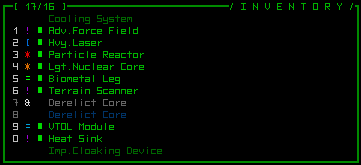
Interaction with some machines requires items, some of which shouldn’t necessarily have to be normal parts. So it is possible to find items which don’t do anything themselves, but may be useful in other ways.

Cogmind Non-Part Item

Non-part items appear grayed in inventory. (They too, can be large and take up more inventory space.)


Next: ASCII w/drag-and-drop?! No way…

Note: I’m still in the middle of nowhere, currently with passable Internet access, though the regime here has decided to block Facebook and Twitter so no updates or announcements will be made there at this time (not worth messing with proxies from an already mediocre connection, I’ll just wait until I return--or head to another country--to post updates to those services).

Posted in Mechanics | Tagged , , | Leave a comment

Melee Combat

The 7DRL prototype was entirely based on ranged weapons. While some special weapons had very short ranges, like the Mining Laser and Plasma Cutter, true melee combat was missing since there was no mechanic for it.

Now you can go at it with gauntlets, hammers, swords, chainsaws, and more!

Mechanics

With melee combat implemented, Cogmind finally gets bump-to-attack.

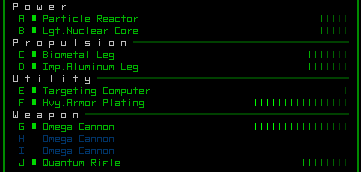
Move into an adjacent target with a melee weapon active and it will automatically attack with that weapon. You can only have one melee weapon active at a time, and it will be clearly labeled in the parts list so you can be sure what weapon your bump-to-attack action will be using for melee combat:

Cogmind Melee Part

You do not want to be on the wrong end of this thing.

To balance them against normal ranged weapons, melee weapons will be more powerful since you have to close distance with the target, but also slower to actually use. They can also have extra effects, depending on damage type.

Damage Types

In addition to the original four damage types, three new ones have been added for melee purposes. Following is a complete list, since we haven’t covered the original types in the context of the new Cogmind yet (the explanations in part describe weapons that do that type of damage):

  • Kinetic: More variable damage; high recoil; critical strike more likely; essentially unlimited range
  • Thermal: Smaller damage range; raise target heat; no recoil; shorter range
  • Explosive: Damage spread across target; leave less salvage; critical strike unlikely
  • Electromagnetic: Lower physical damage; causes system corruption; no recoil; critical strike unlikely
  • Impact: Causes knockback; no critical strike; unlike other damage types, does not use relative coverage to determine target part, instead more likely to damage parts with lower “relative durability” (calculated based on integrity)--more fragile systems are much weaker against impact damage, so armor offers less protection from this kind of melee weapon
  • Slashing: High damage; can sever parts clean off target
  • Piercing: Critical strike more likely; also more likely to hit robot core

Melee weapons will open up unique new strategies, like fast-moving builds that can quickly close the distance to a target and strike it down with a few powerful blows before coming under much fire. Impact weapons can be used to push enemies back, slashing weapons are useful for harvesting parts, and piercing weapons are most effective for quickly dispatching weaker enemies.

Unarmed Combat

If you don’t have an active melee weapon bump-to-attack still has an effect, although it’s more of a last-ditch effort to survive: ramming.

Sometimes you find yourself unarmed, and possibly even trapped in a narrow corridor. Rather than give up hope, a desperate Cogmind can now ram into a target and often either knock it back or push past it. Weaker robots can even be destroyed in this manner. However, you aren’t built to ram things, thus doing so has a chance of damaging your core or cause other negative side-effects. Still beats dying in a corner somewhere!

Next: Bringing out the big guns (literally) and non-part items (blasphemy!).

Note: I’ll be out of town until mid-November, during which there will be no development progress. Time permitting I’ll continue to post from the backlog of updates, but Internet access will be intermittent at best so no promises.

Posted in Mechanics | Tagged , , , | Leave a comment

Machines

One of the design choices for the 7DRL prototype meant to keep it simple and very focused on robots was the complete absence of anything in the environment besides parts and robots. The only other interactive element of your surroundings were doors, and even those would slide open automatically when you neared them.

Cogmind is now beginning to include a whole new range of objects that will provide various methods of interaction and deepen the gameplay: machines.

Machines

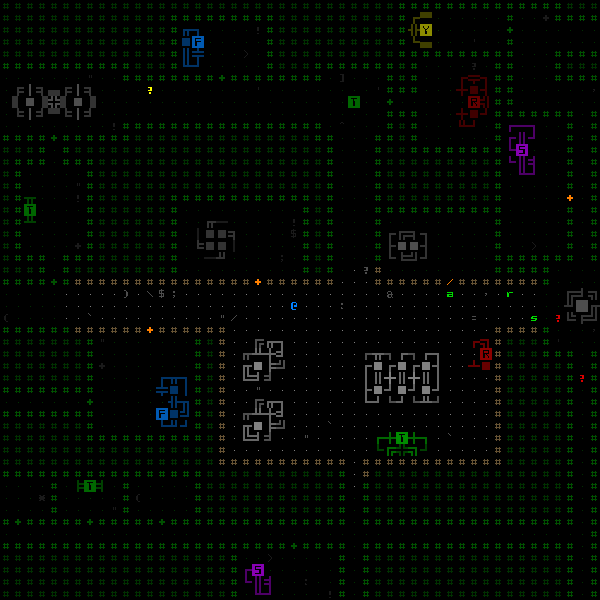
Though left unexplained when the original mockup was posted, you could see a bunch of these machines across the map:

Cogmind Machines Mockup

Mockup map showing machines; not representative of placement or frequency, merely showing at least one of each type of interactive machine.

Gray machines are non-interactive, while interactive machines appear in color and their control panel is identified by a black letter on a colored background. Machines could be sprite-enabled, but I rather like their ASCII art look for now.

Machines are drawn in REXPaint. Right now the game can already import the art files and place them on the map, but they aren’t functional yet.

So what exactly do machines do?

The design doc describes the following types:

  • Terminals (T): Allow access to information and manipulation of the map area and its inhabitants. The story is told mostly through data records accessed by terminals, but a wealth of useful information directly related to gameplay is also available.
  • Fabricators (F): Build parts, or even entire robots.
  • Repair Stations (R): Restore item integrity.
  • Scanalyzer (S): Analyzes items and provides schematics for replicating them.
  • Recycling Unit (Y): Break down parts into matter.
  • Update 151104: Garrison Access (G): Controls access to Garrisons, and dispatches combat robots.

There will be more posts discussing each machine type individually as they are implemented later on. (Update 140615: Added links to posts.)

Most machine types can also be subdivided into multiple levels, with higher levels providing more powerful functions.

Hacking

Since Cogmind does not have authorization to be using these machines, almost any kind of interaction with them requires hacking.

There will likely be no “hacking mini-game” since machine use will be fairly common and that would slow the game down and interject a different kind of gameplay potentially boring to some players. Instead, hacking is handled through a simple system based on percentages so you can quickly see your chances of success and (sometimes) the expected results.

Hacking has not been implemented yet, and it’s used for more than just machine access, so a future post will explore this feature in greater detail.


Next: Robots with chainsaws (a.k.a. Cogmind gets melee weapons).

Controls access to Garrisons.

Posted in Mechanics | Tagged , , , | Leave a comment