Official development blog
[ Latest Cogmind Release Notes: Feb 2026, "Unchained More" ]

Data-driven Development

As we transition from internal developments to content creation, let us first present an overview of how most of that content is organized.

Cogmind is an example of the “open data” model, wherein as many content-specific parts of the game are exposed in public files anyone can open up and read/edit with a text editor. Data-driven design gives access to the parameters of game objects and more as a way to both speed up development and greatly simplify modding.

Like the 7DRL prototype from 2012, the game comes with two versions of the data: One is the default set, encrypted to prevent tampering during competitions (oh there will be competitions!), and the other is that same default set but available as plain text. Changes small and large can be made to the latter set, then instruct the game to use that instead of the default set--bam, you have a mod.
cogmind_data_files

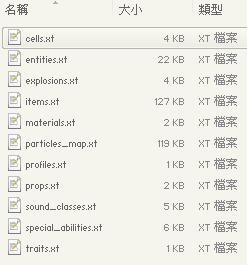
Current contents of the “data/objects/” directory--still all prototype/testing data, but the main categories are there.

There are other data directories, but a majority of the interesting contents that make up the “game” are currently found in the objects directory: Cells (terrain), props (terrain objects like machines), entities (robots), and items (parts) are the four basic types of objects used to subdivide the world in pretty much every game I’ve ever made. At the most basic level it’s easy to tweak the parameters of a specific weapon or change a given robot’s loadout, but the data files are far more powerful than that, allowing complete control of sound effects, particle effects, and even the animated interface (the appearance of which is mostly scripted, not hard coded).

Aside from objects, another important candidate for externalization is mechanics. Mechanics are often based on formulas, and these formulas in turn contain static values (e.g. Damage = Strength x “2.0”). Source code that leaves these values peppered throughout is a pain to deal with, and makes tweaking for balance difficult. To streamline the iterative design process these static values are always given names instead (e.g. Damage = Strength x “DAMAGE_MULTIPLIER”), and in code I keep almost all of them in a single file. (That file is literally 17% of the project’s code, by line count…) When it comes time to release, it’s pretty trivial to move them all to external files, thereby partially exposing a lot of mechanics.

Although theoretically any text editor will do, I use Notepad++ for multi-row editing (a huge time-saver), syntax highlighting (I maintain a highlighting scheme for Cogmind’s .xt data files), and the ability to be in more than one place in a single file at the same time (plus synchronized scrolling).

Because xml/json require annoying markup that gets in the way of what’s important (data) no matter how nicely you format it, Cogmind .xt files use a clean tab-delimited chart format. We like our data pure. After all, the game knows what kind of data to expect and comes with a fairly robust error checker that points out any unexpected/incorrect data when parsing the files, so why bother with all that unnecessary syntax?

cogmind_data_entities

Robot data from the 7DRL prototype (click for full size). Soon enough they’ll be sharing company with a new cast of friends.
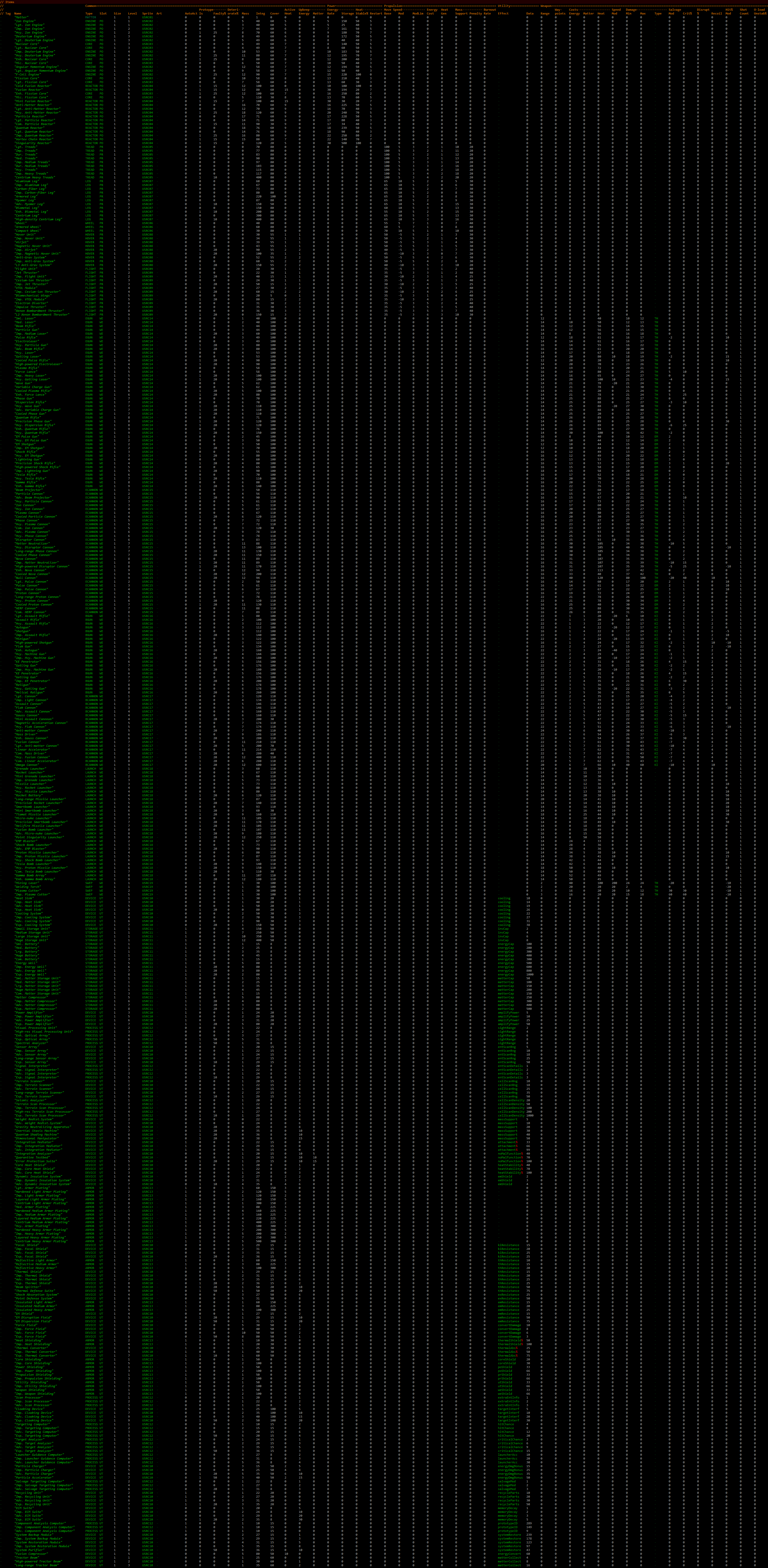
cogmind_data_items

Item data from the 7DRL prototype (click for full size). Most of the prototype’s 500 items were made in a single day--I expect to spend a bit longer on them this time around ;)

Keyword highlighting is more apparent in files like the particle scripts:

cogmind_data_particles

A sampling of the particle effect scripts for rendering a few types of lasers. All animations, including the interface, are generated from scripts like these.

Technical

Internally the entire game is centered around data. How data is stored and represented is always the first and most important part of implementing a new feature.

Rather than risk the headaches and code bloat caused by inheritance (I’ve been there), the more complex Cogmind data objects are just a large collection of variables that are only partially used depending on the object’s subtype. Non-weapon items, for example, still have variables for damage and combat-related values, but these are ignored by the game. This is more straightforward to work with than the generic approach that is the composition model; it also doesn’t waste much memory because these extra variables only occur in static reference data.

All static reference data is read in at the beginning of the game and stored in “compendiums” for each type of object (from robots to sound effects). Unique instances of an object, such as dozens of robots of the same type roaming the map, need only store a reference to their static data that the game should access when it needs one of those values. Unique instances need only store dynamic data, so even ridiculously huge amounts of parameters describing a base object (or huge numbers of objects period) won’t consume exponential amounts of memory in use. This is a common method of handling data in games.

This can be taken a step further by allowing data files to specify “minor variations” of a base object by referencing the original object and indicating what specific values to assign to what variables (usually just a handful), while the game’s data loader automates the process of creating a new compendium entry. While not implemented on a large scale for Cogmind, a majority of particle variations use templates to generate the full particle definitions, thus simplifying recoloring and minor behavioral tweaks.

There are still plenty of aspects about data that haven’t been covered here, so feel free to ask any questions!
Posted in Design | Tagged , , | 4 Responses

Making a Game

Cogmind is edging into a new phase of development, that all-important part of making a game called “making a game!™”

Naturally any game needs an engine to build it with (some devs skip this phase entirely if there’s something out there that can already do what you want, e.g. Unity3D), but a lot of unfinished games get bogged down in this stage as developers fiddle with the engine while momentum on the project gradually dies out. It’s especially traumatic to discover only after the engine is mostly ready that the intended game is not even that fun to begin with, another reason to recommend first creating a prototype that allows gameplay testing.

Cogmind borrows its engine from the already fairly mature X@COM, so aside from tweaks and enhancements implemented as necessary we pretty much skipped over that step.

Following that is an intermediate stage between the engine and game itself: Any relatively complex game will have numerous systems and mechanics to implement, along with the UI. You can argue that by implementing these systems a unique game is already taking shape (as opposed to a generic engine), but without content there’s really no game to be played, so I still wouldn’t really call this “making a game.” If development stops at this point there is no game!

This is what the past six months has been about--implementing mechanics unique to the game and making sure they work as intended, but not actually creating content for them. So far you’ve seen plenty of Cogmind screenshots, some even depicting action on the map, but it’s all pure test content--objects named for whatever was being tested at the time, e.g. robots like the “Allybot” and weapons like the “Hot Laser.” I’ve received requests for demos from eager players wanting to try out the game, but there really isn’t a game to be tried out, and it’s about time to change that.

While a few mechanics aren’t fully developed yet (those requiring some degree of iterative design that are waiting for real content), the code is complete enough and interface ready enough to support some real content.

Codeplosion

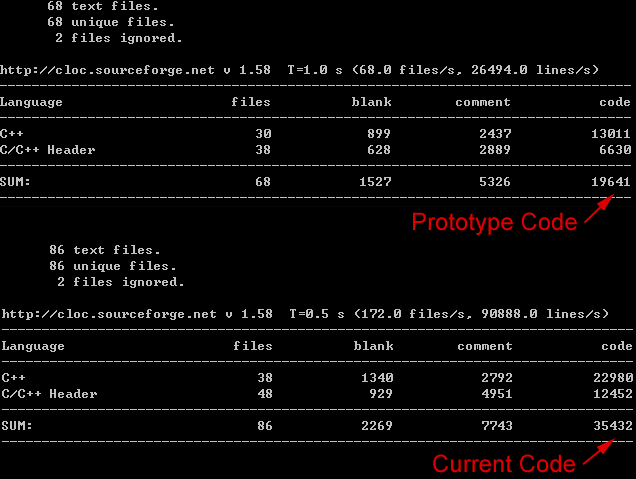
As a way to quantify the progress, we can look at some good old LoC (lines of code) statistics. The 2012 prototype included all the basic mechanics and a simple single-screen interface, and was used as the starting point for Cogmind development in July 2013. Everything since that point as been new features and a much-expanded interface.

cogmind_source_since_prototype

Progress from prototype to [mostly] content-ready: +15,791 lines.

Of the current total, 11,910 lines are mostly for handling the interface, while 23,522 control game logic. About 2k lines of the game logic code is prototype content generation yet to be ripped out and replaced.

Roadmap

Any sensible large-scale project needs to set long-term milestones to help direct development, thus Cogmind is broken down into large chunks / major features and as each one is reached, that section is broken down further into a short-term to-do list to help answer that daily question “Okay, so what’s next?”

cogmind_roadmap_140201

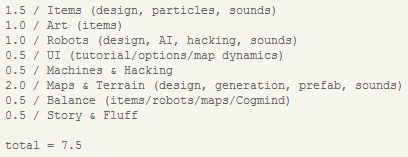
The long-term roadmap as it stands now, with input time required estimated in months.

As you can see, many of the remaining items are oriented towards content. The above list is by no means absolutely complete--it’s definitely missing some important items, but it’s been maintained for several months now and time estimates have been accurate so far. This implies the game will at least be pretty playable in about 7.5 months, barring interruptions to the schedule (of which there will most likely be a couple). Note that it is purely a game development list, excluding the whole other (very essential) marketing and business side of indie gamedev. Items may also shift around on both the long- and short-term list, and some items are moved down once partially completed (ex: hacking), but that’s perfectly normal with a project like a game which has so many interrelated moving parts.

Time to make a game!

Posted in Design | Tagged , | 2 Responses

Map Dynamics

Continuing on the concept touched upon in the previous post about message logs in roguelikes, shifting the player’s attention from log to map works in tandem with making more information available directly on that map. I like to summarize this kind of feature with the phrase “map dynamics” (from a UI perspective, not map layout), referring to animated visual aspects of the map that provide supplementary information such as various types of overlays and labels.

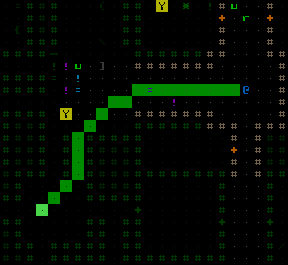
The simplest example already in use would be the highlighted line-of-fire projected from the origin when selecting a target. It shows the intended path of the projectile in a shade of either green or red depending on whether that path is clear of obstructions. (This line-of-fire preview can also be activated separately without using an actual weapon to target.)

Ally order visualization, a feature covered in an earlier post, also falls into this category. Here we’ll look at all the new map dynamics features.

Path Preview

Mouse users can hold Ctrl-Alt to preview the path that will be taken to reach a given destination by simply clicking it.

cogmind_path_preview

Sometimes the path will be updated while on the way to the destination if a more efficient one is found, though it won’t deviate too much from the original.

Volley Range Visualization

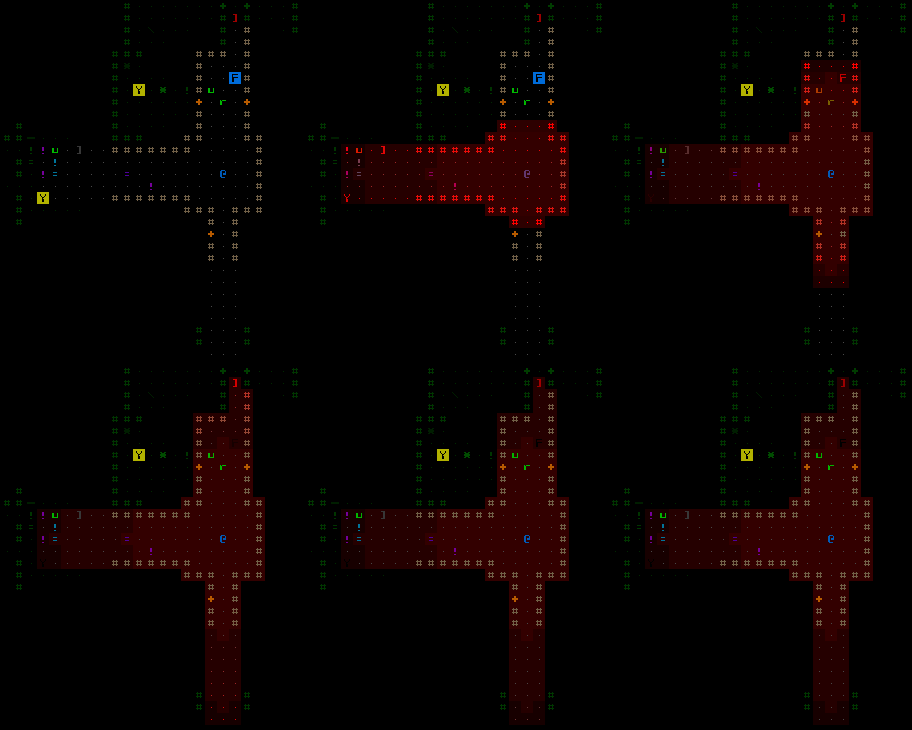
Activating the range visualization overlay simultaneously highlights all parts of the map within view that any currently active weapon can reach, using a brighter color for areas targetable by more weapons (i.e. areas of overlap). Thus a varied volley of weapons will generally result in closer areas being brighter as only a subset of the weapons reach the maximum range.

cogmind_volley_visualization

The animation is optional--range visualization mode can be configured to appear instantly if desired.

Weapon Radius

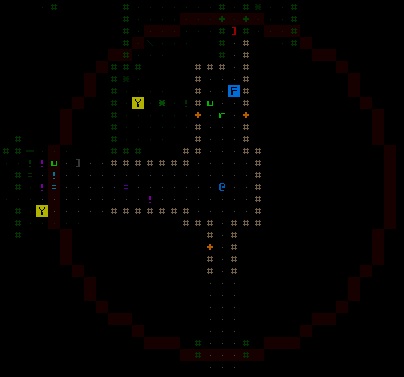
Hovering the cursor over a weapon in the parts list causes a faint pulsating circle to appear on the map, centered on Cogmind’s location (which is always the center of the map view, unless you’ve temporarily shifted it elsewhere). This circle is the radius within which that weapon remains effective. The weapon radius feature is mostly intended as a quick way to compare weapon ranges when activating/deactivating them, just as a reminder; seeing what specific locations can be hit is better handled by activating the volley range visualization.

cogmind_weapon_radius

The radius is shown regardless of FOV or even whether an area has been explored.

Explosion Prediction

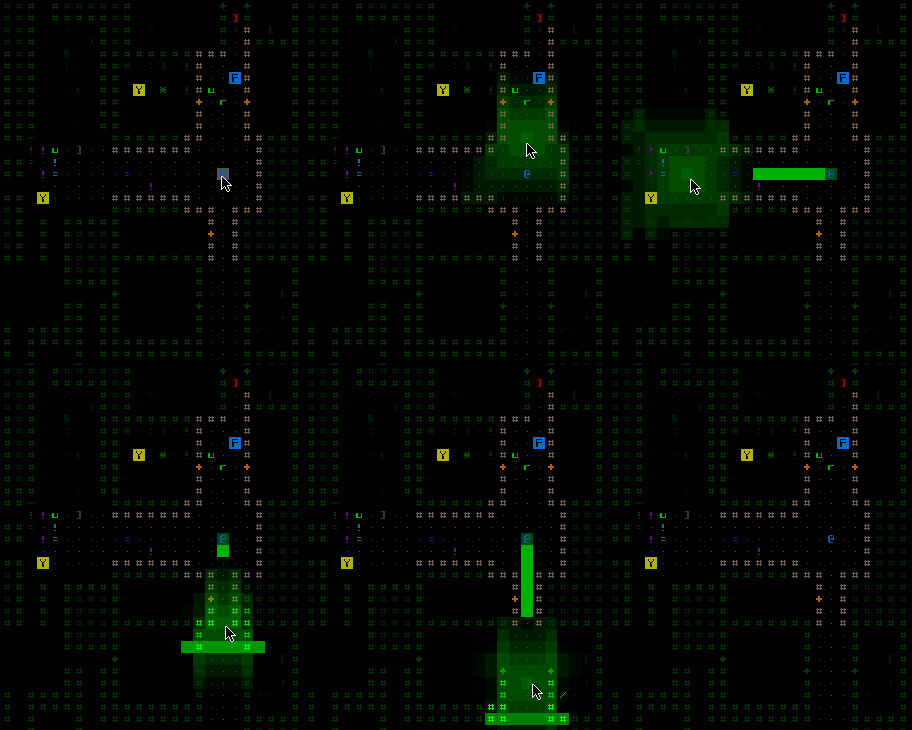
Rather than forcing the player to check explosion sizes and count squares, targeting with any explosive weapon automatically shows a prediction of the average area of effect around the target location, taking into account both the explosion’s falloff rate and terrain dampening (a given explosion won’t blast as far through cave walls as it will through a door). Know that only an approximation can be shown because damage--and therefore radius--can vary (more so with certain types of explosions), thus the average value is used for prediction calculation purposes, with the actual AOE being somewhat smaller or larger in each case. (In reality it would look like a slightly spiky ball projected from the origin.)

cogmind_explosion_preview

Explosion prediction, with a little bit of animation thrown in for cool factor.

More

We’ll continue to expand the map dynamics system with new overlays and functions as appropriate. Before long there will be a map object labeling feature similar to that seen in X@COM, allowing you to quickly see names of all parts and robots in view. Eventually there might be a map region overlay as well--that depends on the final type of map generator, which currently exists in generic form but has yet to be integrated into the game (current testing relies on the old prototype map generator).

Posted in GUI | Tagged , , , , | 4 Responses

Message Log

Arguably the most vital part of a traditional roguelike’s interface, a message log gives the player all those details that might otherwise be depicted by (or lost in the confusion of) greater graphical detail. It’s also a nice after-the-fact record of why you find yourself flirting with the brink of death when things suddenly start to go south.

Message logs also present another dilemma unique to games attempting to “modernize” the roguelike tradition (for the first dilemma discussed earlier, see here).

Any game interface needs a primary area where the player is intended to focus the majority of their attention--all other areas are supplementary, otherwise it’s tiring and difficult for the average player to constantly divide equal attention among multiple UI elements. This is especially important in games that are (or can be) played quickly, including both real-time games and roguelikes, lest the player miss important information (a leading cause of sudden death among RL players! ;).

While in most map-based games the map area is the focus of attention and any HUD information is secondary, one could argue that in traditional roguelikes maps are solely a way to tell the player what is where, something you need only glance at as a reference to understand the more important information contained in the message log: details of all the events that have transpired since the last turn. (Parts of the game where you’re just moving around and nothing special is happening are irrelevant here since they’re just filler, anyway.)

Compared to traditional roguelikes, Cogmind is slightly less reliant on the message log to convey important information, as combat animations are a big step towards transferring more attention to the map in event-heavy areas. Maintaining the right “balance of attention” is difficult, though, and there may not be enough reinforcement of certain combat results as is. More visual effects will be added to the map as necessary when development heads in that direction.

The Log

For now the message log is mostly for combat messages of the highest importance (like part/robot destruction), notices about changes in Cogmind’s status (many of these are now accompanied by visual effects so the log or HUD data are not the only places to learn about them), and updates about what nearby neutral/unarmed units are doing.

The ultimate goal is to make the log a secondary source of information while the player focuses attention on the map. This is part of the reason why the log is so tiny, showing only six lines at a time!

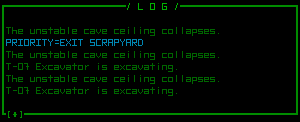
cogmind_messagelog

Calling this “short” is only comparing it to your everyday multi-line log, because honestly games that reserve a single line for their message logs are ridiculously annoying.

More Log

If there are a lot of interesting events going on, or you think six lines is too few, or you just really like message logs, there is a new feature called the “extended log” available as a new mode for the multi-functional console first discussed along with the ally orders interface (so now this particular part of the interface has three options for what it shows). When the extended log is visible it shows the next six lines “older than” (above) those currently shown in the log:

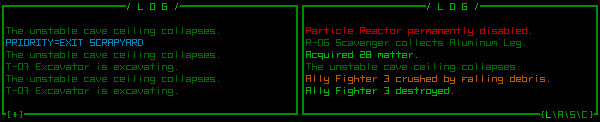
cogmind_extendedlog

The extended log, shown to the right of the normal message log.

The normal and extended logs scroll in tandem, so you essentially double the amount of information (12 lines) visible at any given time.

To see even more log messages, the normal log itself is now also expandable to the full height of the window, giving you at least 56 lines of log-viewing pleasure. Animated, of course:

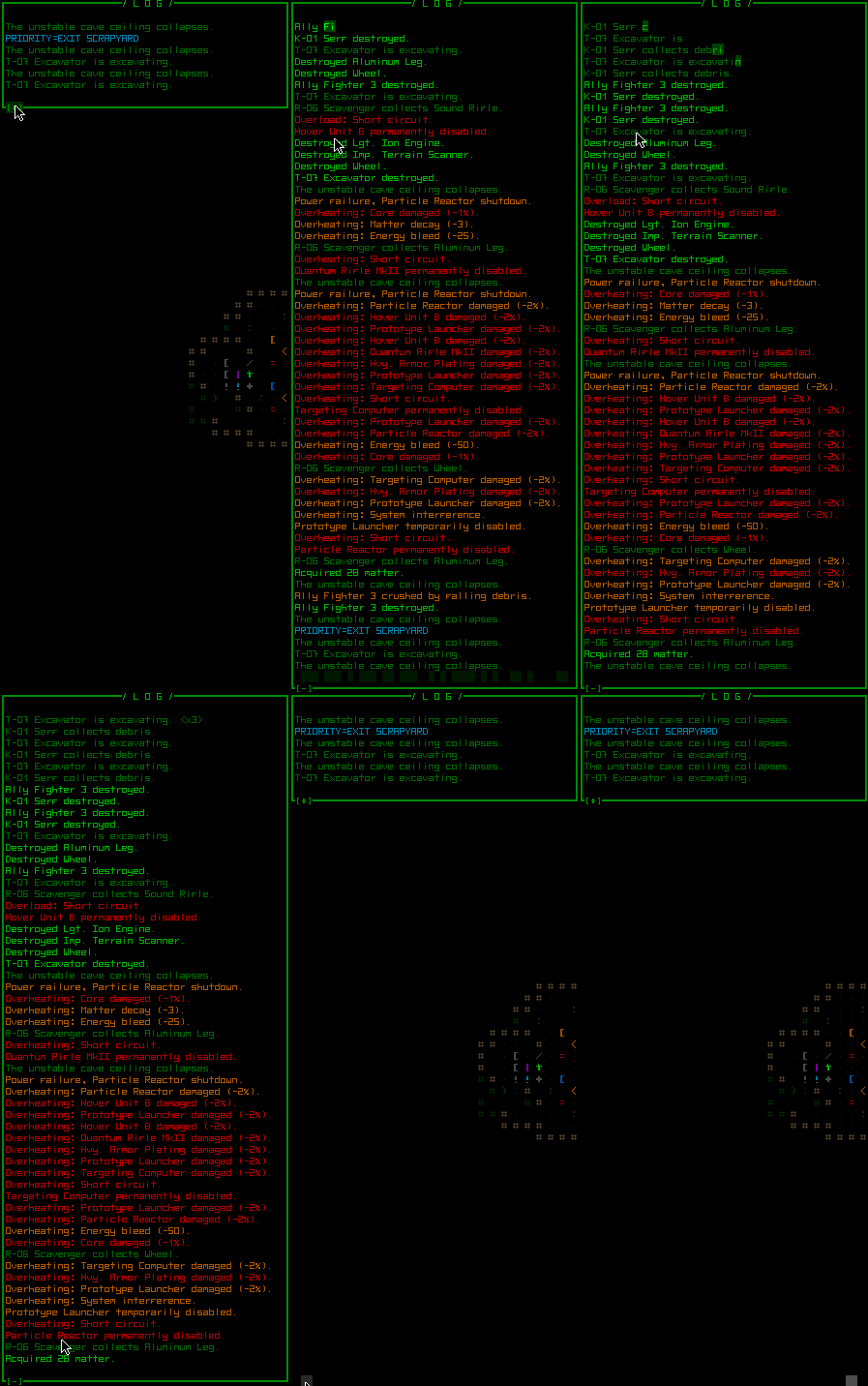
cogmind_expandedlog

Expanding the log is easy: Press F4 or click anywhere in the log to expand/shrink it.

A full-screen log would be more jarring to switch to (not to mention unnecessary since lines are generally short, anyway), so the log simply expands vertically in place. While expanded it’s even easier to scroll back (via page up) to very old messages for references.

*Disclaimer: The messages seen in these screenshots are not representative of an actual game, just me fooling around in the debug playground to fill the log for demonstration.

Posted in GUI | Tagged , , , | 12 Responses

F1 Help

Context help, already available for item and robot stats as described in an older post, is great for getting a bit of useful information on the fly. Unfortunately by it’s very purpose the distributed approach is limited to concise at-a-glance explanations that won’t bog the player down with excessive immersion-breaking text while in the middle of playing.

This is where it’s handy to have a centralized repository of more in-depth information: a.k.a. a manual.

As a young kid I always loved reading game manuals, especially as a way to be “in the game” when circumstances demanded otherwise--the first such opportunity being in the car on the way home from buying said game ;)

Manuals could be full of both thematic text and useful information (in the early years including even meta-essentials like password references and how to configure MS-DOS to run the game!), but these days they’re unimpressive and generally exist only in abridged digital form, read by few and helpful for fewer.

To satisfy the general impatience of the latest generation of young gamers integrated tutorials find their way into a majority of game introductions, with one casualty of the transition being the loss of the now-redundant separate and complete manual.

It’s nice that die-hard fans are capable of producing and disseminating “real” manuals via wikis and walkthroughs, but quality can be all over the place. Rather than waiting for these resources to appear on their own, it’s great if developers themselves put forth the effort to create a well-written breakdown of a game’s interface and mechanics and provide it along with the game they hope all types of players will be able to fully enjoy. This includes the types of players who want all those juicy mechanics details in one place. Developer’s are, after all, in the best position to write the manual since they know the game inside out.

F1 Manual

Ranty aside aside, like some other roguelikes Cogmind is going to both include a text manual and make that manual accessible from within the game itself. I mean hey, it’s a good excuse to animate more text, right?

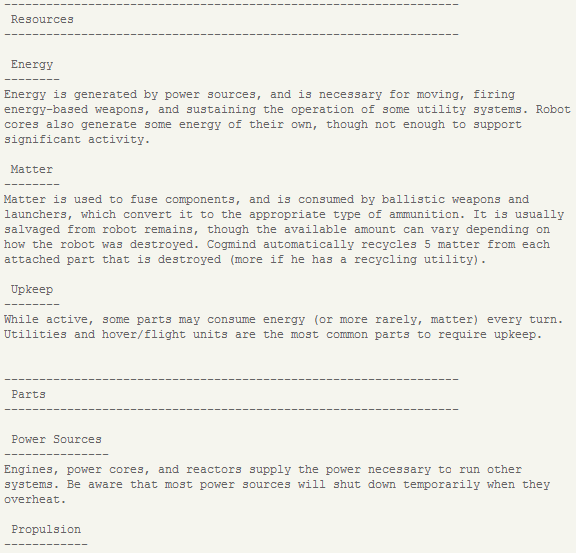
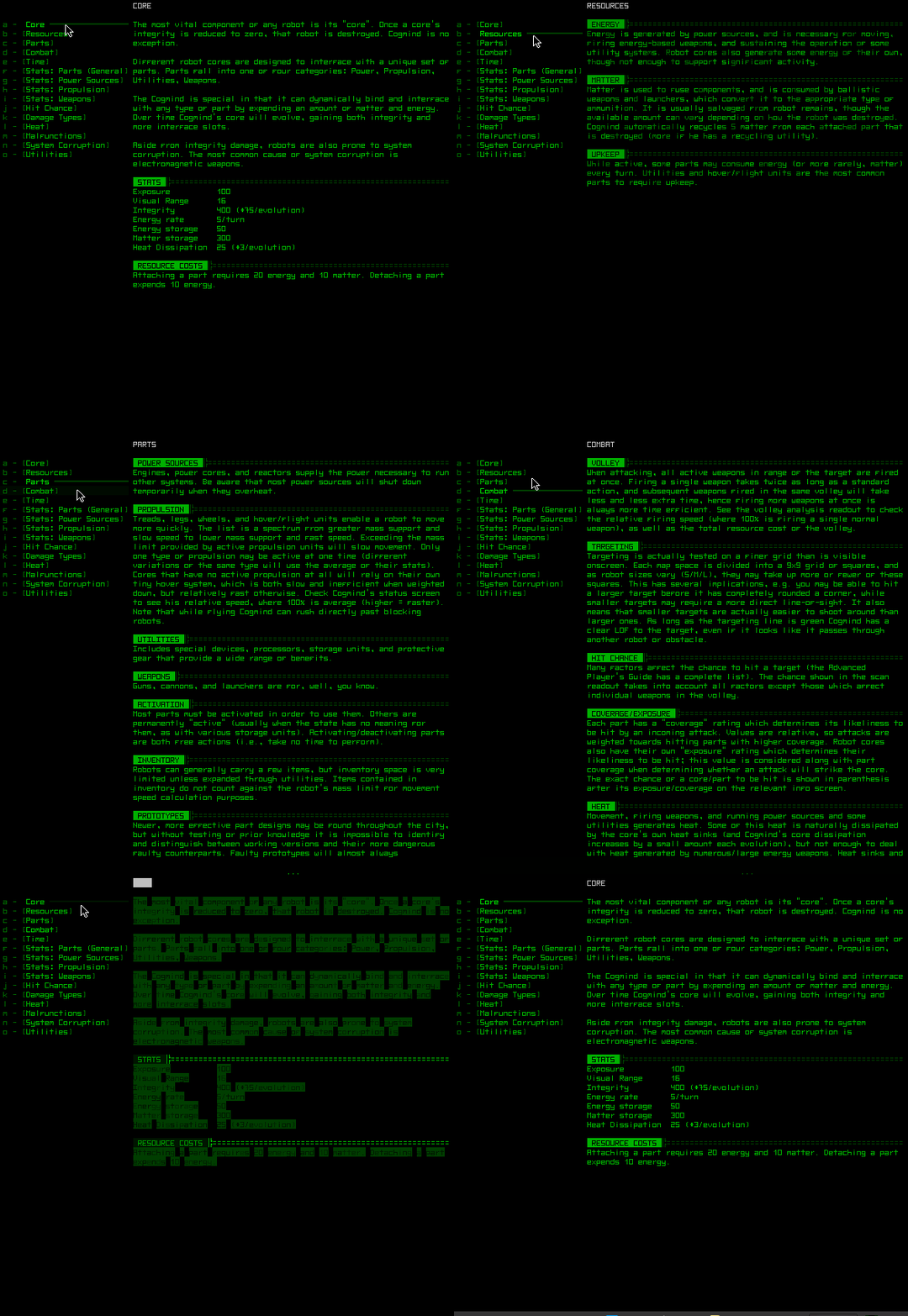
While the new manual has yet to be written, it will be a much-expanded rewrite of the 7DRL manual seen here:

cogmind_prototype_manual

The original prototype manual was pretty complete as far as mechanics were concerned, and eventually tripled in length at the request of players.

This same file is now also parsed by the game and automatically divided into topics and subtopics for easy browsing!

cogmind_ingame_manual

The content here is just to test the system--it all needs to be re-organized and re-written given all the changes and additions to the game since the prototype! (click for full size)

While Cogmind can be pretty simple for beginners--no manual reading is necessary and you can drag-drop some robot parts to attach them and be off on your merry way to blow away robots--anyone who wants to get into the details can look up topics in the manual to answer questions where the context help may not be applicable.

Commands

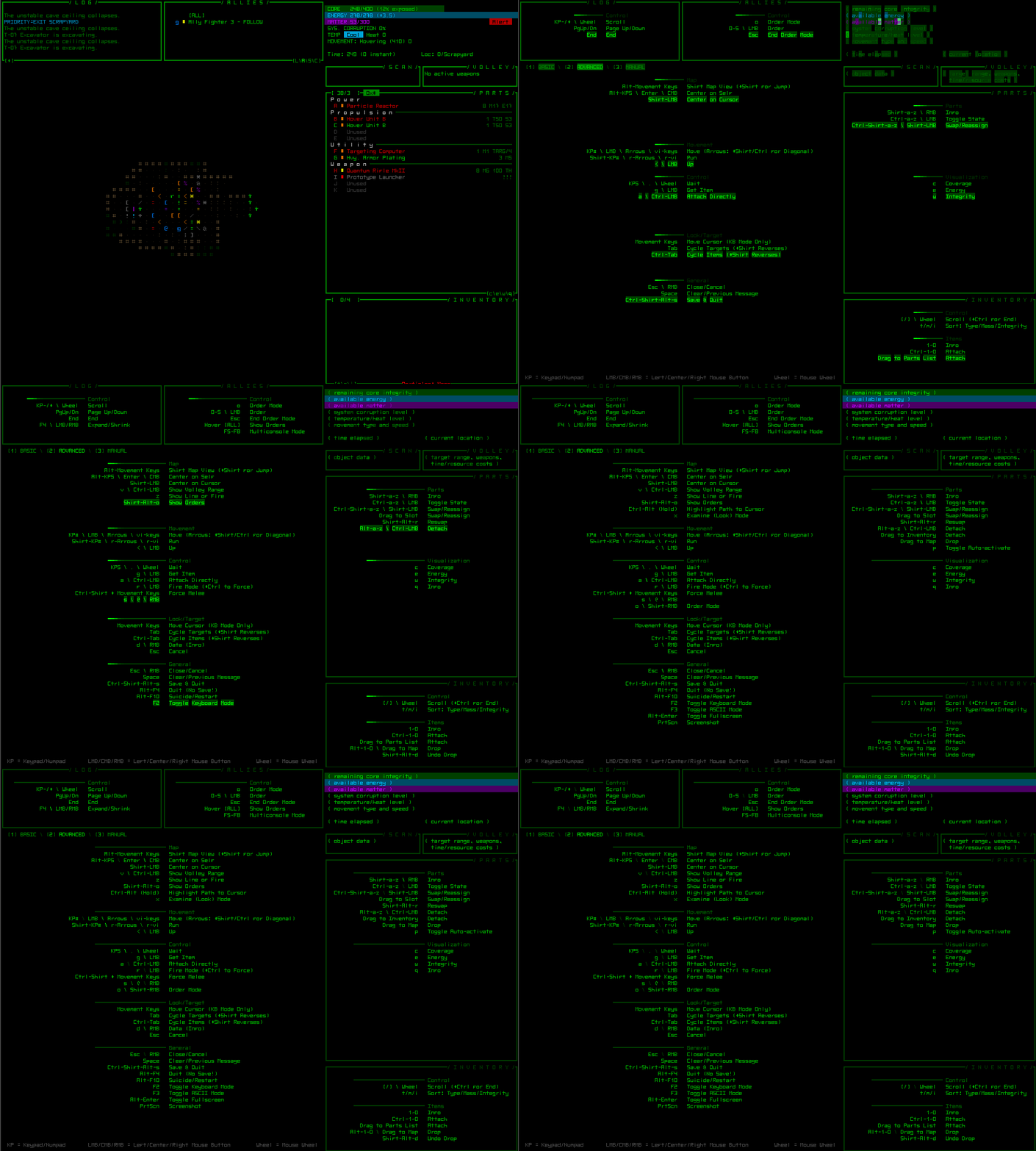
F1 (or ‘?’) is more than just the “manual key.” An even more important and basic type of help needed for in any game (most especially complex games like roguelikes) is a centralized reference for input commands. Opening the help interface actually doesn’t go straight to the manual, instead bringing up the command list.

cogmind_advanced_commands

This game… uses every key possible, doesn’t it… (The gif doesn’t capture the animation very well, but you get the idea--click for full size.)

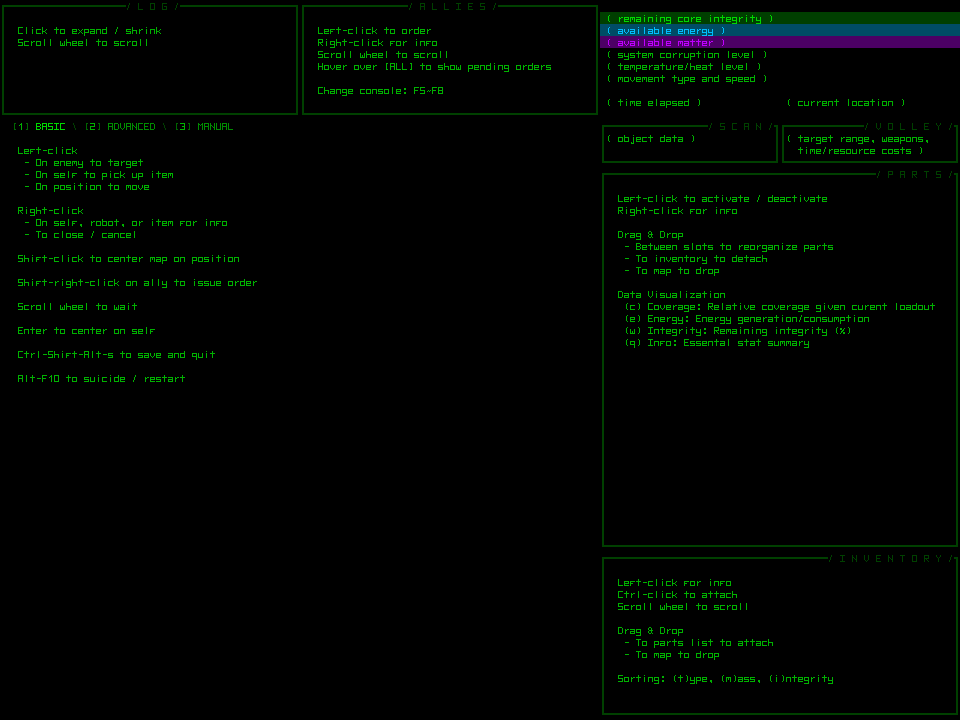
Because we don’t want to scare the hell out of people on the fence about playing a game like Cogmind, the above is not what you normally see when first accessing F1 help. While most players likely to pick up this kind of game in the first place probably won’t be too put off, by default F1 opens the “basic” command summary which looks a lot more friendly and focuses on how the mouse can be used for everything:

cogmind_basic_commands

A bit bland, but not so scary, anymore. (click for full size)

Buttons in the top-left part of the main window can be used to switch between basic/advanced commands and the manual described above. Whenever F1 is re-opened, it defaults to whichever mode (basic/advanced) you last viewed, and even remembers the setting between games, making it quicker for advanced players to find what they’re looking for.

F1 help still lacks a more general introduction of the function(s) behind each part of the interface--except what I’ve managed to squeeze in for the upper right area of the HUD, but I’m waiting until later to see how necessary that will be for new players. (That and some kind of integrated tutorial.)

As for the full command set, it really does use the entire keyboard if you want to completely avoid the mouse. It’s still pretty easy to catch on since letters are part-related and numbers are inventory-related, along with a few other basic patterns (like ctrl- to attach and use--“towards use” concept--and alt- to detach and drop--“towards disuse” concept). There is really only a small set of unique actions required to play the game, while a majority of the extra commands are enable ways to enhance the experience or access less frequent functions.

One thing players will quickly notice is that wherever possible there is more than one way to do the same thing. This applies to both entire systems (see the previous post about ally orders) and common commands like movement or scrolling. Movement is possible via mouse, keypad, arrows, or vi-keys. Waiting a turn can be done via ‘.’, keypad 5, or even by turning the mouse wheel over the map area. One principle I like to adhere to in designing input schemes is to provide as many logical duplicate solutions as possible to satisfy different user needs/preferences. It’s easy to enable additional input methods, and while this can’t completely replace the need for remappable keys, the latter solution requires extra work by the player. That’s not to say there isn’t a place for remapping, since covering everyone’s needs is impossible, but right now I’m not sure how well the game’s reliance on the A~Z alphabet will translate to remapping functionality in all cases (I use a non-English OS myself, but together with a U.S. keyboard). No sense in implementing a solution without first identifying the types of problem cases it needs to handle.

Update 160727: I’ve since revisited this topic to expand on it in terms of tutorials and other means of helping the player.

Posted in GUI | Tagged , , , , | 2 Responses