Official development blog
[ Latest Cogmind Release Notes: Feb 2026, "Unchained More" ]

Experimenting with Drone PIP

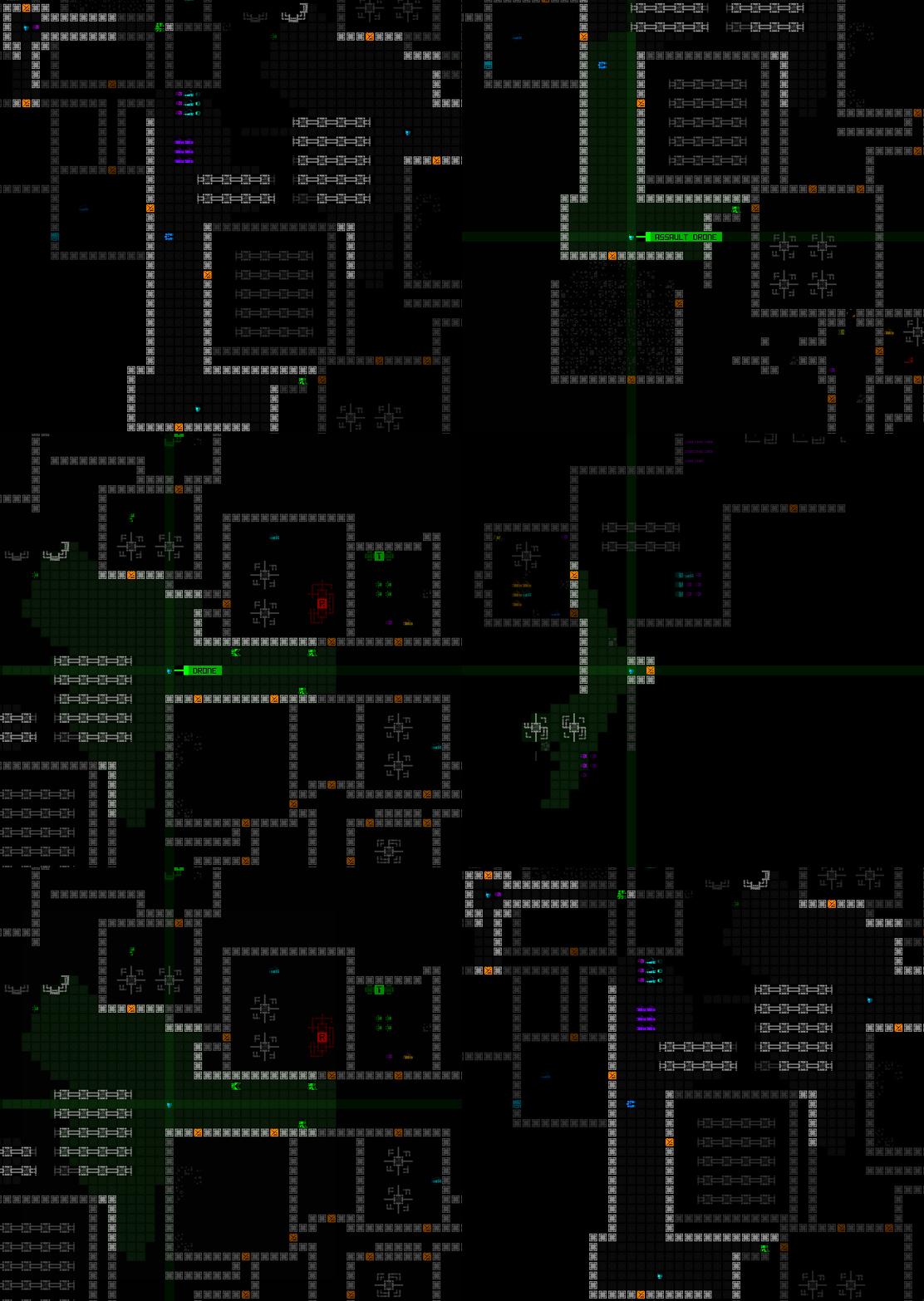
Early this month I was streaming a Cogmind run on Twitch, at one point once again sending out drones to scout around as I like to do. Drones are generally pretty fast, and I’ll often just make sure I’m in a relatively safe spot and keep an eye on what the drone(s) find while I wait and decide where to go next.

The drone centering and following feature added back in Beta 10 has been quite useful for this purpose. (For years before that you had to actually scroll the map yourself!)

cogmind_drone_cycling_with_fov

Cycling through active drones to see their surroundings, which also allows passing turns while following their view.

But in this particular stream as I sat there waiting to see what they’d uncover, I also kinda felt like it was a situation in which I already knew where I wanted to head, but it would be somewhat tedious to both move and keep an eye on what the distant drones were up to before they splat on some trap or were blasted by a hostile squad.

I blurted out that we need a drone PIP (picture-in-picture) feature to make it easier to operate while scouting drones are active, and of course ever since I mentioned that it stuck in my head, just asking to be explored as a feature. So I found some time to try it out a little while ago!

The technical premise is pretty simple: Since Cogmind is a monospace terminal interface, when drawing the map we just have to find some space in the view where we can copy over a portion of the cell data from the drone’s surroundings to somewhere the player can see.

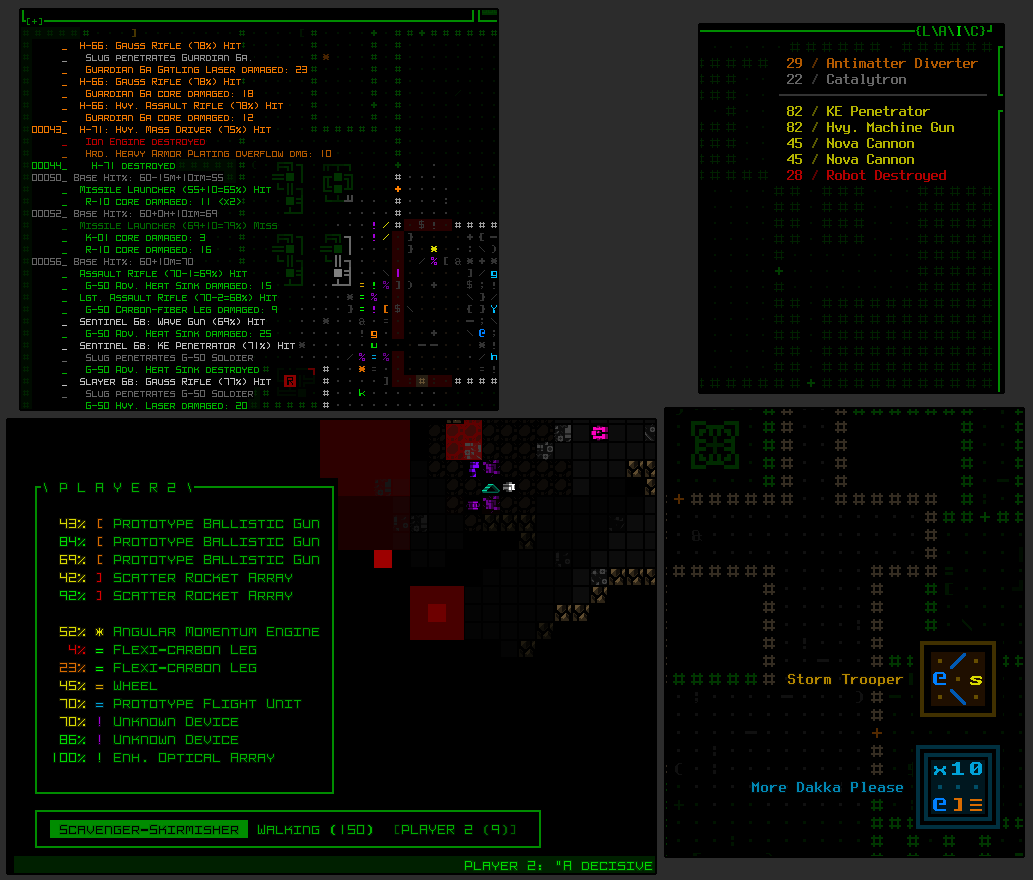
Finding this space isn’t too difficult since Cogmind mechanics and UI were designed to fit a 4:3 display anyway, despite most everyone these days using 16:9 or higher, meaning there is usually a decent amount of space available at the left and right sides of the map view which is not as vital to be able to see at all times. Those are the spaces we can cover with other things, and is also why you see non-modal info presented in those four corners for various purposes.

cogmind_map_corner_ui_element_sample_excerpts

Sample info that can overlap map edges: Detailed combat log to the top-left/left, audio log in the top right, special mode menus to the bottom left, and achievement notifications in the bottom-right corner.

Anyway, I wouldn’t be worried about coming up with room for a proper implementation, though I was interested in seeing how it feels when active, since having such an interface feature working even in experimental form has a way of triggering deeper thoughts about potential roadblocks or related features.

Experimental PIP

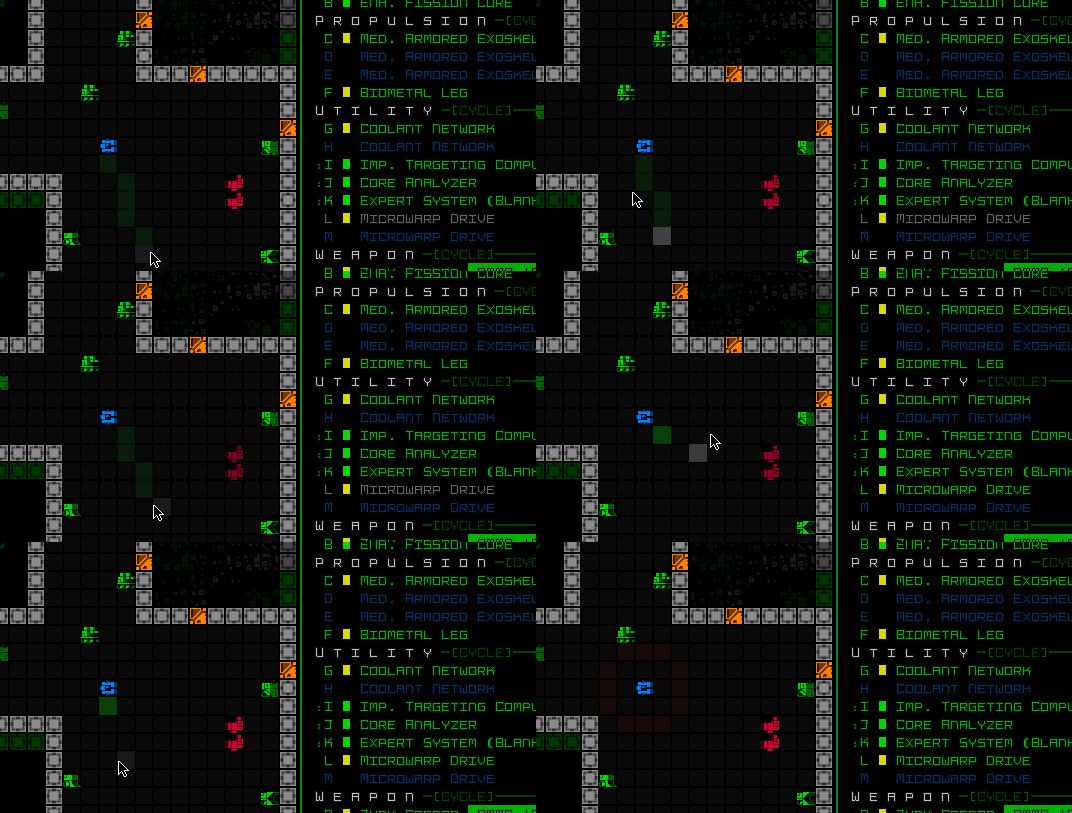
Lo and behold, a basic drone PIP in action…

cogmind_drone_pip_test

Pretty cool! This didn’t exactly take all that long to implement for testing, but that’s all it is here, just a quick and dirty experiment thrown together in order to watch it, not even 50 lines of code or so.

The process is quite simple: When rendering the map, check if there’s an active drone and pause the rendering to first force another render around the drone’s own location; save the console info from around the drone and return to finish the normal map render, then when that’s complete copy the drone visual back over the map area wherever the PIP should appear. In the sample above that’s the top-left corner.

I’m not planning on adding this feature for now, though building it would require thinking about how the window interacts with other UI content that can appear in locations it might occupy, and the best default location. It might even be interesting outside the map, up in the top-center console, though that comes with its own problems in addition to that area’s relatively limited height.

There’s also questions about whether and how to get the window itself to properly display other UI-related content that can appear in drone-explored areas, for example (and most importantly) item/enemy labels that don’t otherwise show as you can see in the demo above.

Proper PIP

What would it take to turn this into a real feature, besides not being pretty hackish code :P

Well the PIP only needs to activate once the drone is no longer visible on the map view, but okay that’s super low-hanging fruit, let’s try the more complicated stuff…

  • Maybe window dragging to actually put the PIP monitor wherever you want
  • If currently following/locked onto a distant drone in the main UI, the PIP could perhaps switch to show the area around Cogmind’s position instead
  • Multiple simultaneous PIP panels for more than one active distant drone (now I’m imagining having a boatload of combat drones out working for you and Cogmind is like the security guy just watching everything play out on a dozen monitors xD)
  • Setting your own “PIP point”, for example around a Terminal with an active tracking Trojan
  • Of course there’d be customizable PIP size

As you can see, this one UI feature spawns lots of neat ideas…

It’s also a ton of work though, and based on its effort:usefulness ratio I have to assign this one a pretty low priority. Although shelved for now, I might revisit it alongside the next big drone mechanics update I want to do?

Posted in GUI | Tagged , | Leave a comment

Projectile Deflection

Ever since my first design docs from Cogmind pre-alpha, written back in 2013, I always wanted a projectile deflection mechanic. Like it doesn’t get much cooler than that, being able to swat away bullets or even send beams back at an attacker, or redirect them into other targets.

Every few years I think about the concept again, and it finds its way into my ongoing notes in yet another location in some slightly-altered form or alongside some other content idea, begging to be implemented. At the same time, being so cool it’s likely one of those rarer abilities that ends up more suited to unique parts, and even after ten years of development had yet to find a proper home on Tau Ceti IV.

One day several months ago I decided the wait had gone on long enough and this mechanic needed to happen now. Who cares if I didn’t even have a specific use case yet?

This marks the first time in Cogmind history that I implemented a new mechanic before actually having a spot for it in game--I had no idea what item(s) or robot(s) would make use of this feature. But I did know that we’re now in the Era of Cool Expansions outside the core game, so I’d find a place before long, and unfortunately around that time I also need a smaller project to tackle while getting my health back on track after repeated concussions (seriously annoying and a huge drag on development for much of this year). The opportunity was ripe to implement something fun and compartmentalized, as opposed to the grand projects I was supposed to be working on at the time which would take a lot more brain power.

Not Recommended

In gamedev it’s generally a Bad Idea to do this, building mechanics for your game that you aren’t ready to apply anywhere. Having one or more detailed use cases helps you think through your specific needs and acceptable limitations, otherwise when it comes time to use a generically-implemented feature for an unplanned use case, you may either find there are problems or insufficiencies and have to rewrite it, or eventually discover that you did too much work because you’re never going to actually use all those features or options you built in anyway :P

I already know I’ve built a system that’s probably more flexible than I’ll make use of, based on a lot of hypotheticals as opposed to real world scenarios, but at least it includes a set of features I do know I want.

The main other aspect to worry about when prematurely constructing any non-simple system is that when it comes time to use it and you find the system doesn’t quite fit your real world needs, you then have to go back to make adjustments, which can easily be more time consuming than it would have been if the initial implementation happened at the same time, given complete familiarity with the system at the time. It’s just potential for extra overhead, really, but dammit I wanted to see projectiles bouncing around!

Aside: This whole section strongly reminds me of those who design, build, and expand game engines without actually using them to make a game, though that’s on a different scale altogether.

Flexible Deflection

So I tried to cover all the bases by building a flexible implementation for projectile deflection, identifying tweakable parameters in order to hopefully support a range of fairly different items, of course all still centered around the idea of making sure projectiles hit something other than their intended target ;)

Among the main features of this system:

  • random deflection within a specified relative arc
  • deflection that always counterattacks the source
  • redirecting projectiles to target nearby hostiles
  • categorization of projectiles for deflection purposes, and the ability to specify a category to deflect, or deflect all of them

Architecturally, deflection of projectiles is somewhat related to the penetration and guided waypoint systems, which served as a good starting point for implementation. The main requirement is to be able to give the projectile a new trajectory at the right time and let it continue on its way.

On that note, it’s nice that there were actually multiple indirect benefits of building a deflection system, improving the game in other areas along the way, including addressing the longstanding issue of guided projectiles always treating weapon ranges from the original source, rather than by measuring the actual path traveled, enabling them to exceed their maximum range in some cases. It wasn’t too much of an issue, hence why I’d left it like that for years, but this also factors into play with deflected projectiles, so it was about time to do something about it--projectiles traveling along a non-straight path now measure cumulative range for accurate distance calculations:

cogmind_projectile_cumulative_range_limiting_guided

Firing a guided projectile to the left here and reversing its direction will not reach the targets on the right, but if firing to the right they are all in range. Before this update, firing to the left and circling back around would still work. Not a useful tactical situation by any definition, just demonstrating the difference in action :)

Shiny Applications

So while I had no spot in Cogmind for deflection just yet, or any plans to even include it in the next release, the soonest I saw it appearing was with the Unchained, a deadly group of hostile unique derelicts working for MAIN.C.

And no doubt beyond that as well, since there are a good number of ways to use this new tech. When we think of deflection, the obvious use case is in defensive shield technology, but most any item is allowed to have deflective properties, meaning we must have an energy sword that can deflect incoming projectiles. Because duh.

Below are some recordings made while I was building the system. Note they’re all just test shots with fake items I was using to make sure everything works as expected, so don’t read anything into that aspect. These are also not usually very realistic scenarios, either, just having a bit of fun :)

projectile deflection demo

The very first system test, deflecting grenades back in the direction they came from within a 90-degree arc.


projectile deflection into enemies

Similarly deflecting incoming shots within an arc, but sending them back into an enemy within that arc. Cogmind is not firing a shot here, just passing turns :P


projectile shedding deflection

Deflecting kinetic projectiles backwards, like shedding them off to the side.


missile deflection into enemies

A 360-degree deflection capability redirecting an incoming missile at a nearby group of Swarmers.


projectile bouncing ring

Spectating a dangerous game of hot grenade with the local opposing Demo squads.


projectile deflection animation

The system also supports per-item animations and SFX for the deflection, seen here using a random placeholder to confirm that it works. (You can also see there deflection benefiting from the cumulative projectile range limitation feature, unlike the earlier shots before that was implemented.)


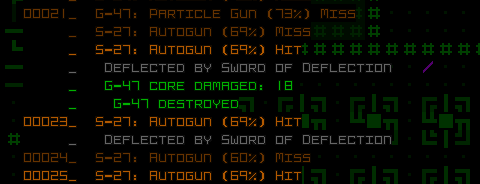
projectile deflection in combat log

Also yes, deflection is recorded in the all-important revamped combat log coming to the next version.

Well I can finally cross deflection off my list!

Funny enough, back when I first wrote about building this feature on Patreon, there really was no intent to add any deflection-related items to the next release, which is already packed with so much other stuff. Fast forward to a couple months later and there are already no less than three different such items xD

This is the fifth and final post in a series on new item mechanics. I didn’t cover anywhere near everything (or even the coolest mechanics because I don’t like to spoil much :P), but some of these also offer a chance for relevant discussion of the bigger picture:

Posted in Mechanics | Tagged | Leave a comment

A Simple Approach to Player-Designed Robots

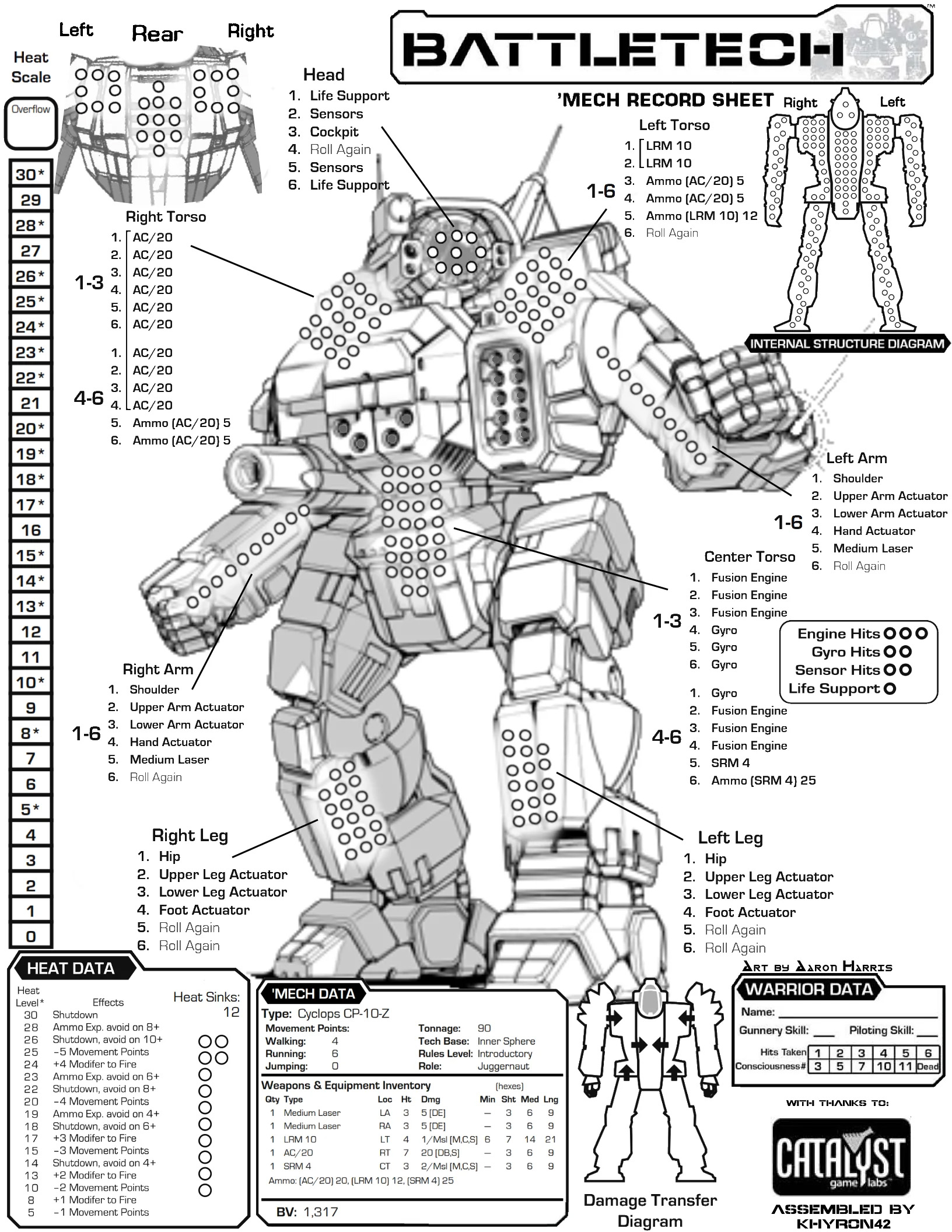
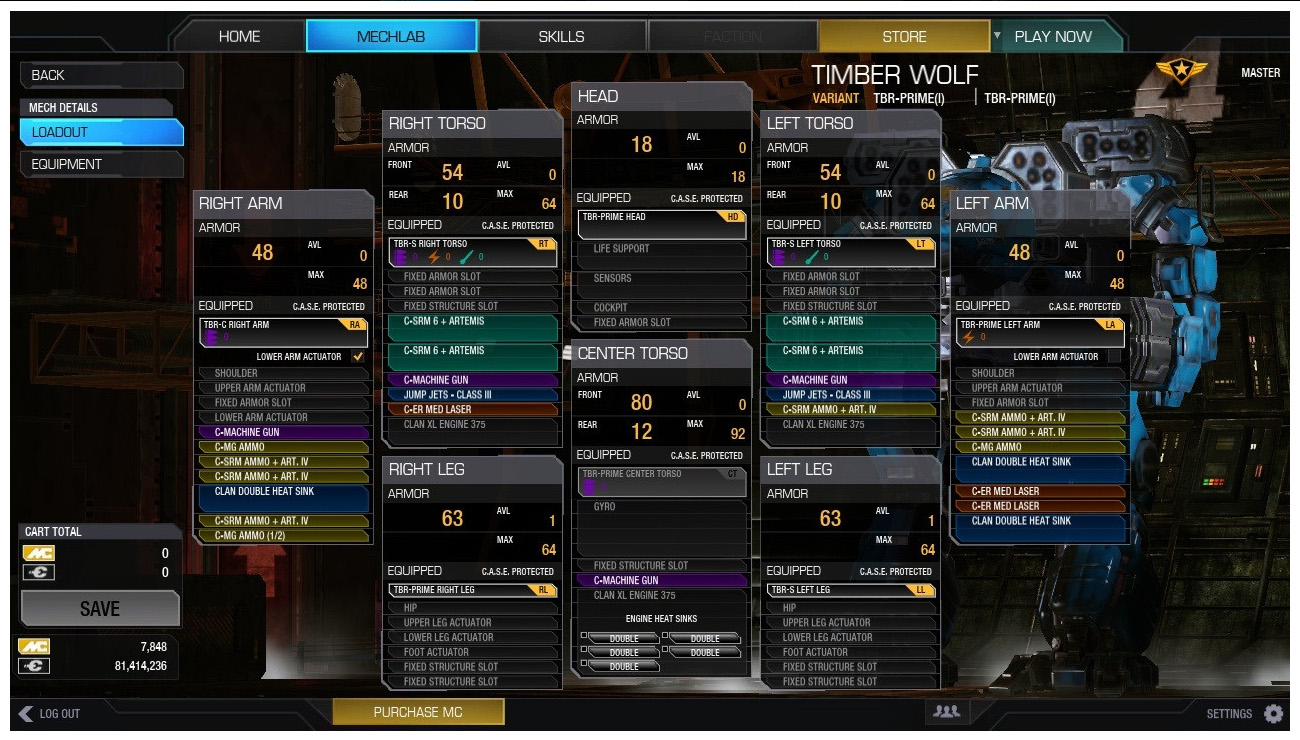
I like the idea of designing robots, putting together builds for a particular purpose or with particular capabilities in mind. As I’ve stated many times before, my first influence for Cogmind was the original BattleTech board game, where my friends and I wouldn’t just take stock mechs, but designed our own based on the rules, selecting the right combo of weapons, heat sinks, armor, and special tech.

battletech_mech_sheet_sample

A BattleTech loadout sheet. Sadly all my old BT books and records are at a relative’s house right now, otherwise I might go through them and share a thing or two :)


mwo_mech_loadout_sample

A Mechwarrior Online build. I also played all the early PC BT games, and later MW spinoffs and related games, all the way up to MWO (though had to stop some years into it because for some reason my new computer kept glitching out on it, but it’s probably for the best :P).

Even more than being a tactical roguelike, Cogmind is a strategic game about engaging in a dynamic form of this process, repeatedly replacing and upgrading components as you go. And based on the current situation, or plans for what’s to come, you can even pivot your whole build at one point or another.

So if bot-building is a main feature, and players of Cogmind therefore most likely enjoy bot-building, then perhaps there are other areas we could apply this activity? What about designing robots other than yourself?

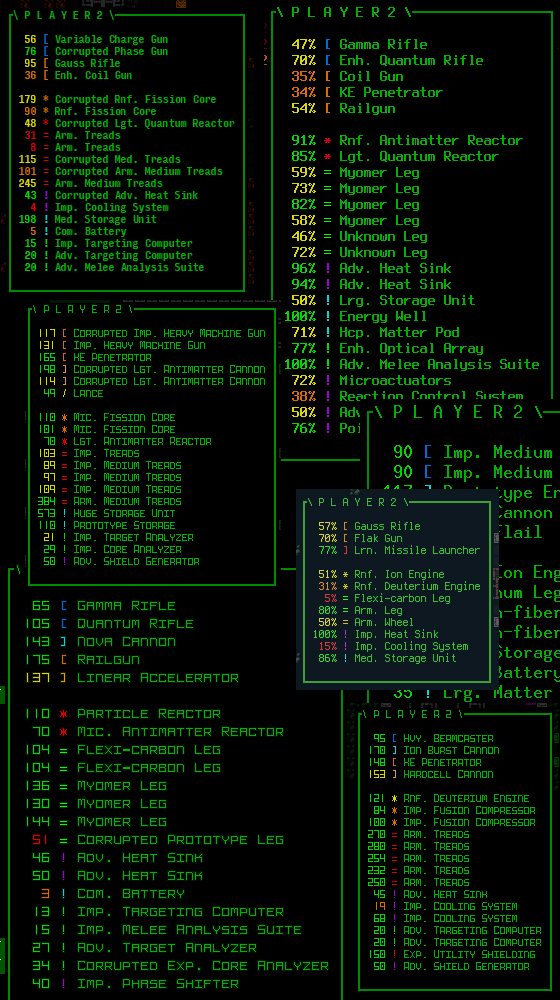
Actually Player 2 mode sort of has this quality to it, since even if your opinionated ally is technically responsible for putting themselves together, they can only do so using parts they have access to, which like in your case are acquired entirely from their surroundings. If you can control what they get their hands on (e.g. by destroying or stealing whatever you don’t want them to have), you can indirectly control what they are more likely to build. And when they need parts to complete or improve their build, you can also drop stuff nearby and see if they’re interested in it. It’s not quite reliably building your own robot from scratch, but you can influence the outcome, so there’s that.

cogmind_player2_loadout_samples

Player 2 builds shared by various players over the years.

Some players have been known to take Player 2 sculpting to the next level and even try to carve specific parts off their friend (chop ’em up!) in order to force them to use alternatives, either from their inventory or provided by Cogmind.

But yeah, clearly still not the same thing :P

How else could we add robot construction? Well I don’t really want* to go as far as creating a full-blown in-game design system with a dedicated interactive UI like you might find in some sort of RTS or games with a vehicle design element. That’d be fun, but overboard.

*Oh no, on the heels of my previous post about special modes and their experimental test bed nature, I realize that yes I do actually want to try that, and some forms of this could make for a very interesting event xD

It’s got to be simpler than that… How about simply dropping a bunch of parts on the ground and telling them to be a robot?

The Botcube

Say hello to the Botcube, and the new friend it will create for you, or more specifically the new friend you will create with it.

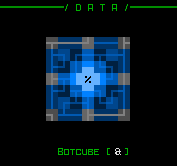
cogmind_botcube_art

It’s a cube. It makes a bot.

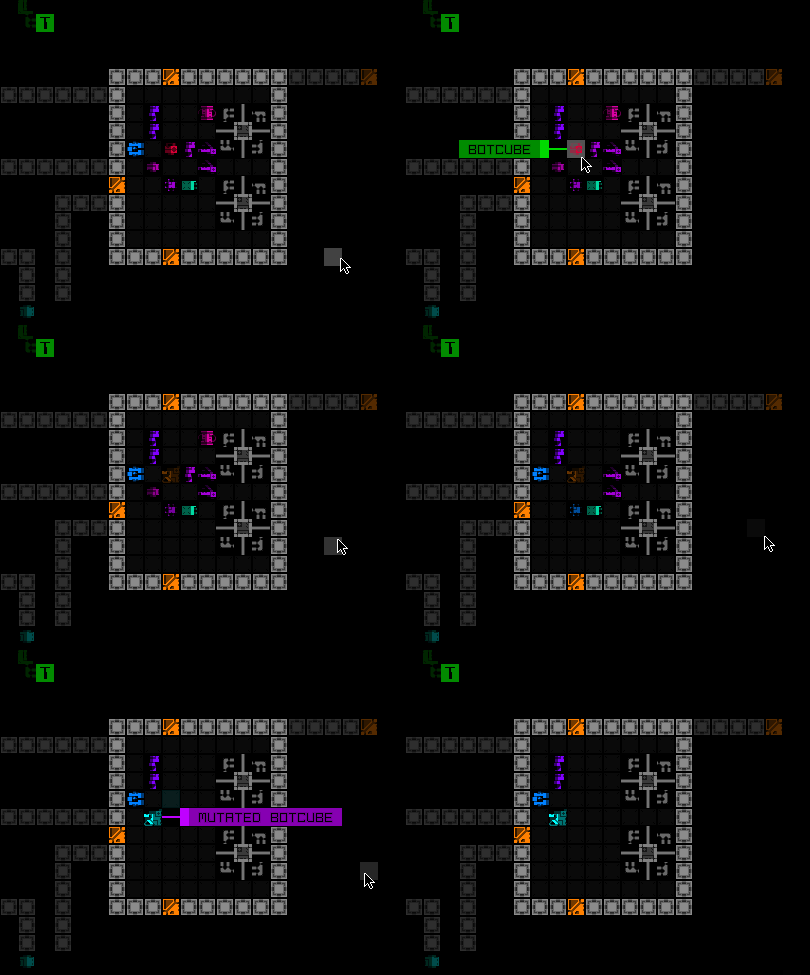
Usage is indeed quite simple: Drop the Botcube on the ground and interact with it in the normal way (‘>’ or left-click) and it will start the creation process, turning itself into a brand new robot. Hopefully by that time you’ve prepared a collection of suitable parts for it to use, lying around on the ground within range (or maybe are just dropping Botcube in a pile of post-battle wreckage to see what happens?).

Every couple turns it will suck up a new part and merge with it, until either all potential slots are full or there are no more compatible parts nearby. Then beep boop your new friend will self-activate.

cogmind_botcube_building_tiles

Creating a Botcube mutant. In this test recording, a robot created by the Botcube is represented with a Mutant tile, but will have their own once released.

Your history log will conveniently record the feat.

cogmind_botcube_history_log_sample

The history log also includes some basic information about what kind of Botcube friend you created.

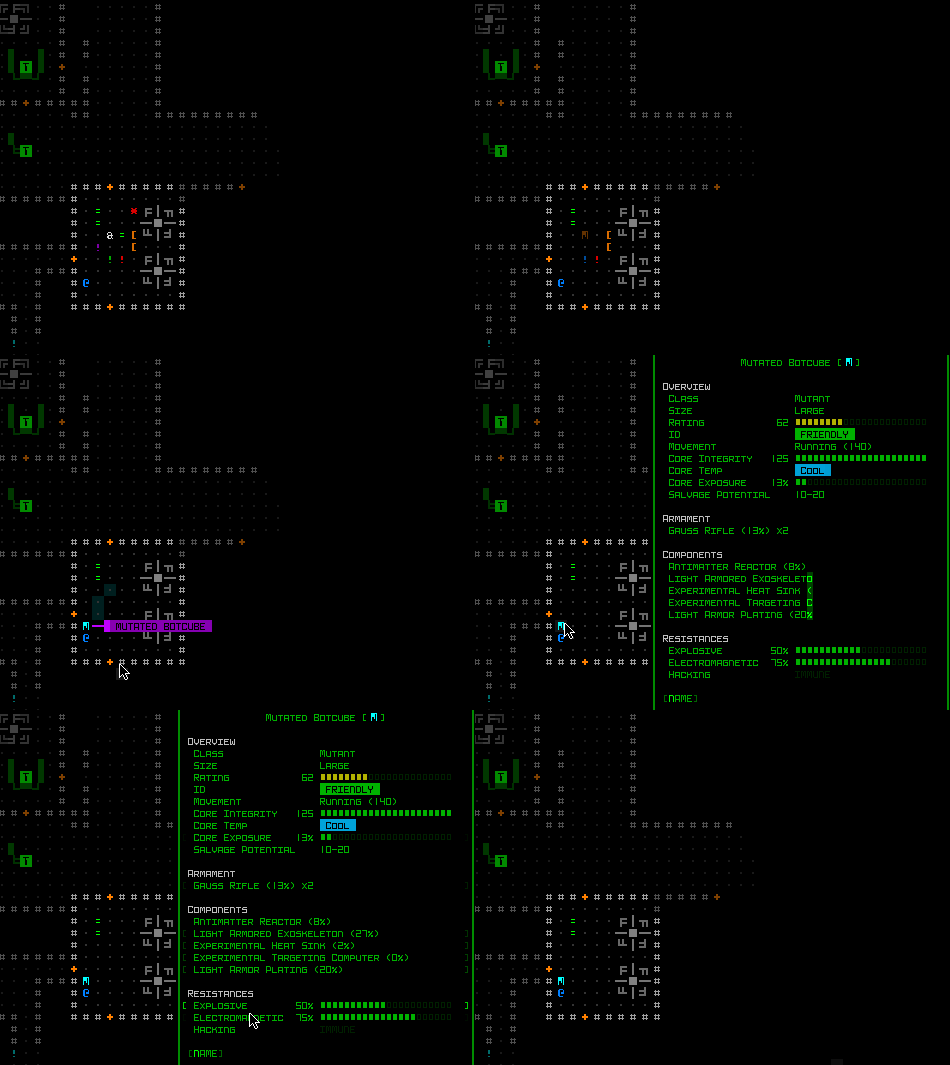
Don’t forget to inspect your formidable new ally!

cogmind_botcube_building_ascii_with_info

Inspecting the Mutated Botcube’s final stats. Its core attributes are static, though as with most robots the majority of their capabilities are defined by their loadout.

Implementation of this feature was somewhat quicker than it otherwise would have been because I already had a template for the process of building a bot from nearby parts, originally used in Abominations, one of the advantages I wrote about in the previous post.

Complementary QoL

As a player what do you need most to facilitate using this sort of tech? At least some way to tell which parts the Botcube is compatible with. The answer is most, but there are a few exceptions, generally including things that AI-controlled bots can’t really use, or aren’t suitable for certain types of allies from an architectural standpoint.

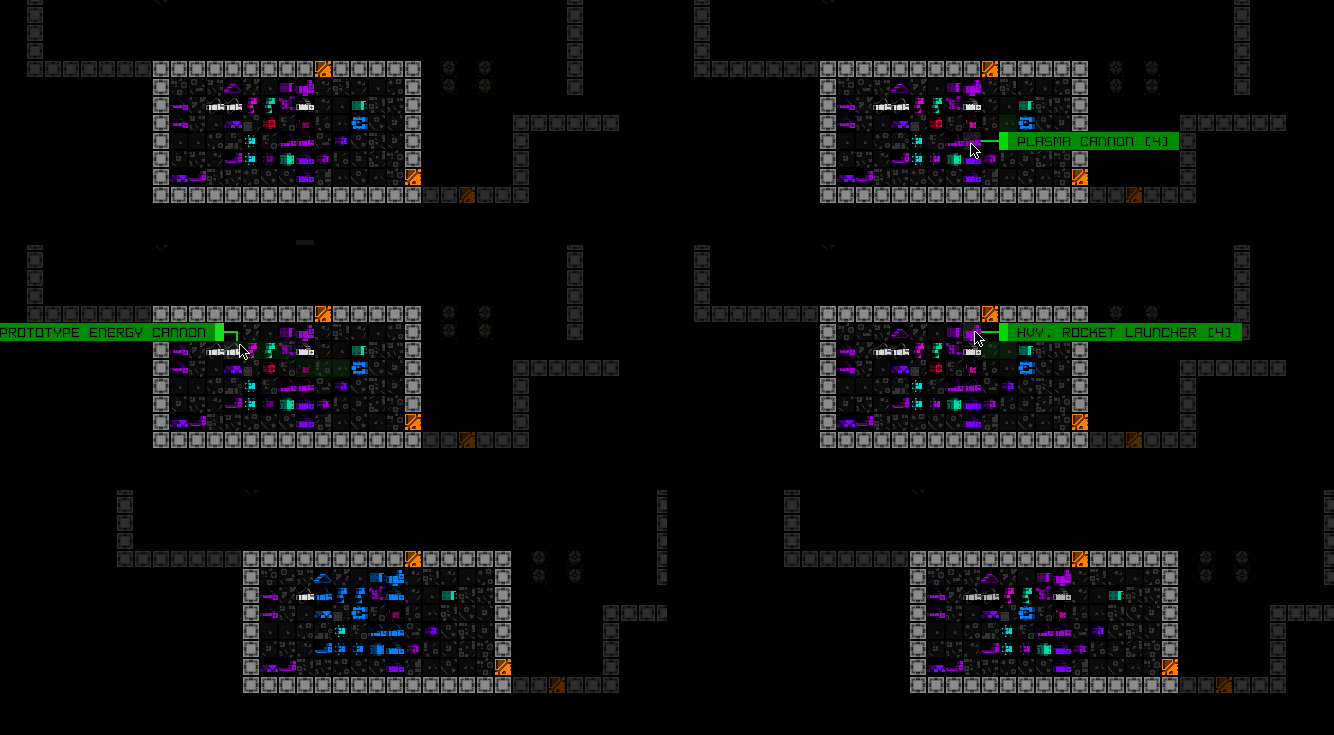
In order to help out with that, while standing on the Botcube (the only position from which to activate it) all nearby compatible parts will intermittently flash. Anything not flashing will be ignored.

cogmind_botcube_compatible_part_highlighting

Botcube compatibility highlighting demo.

This also coincidentally makes it obvious which items are within range to be utilized--double QoL!

Ancient History and Distant Future

In implementing this feature, I’m reminded of one of the times Cogmind was written about in Rock Paper Shotgun years ago, where the author assumed you would also be “building your own allies” in the game. Anyone who’s played in the years since will know that’s not really much of a thing aside from fabricating bots based on existing designs, at least not in the sense implied by the original assumption (designing them as well), but I guess we can have some of that now :)

I bet there will be a range of new theorycrafting discussions to go along with this mechanic as well. Really looking forward to what people do with this one.

On that note, one area of concern here is that Cogmind’s allies are notoriously disposable, by design. You put effort into collecting a few parts you want to see merged into one bot, or even *gasp* take time to plan one with care, only to have it gunned down by the next squad. Yeah that would suck.

We can’t exactly make them invincible, either, but to at least protect against rapid death they’re given high EM resistance, a decent amount of core integrity, and low-ish exposure. With your level of control you can of course also choose to armor them for better coverage, or improve other stats you think will help them survive, or aid you in your situation. They’re essentially akin to a customized Hero of Zion.

There are also more possibilities for this tech, which I had actually revisited in my notes a couple years back to specify that it would be appropriate as a piece of primary content within yet another new map that might happen further down the line. But since I do think this mechanic will be fun to play with, and there’s no guarantee that other map will actually happen, I think this is a good opportunity to at least provide a taste of it!

I can also use this opportunity to hint at its origins for the lore.

cogmind_botcube_art_two

:D

This is the fourth post in a series on new item mechanics. I won’t be covering anywhere near everything (or even the coolest mechanics because I don’t like to spoil much :P), but some of these also offer a chance for relevant discussion of the bigger picture:

Posted in Mechanics | Tagged , | 2 Responses

Special Events Give Back, and Perfect Stealth

Cogmind’s “special modes,” timed events with unique mechanics, can in one sense be seen as the experimental test beds of Cogmind. Sometimes ideas come along that are interesting to play with, but may either not be suitable for the regular game, or I don’t feel the effort and architectural requirements to support them are worth it in the bigger picture compared to what they add vs. all the other content options awaiting development. And although I don’t usually go into building such a mode with the intent to test ideas potentially applicable in the regular game, the results often do inspire such features down the line.

One new example of this phenomenon at work is the ID Mask.

Finally, Perfect Stealth

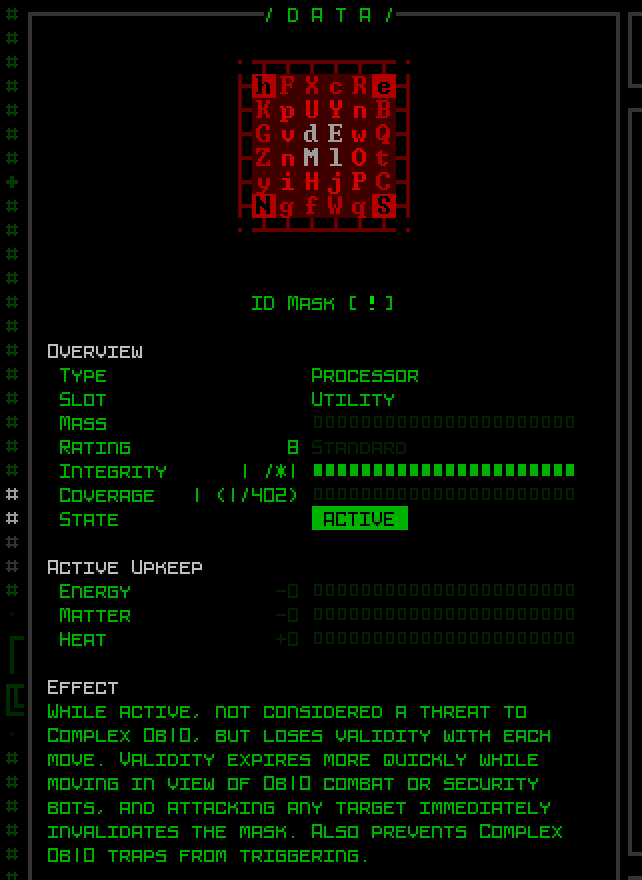
In short, the ID Mask is a new consumable “disguise utility” that allows you to travel completely unnoticed and untracked in Complex 0b10, waltzing right past enemies if you want to.

cogmind_id_mask_info

The holy grail of stealth tech, if you’re not welcome in Complex 0b10.

The ability to disguise oneself like this has been requested by players since Cogmind’s alpha days (shout out to its main proponent, zxc!), but to me it wasn’t the sort of tech that the game was ready for, be it for balance, architectural, or lore reasons. A confluence of factors have contributed to now being the time it’s finally ready to be designed in.

Using an ID Mask is fairly straightforward, just pop it on to start the clock and enjoy your anonymity for as long as it lasts. I’m sure it can save your butt, or enable some sneaky tactics.

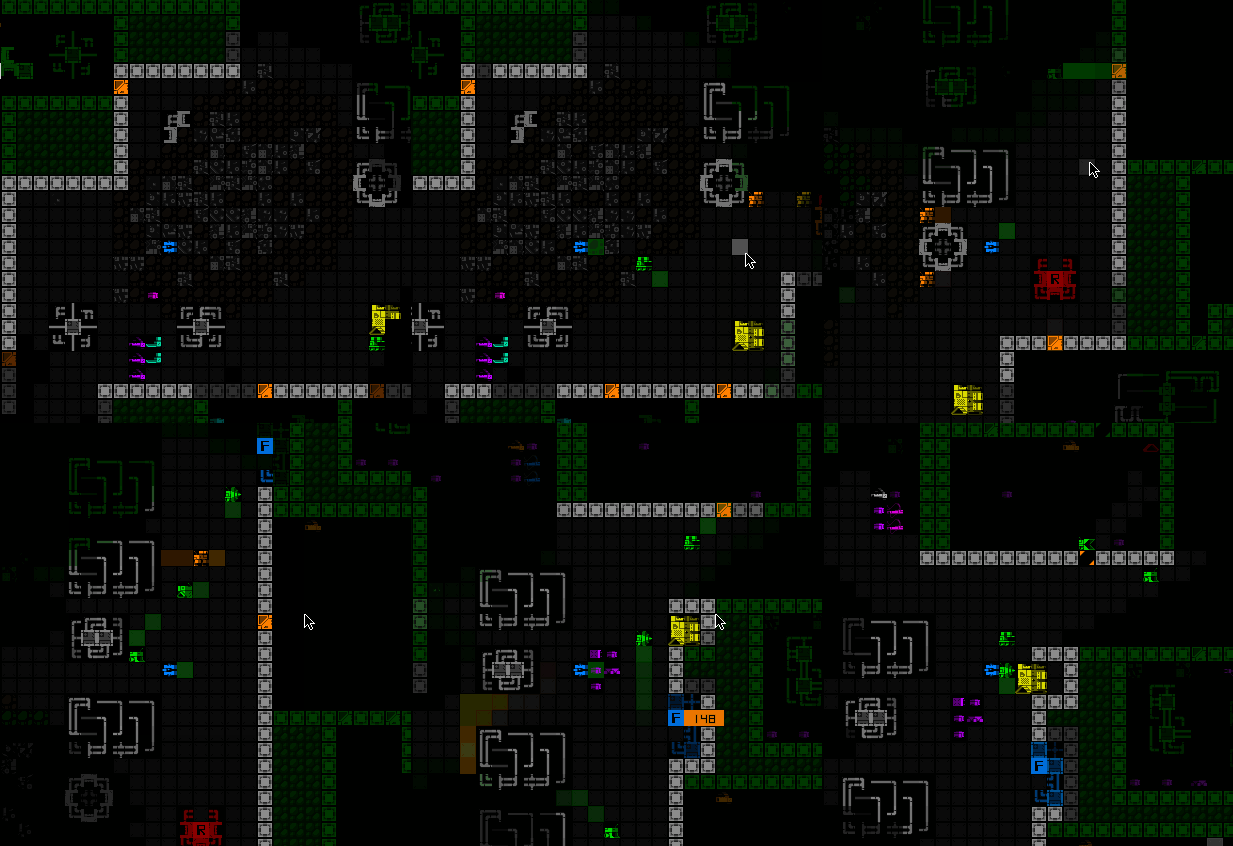
cogmind_id_mask_usage

Hm, more Behemoths maybe calls for more masks? :P

These will also fit deeper into the lore, as I prefer any tech does in order to exist, though some of that lore (and more sources to acquire one!) will be coming in future versions beyond the initial inclusion.

Polymind and Other Test Beds

If you played Polymind you’ll probably recognize this ability, which is actually where the architecture comes from in the first place. As special events do, Polymind introduced new mechanics that needed to be built into the system, both showing us that they’re possible, and also allowing everyone to test how they play out.

Several major new features were required for Polymind to work, one of which being the central idea that “0b10 bots can ignore you.” It’s possible there might still be some kinks in there somewhere when it comes to special cases, but it should at least work as well as it did for Polymind, and adjustments or fixes can be made if necessary.

But anyway this is one example of a mechanic originally unique to that mode now becoming embodied in a specific item available in regular Cogmind! Sooner or later the same thing may happen to some of the other Polymind-specific features, but as of now this is the first.

The first from that mode, anyway.

Another feature I’ve added for Cogmind’s next release takes a chunk of code from Player 2, the mode in which you’re accompanied by what is essentially an AI-controlled Cogmind capable of building and maintaining itself from items as you can.

“P2” introduced a number of new mechanics, some of which I’ve always wanted to include in regular Cogmind (after seeing how they work) but haven’t had the chance. And no, the new feature is not a Cogmind-like ally, although that is something I would like to add to the regular game at some point if I get to it. (There are even perfect lore tie-in opportunities!)

Specifically, what I did was adapt Player 2’s contextual dialogue system for… something interesting ;)

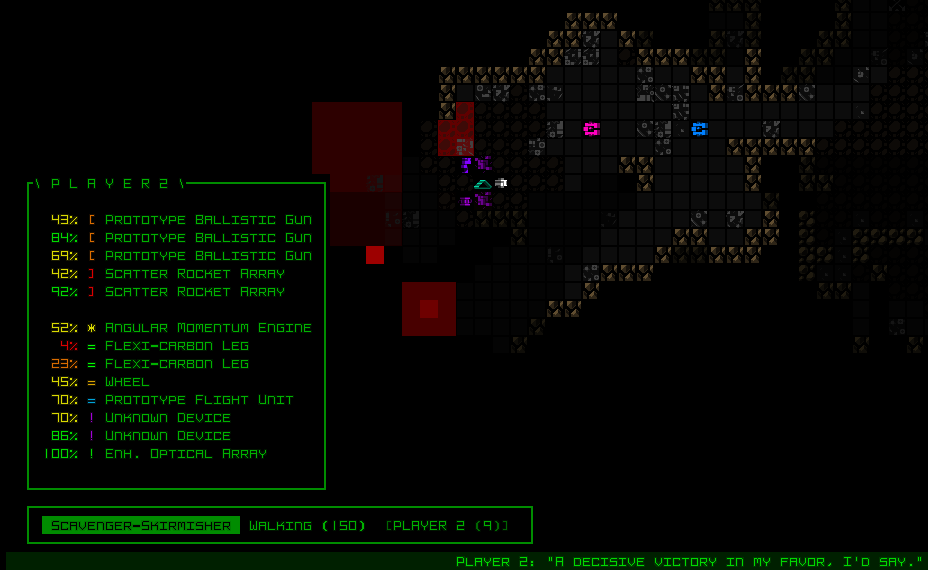
nikolayag_player2_decisive_victory_comment_with_scatter_rocket_arrays

Player 2 commenting (at bottom) after letting loose with a ridiculously massive amount of firepower against some targets in the caves (screenshot provided by nikolayAg).

Among other previous event influences, you might notice similarities between Abominations (Halloween 2019) and the Botcube, which I’ll be writing about next time.

Despite having never proactively used special events to test planned Cogmind features, based on my experiences incorporating and adapting ideas from past modes, and liking how they save time on both implementation and design (while not necessarily ever being something that must make it into the regular game), I’ve even started planning to use this approach for future special events, a way to test features I might want to add.

Specifically for the past year or so I’ve had an idea for an event that could tie in pretty well to a future faction, so long as the gameplay works out when it becomes a central focus. It could be one of the potential Merchant systems.

This is the third post in a series on new item mechanics. I won’t be covering anywhere near everything (or even the coolest mechanics because I don’t like to spoil much :P), but some of these also offer a chance for relevant discussion of the bigger picture:

Posted in Design | Tagged , , | Leave a comment

Teleportation Mechanics

Teleportation. It’s cool. You like it. Your enemies maybe not so much.

The ability to teleport across short and/or long distances to instantly arrive at some destination is fairly common throughout the roguelike genre. Although teleportation can be used for tactical repositioning, or to perhaps reach otherwise unreachable areas (especially if the target is controllable), one of its most common applications is as one of many possible “escape” methods.

Sometimes you find yourself in situations where you’re at a significant disadvantage and would really like some sort of “reset” option, a perfect opportunity for teleporting. There might be drawbacks, like ending up in a worse situation than you left because you can’t control the destination, though as in any roguelike gameplay calculation you weigh the potential costs against the benefits.

Cogmind generally has fewer such direct escape options, but teleport mechanics are out there, if an advanced tech not usually available until the late game.

As a general concept teleportation technology exists in quite a few varieties throughout the world of Cogmind, though the player only has access to some of them. I’m going to go ahead and just make this a SPOILER discussion as far as game content goes, so that I can write freely about related mechanics, so maybe don’t read this one if you’re spoiler averse and not familiar with teleporting.

TR & NEM

So the first and primary form of teleportation is the original alien tech, Transdimensional Reconstructors. These offer very little control over direction, although based on their rules if you’re aware of the surrounding terrain you can possibly get a decent idea of where one might send you given your current position. The High-powered variety has a pretty significant range boost as well.
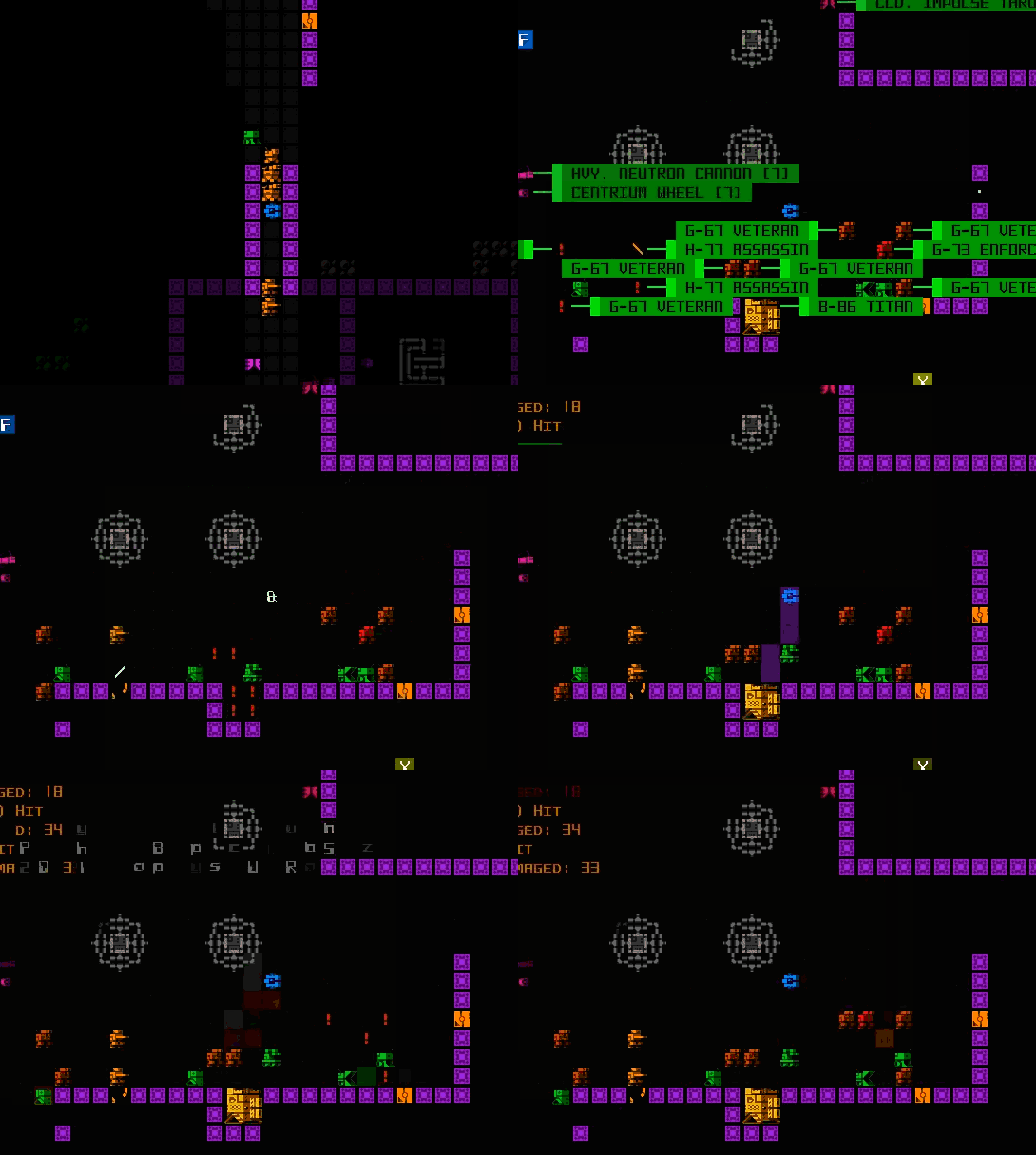
cogmind_teleport_from_my_stream_200929_warlord_win

Have a clip from my epic September 2020 stream (eventually a Warlord extended win), which was challenged to teleport when things were getting a little iffy, then they got just a little more iffy xD

These were also more recently expanded to support group teleporting--Cogmind and all nearby robots, but it’s only possible to create one of those in a single run (if that), essentially added for a fairly specific use in the extended game.
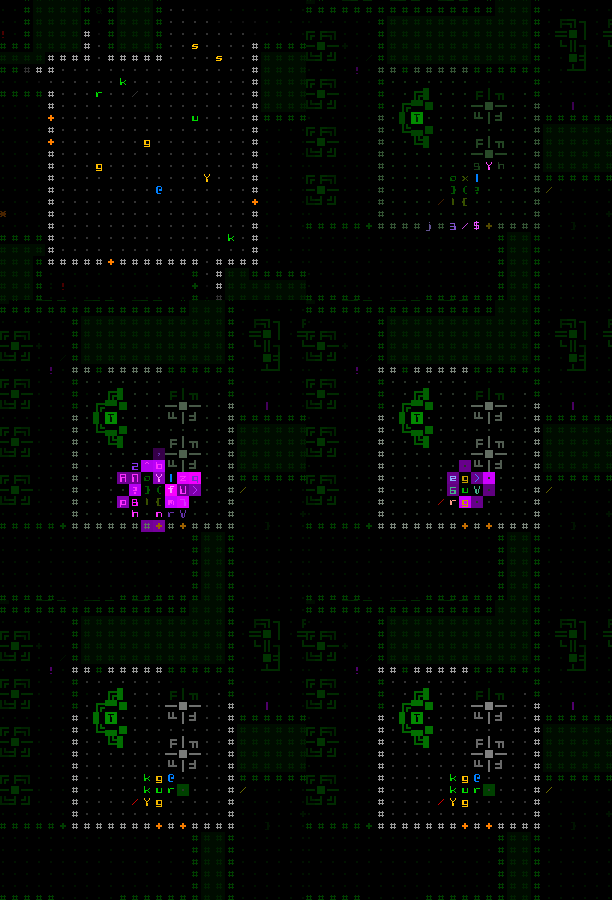
cogmind_group_teleport

Come one, come all! No wait not like that.

Aside from those, there is the even more chaotic Navigation Efficiency Matrix, which forces unlimited but unpredictable repeat teleporting (basically “teleportitis” in roguelike terms). Like TRs it causes enemies to lose track of your position, which can be great for losing pursuers, but can also make travel quite difficult and if enemy density is high can even repeatedly put you right in their crosshairs while you’re trying to get away.
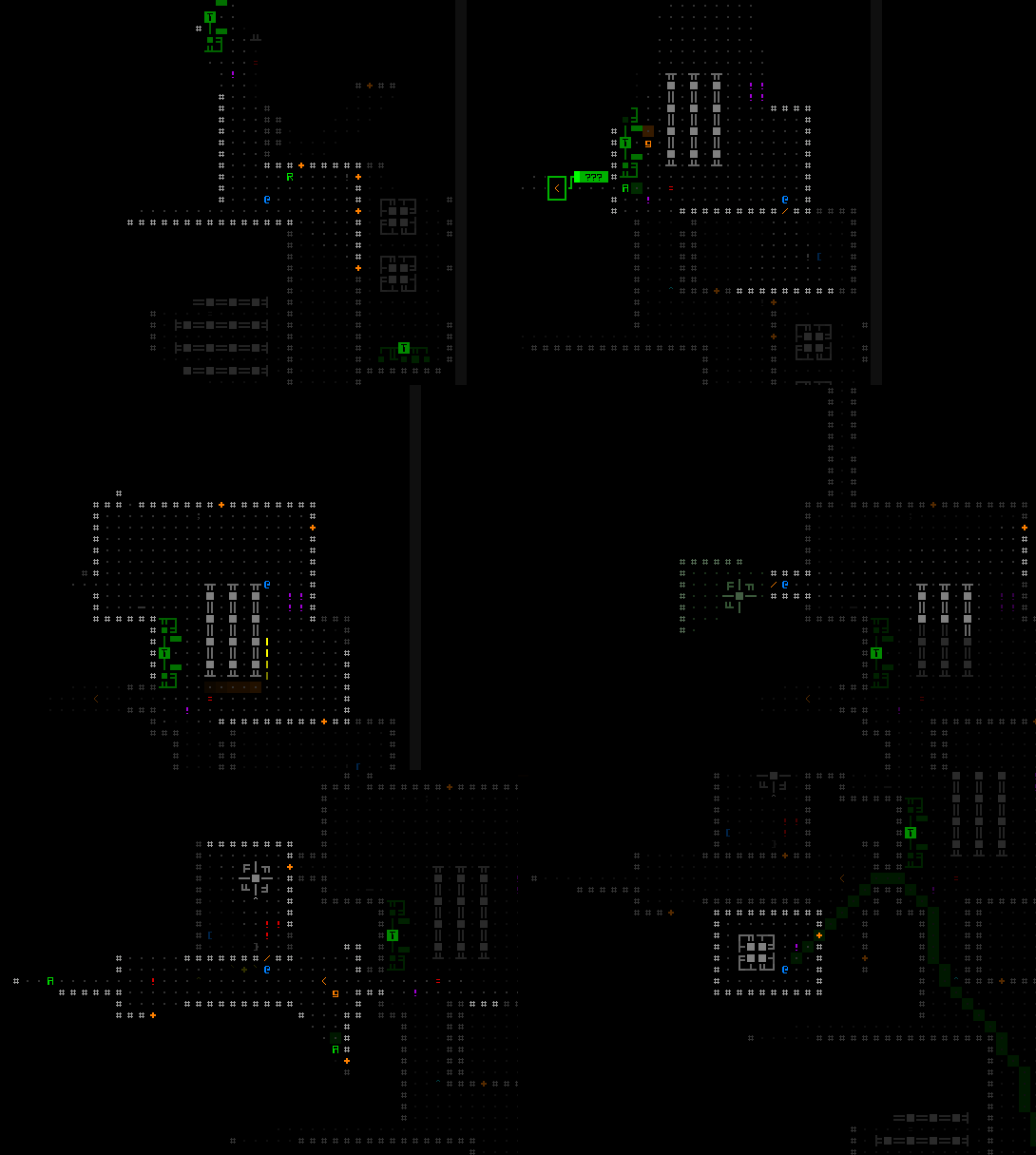
cogmind_NEM_teleportitis

NEM has a reputation for being annoying, but also has its perks.

Unlike teleportitis in other roguelikes, NEM is “incurable” and stays with you for the remainder of the run, so it’s important to not acquire it unless you have plans to take advantage of the effect. It’s also possible to unintentionally acquire its effect if not careful in a certain area, so those who are aware of NEM’s mechanics might take measures to avoid that possibility, or maybe just risk it :)

The incurability aspect was important for balance, since being able to control the duration or timing of its effect, even broadly, would be far too powerful in Cogmind. While it’s possible to first activate it at a desired time, which affords at least some level of control, the inability to ever turn it off again always looms with the potential to cause regrets…

Limitations

The thing is, in any form (even a random one!), teleporting is a crazy good ability, so we need strong limitations on it to avoid abuse or simply circumventing many of Cogmind’s challenges.

For TR-based teleportation, that limitation is their single-use nature, a pure consumable. It’s a nice hopefully-get-out-of-jail-free card for your inventory, and you can collect as many as you want to fit, though taking up inventory space for each such one-shot opportunity is an obvious drawback, too, so you need to decide just how many it’s worth carrying for your intended goals or play style.

NEM and its chaotic effect is a whole different ball game that can be great for some builds, but there’s always the chance it’ll mess you up, so it takes a special embrace-the-chaos sort of mindset to use. Extreme randomness aside, its primary drawback is the fact that it cannot be stopped once started, leaving even less room for control.

Controlled Teleporting?

What Cogmind doesn’t have is a consistent way to do controlled teleports. Part of the reason such a mechanic was never originally considered is for input reasons--aside from attacks and hacking, which are direct in nature, Cogmind does not have a concept of arbitrary non-FOV targeting input, and I wanted to avoid adding such a method because it starts to suggest all sorts of other indirect targeting abilities, which become new ways to unnecessarily slow the gameplay. By extension teleportation ends up being more of the random variety.

Technically we do already have some teleport control, in fact very precise control, by combining TRs with Dimensional Node Initializers, but that requires having both of the necessary components and also having visited the intended destination beforehand to set up the node. It is a way to make a perfect escape back to a specific location, but obviously that is for preparing specific strategies rather than a general use case.
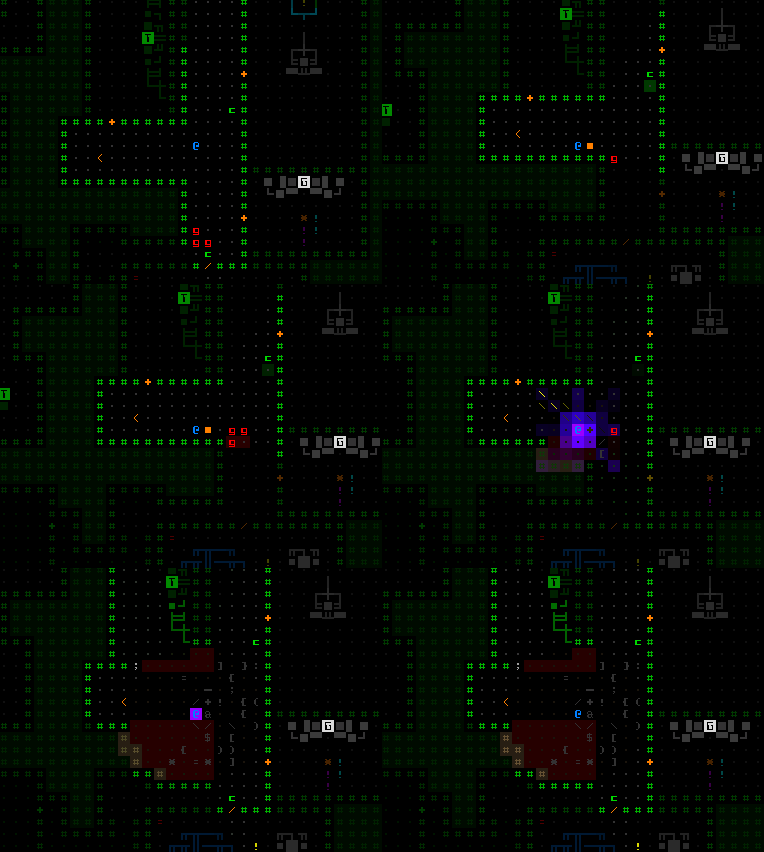
cogmind_dimensional_node_initializer_explosioin

Oops no that’s the wrong gif, don’t do that.
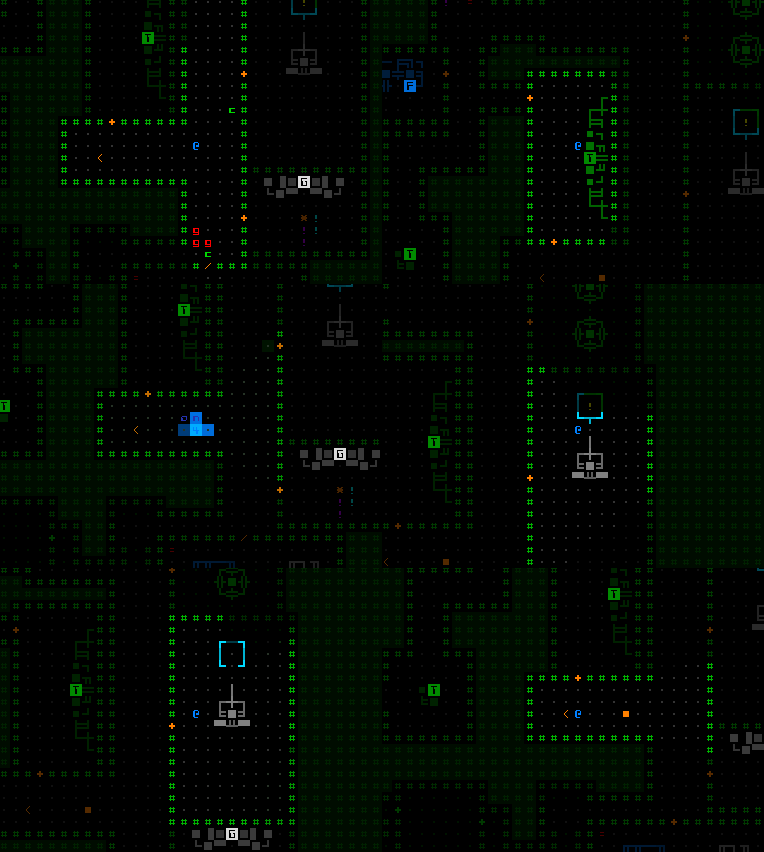
 

cogmind_dimensional_node_initializer_teleport_use

That’s better, although still not necessarily worth using up these potentially valuable tools, just a random scenario I recorded to demonstrate these items being used together.

Back in NEM’s earlier history when it was still under consideration for more serious mechanical adjustments, among those adjustments I thought about giving it a controllable teleport role, allowing you to stack multiple NEM in order to gain the ability to influence its direction through your prior movements, just still not always doing precisely what you want. I decided against that approach after seeing how others played with the NEM (and trying it myself), which seems to be in an okay spot.

So here we are in 2023 still without a way to manage controlled teleports, what do we do? How about we add one, maybe using this new type of charging mechanism (described towards the end).

In fact I have two new concepts for teleportation tech, which is kinda funny because of how they evolved out of the same idea. Some time ago I wrote some notes on a particular type of derelict likely capable of teleporting. Then more recently while away from those notes, and having forgotten many of the details, I jotted down a few more notes on the subject. When it came time to implement this feature last month, I discovered both sets of notes and realized they were describing two somewhat different systems! Both can fit into the lore rather nicely, though, and in fact be related to one another.

One form of this tech will be introduced now, and the other belongs elsewhere in the lore, a source which I’m not sure whether or when will ever be realized, since as I see it now it’s beyond the 1.0 horizon.

Personal Teleporter v0.10

You may have spotted this little thing among all the art I shared for new items last time:
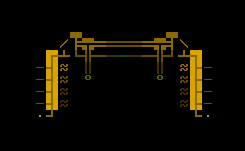
cogmind_item_art_personal_teleporter

…or not because there was a ton of art samples collected there xD

That is the Personal Teleporter. Clearly an early version of it because it’s not super precise… but it is controlled!

Once fully charged, which takes some time and energy as explained in my deep dive on that mechanic, your next move in any cardinal or diagonal direction will send you off in that general direction, and through any obstacles blocking the way.
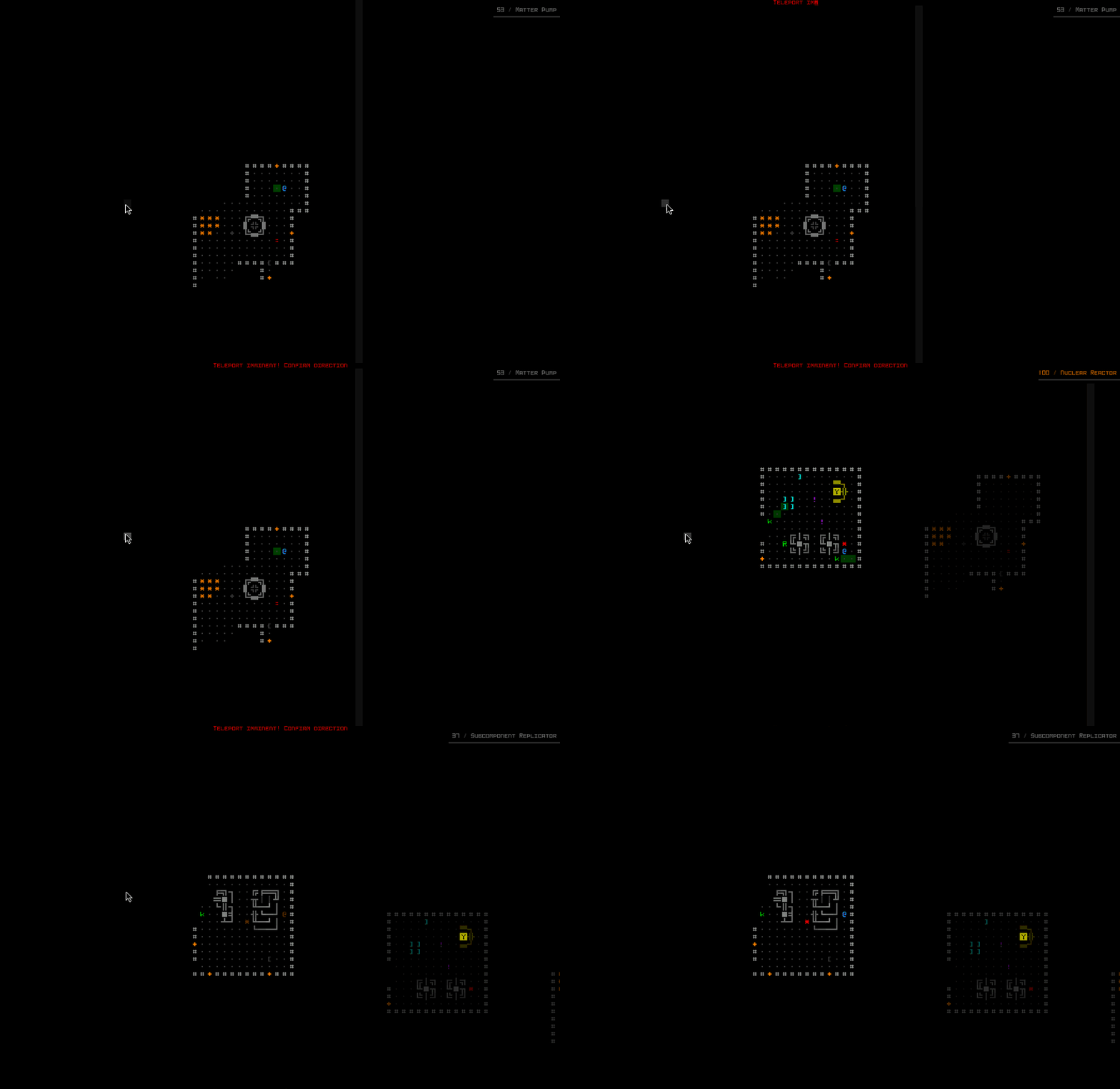
cogmind_rough_teleport_sample

A double personal teleport. Normally you’d at most probably have just one, but I’m testing it so I get two ;)

Like with microwarping and spacefolding (also somewhat comparable forms of teleport-like movement!), the interface will warn before your movement command is interpreted as a teleport in case you want to turn it off instead of flying off through the nether and using up your precious charge.

As part of this update I also improved the mouse behavior as it works with both this and microwarping, so that it will always immediately take that action on the first step (and highlight the intention as such) rather than moving to a more distant selected target location then warping, as it currently does in Beta 12.
cogmind_microwarp_active_direction_highlight

While the Microwarp Drive is active, you can see the usual one-step highlight of an adjacent cell indicating direction.

Now just while you’re thinking you got off easy, time to hit you with the drawbacks (no, silly, simply needing to charge the PT is not a massive drawback compared to what you get!).

First a little relevant dev note: When creating new item-based mechanics, internally I’ll generally use more generic names for effects. In other words the name “reconstructor” would not be used in the source code, since that’s specifically an item name, which 1) who knows, may change for whatever reason and it’s a public-facing name for that specific instance of a mechanic and 2) multiple different items could use the same ability with different values, so we don’t want an internal name that matches only one or another. The Personal Teleporter’s capability is known as a “rough teleport,” and now you get to find out why it earns that name (or you can stop reading now and find out later? spoilers :P).

The thing is, not everything that goes through this process might make it to the other side, or at least not take the exact same path to the destination area.

Yes if you’re feeling lucky (and are actually lucky :P), everything will go swimmingly and you’ll be on your merry way, but there is also a decent chance that one of your parts will be ripped off and flung over to some other nearby location. Or may simply not make the trip with you at all. Or if you’re really unlucky it could get stuck in subspace forever.

cogmind_personal_teleporter_part_loss_message_log

I didn’t need my reactor anyway.

So a teleport may result in a need to put yourself back together, if you have the luxury, which if you’re teleporting you may not exactly have, yeah? And if your part was left at the origin (not nearly as common, but it happens!), then if it was something really important you might have to try to find a way back, or do without. There are some other nuances in there which I won’t get into, but anyway, “rough” yeah? :)

I can see some people having a lot of fun with this thing, and I imagine it could get tweaked a bit after playtesting, but there are a good number of levers to tweak with this one.

It should also be noted that this cruder form of directional teleporting doesn’t lose any pursuers, unlike other more random teleportation capabilities, though the ability to pass through walls is probably sufficient to escape a lot of trouble when necessary (albeit perhaps at the cost of losing something, though to be honest my guess is the current cost vs. benefit is generally going to lean towards the latter in most cases!).

After the Personal Teleporter I also added a second source of “rough teleports” which is less rough, though quite challenging to find and has another kind of limitation.

cogmind_rough_teleport_item_art_2

Mysterious.

Stats

As part of this expansion, I’ve also updated the scoresheet calculations to include all forms of teleportation for that particular tally, whereas before it was purely TR types. So NEM and/or the new PT could inflate those numbers if and when acquired, which will also be obvious causes noted in the history log. The Subspace Traveler achievement will also be earned through any of these methods. Early on we only had one form of teleportation, so it’s about time to update these other bits in tandem. The Rincewind achievement is still specifically TR use, since that’s a challenge achievement rather than being discovery-oriented, aimed at acquiring that many TRs to begin with.

Happy teleporting!

This is the second post in a series on new item mechanics. I won’t be covering anywhere near everything (or even the coolest mechanics because I don’t like to spoil much :P), but some of these also offer a chance for relevant discussion of the bigger picture:
Posted in Mechanics | Tagged , | Leave a comment